INTRODUCTION TO
R PROGRAMMING LANGUAGE

2 Days Data Science Workshop at Institute of Development Studies, Jaipur (ICSSR)

DR. AJAY KUMAR KOLI, PHD

Hello! Everyone


Data Science Educator at SARA Institute

☎️ \(925 315 2024\)   \(\cdot\)        

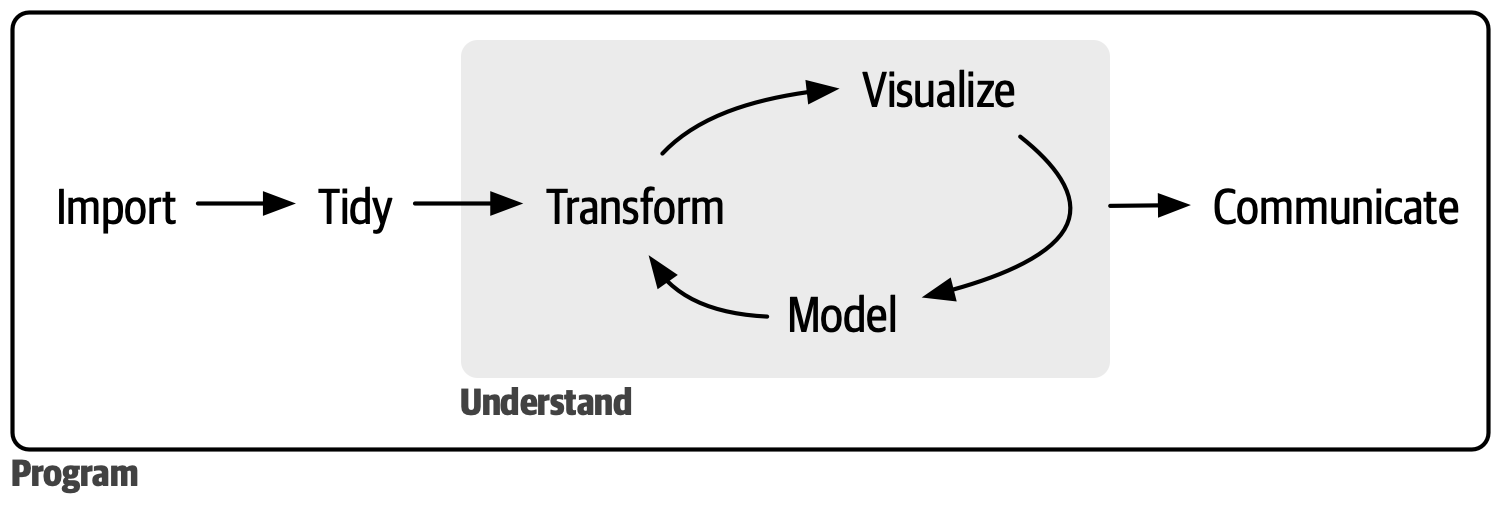
Data Science Project


R Programming Language



“R is a free software environment for statistical computing and graphics.”

History of R

  • Initially developed as S language by Bell Laboratories.

  • First appeared in August 1993 as R language by:

Ross Ihaka, New Zealand Statistician

Robert Gentleman, Canadian Statistician

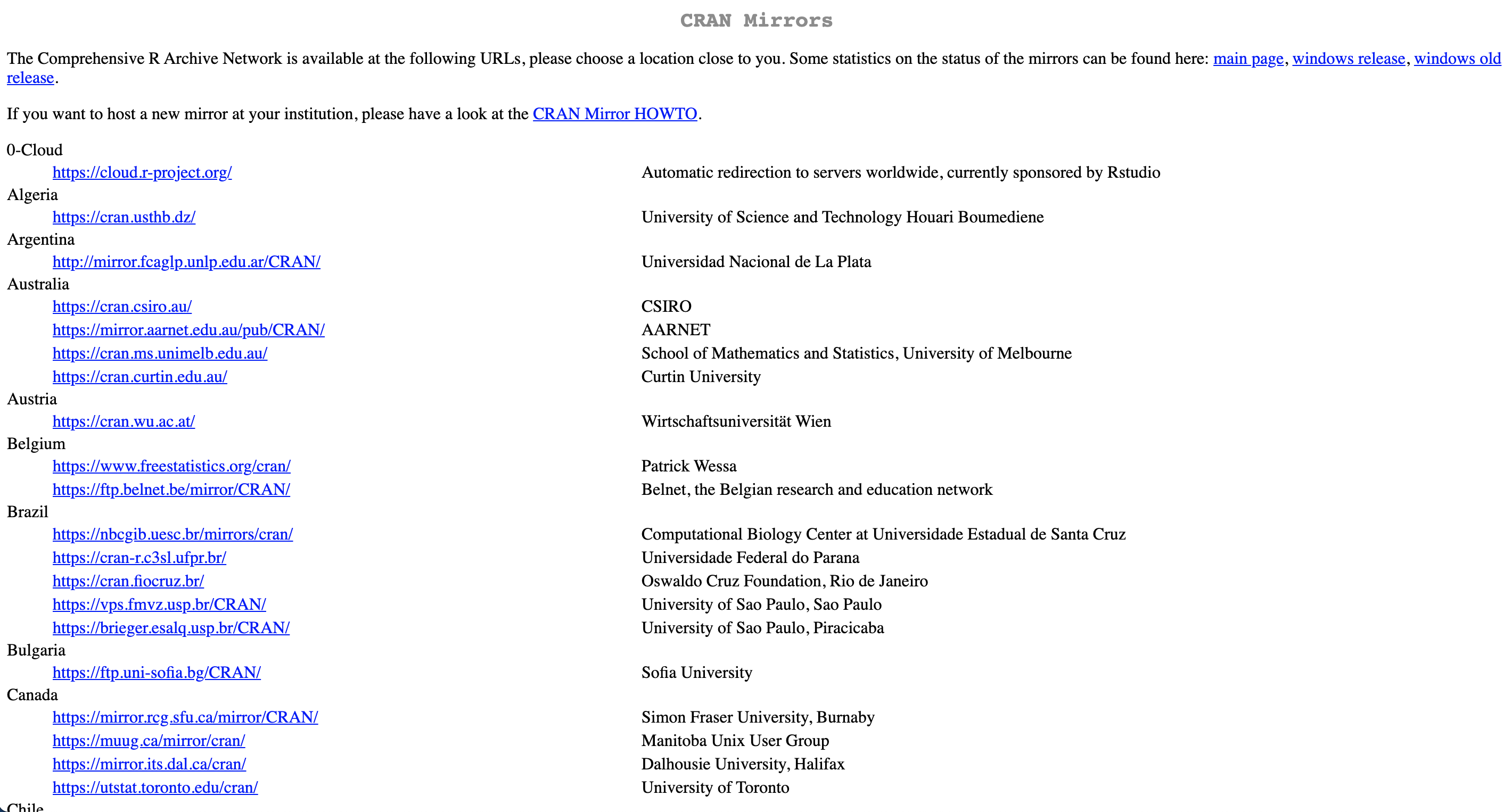
Download R from CRAN

https://www.r-project.org/

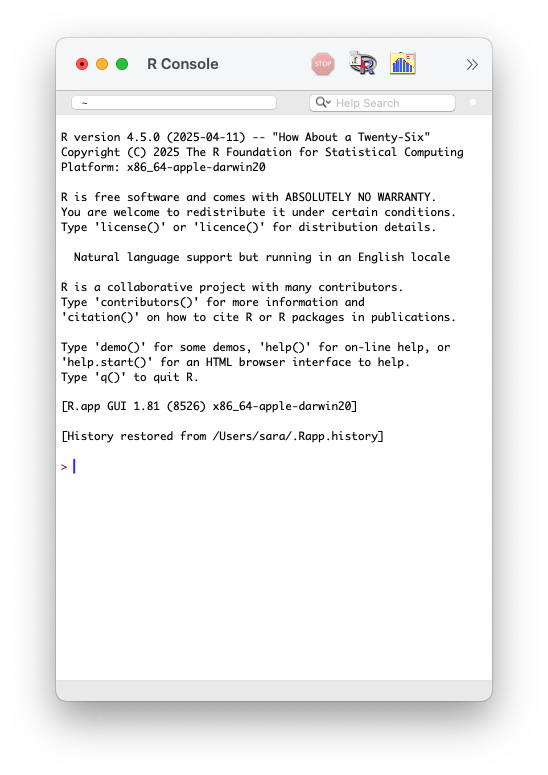
R Console


  • R version 4.5.0 (2025-04-11)

  • R name “How About a Twenty-Six”

  • R licence “ABSOLUTELY NO WARRANTY”

  • R prompt >

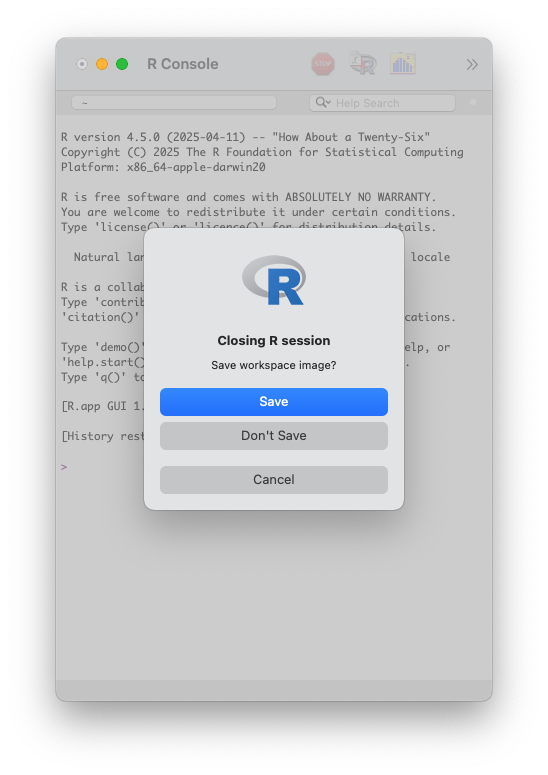
Workspace Image


  • Don’t save workspace image.

  • It helps in “freshly minted R sessions”.

  • “put more trust in your script than in your memory”.
Coding in
R Console


R Console


Code

7

Output

[1] 7

R Console: Addition


Code

2 + 1

Output

[1] 3

Operators


12 + 3 in this code + is an operator.


“Operators are used to perform operations on variables and values.

Arithmetic Operators


“Arithmetic operators are used with numeric values to perform common mathematical operations.”

Arithmetic Operators


Operator Name Example
+ Addition x + y
- Subtraction x - y
* Multiplication x * y
/ Division x / y
^ Exponent x ^ y

R Console: Subtraction


Code

10 - 2

Output

[1] 8

R Console: Multiplication


Code

12 * 4

Output

[1] 48

R Console: Division


Code

25 / 5

Output

[1] 5

R Console


Code

3434 + 343453 * 2323 / 534 - 1000

Output

[1] 1496519


Important

R follows the BODMAS (bracket, order, division, multiplication, addition and subtraction) rule to solve mathematical equations.

R Comparison Operators


“Comparison operators are used to compare two values.”

R Comparison Operators


Operator Name Example
== Equal x == y
!= Not equal x != y
> Greater than x > y
< Less than x < y
>= Greater than or equal to x >= y
<= Less than or equal to x <= y

R Console


Code

4 == 5

Output

[1] FALSE

R Console


Code

67 > 60

Output

[1] TRUE

R Miscellaneous Operator

“Miscellaneous operators are used to manipulate data.”


Code

12:36

Output

[1] 12 13 14 15 16 17 18 19 20 21 22 23 24 25 26 27 28 29 30 31 32 33 34 35 36

What if we want to add all these values in R?


[1] 12 13 14 15 16 17 18 19 20 21 22 23 24 25 26 27 28 29 30 31 32 33 34 35 36

Functions


R Function

  • “A function, in a programming environment, is a set of instructions.”

  • “A programmer builds a function to avoid repeating the same task, or reduce complexity.”

R Function

sum(2, 4, 6) 

[1] 12

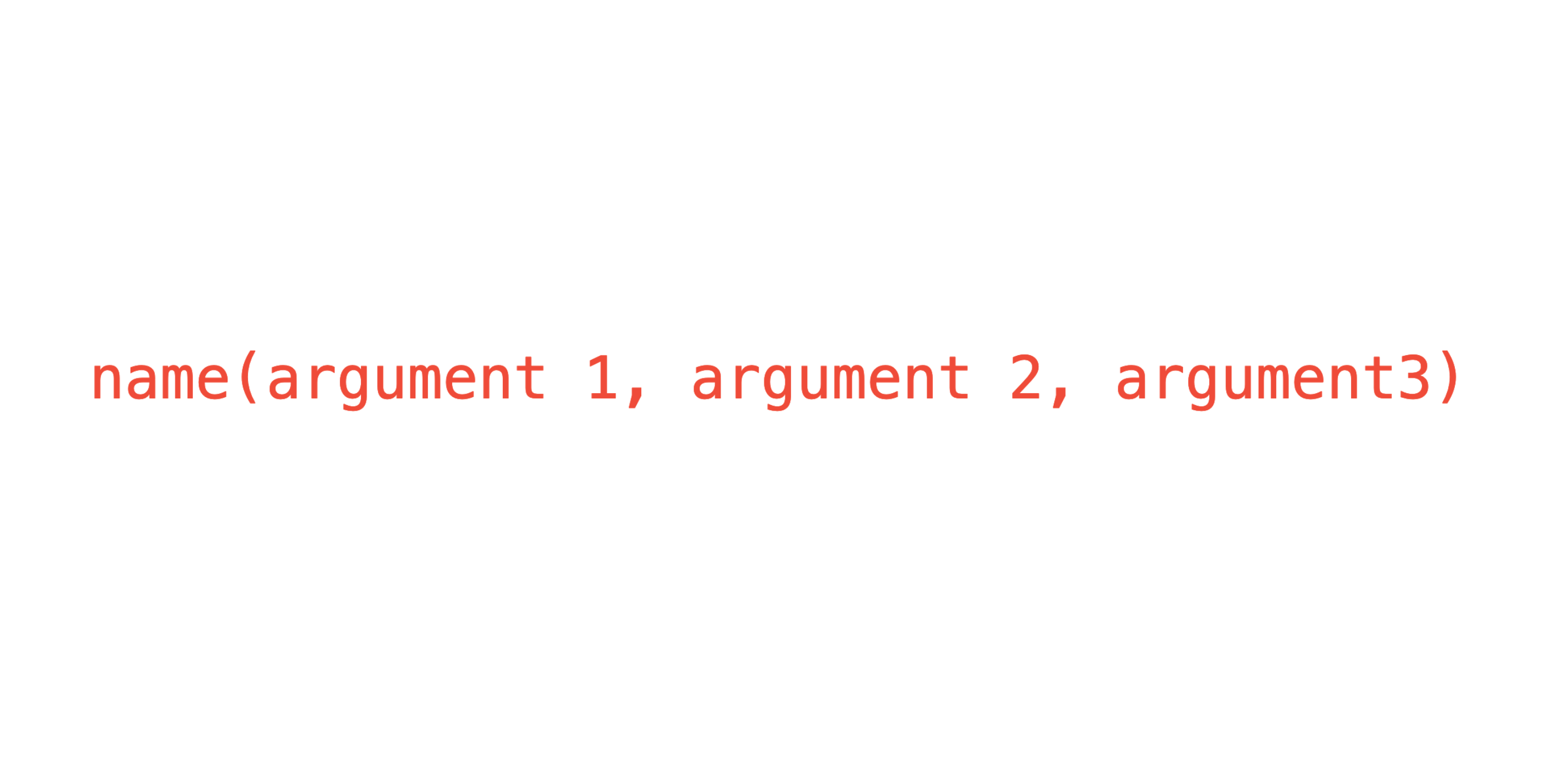
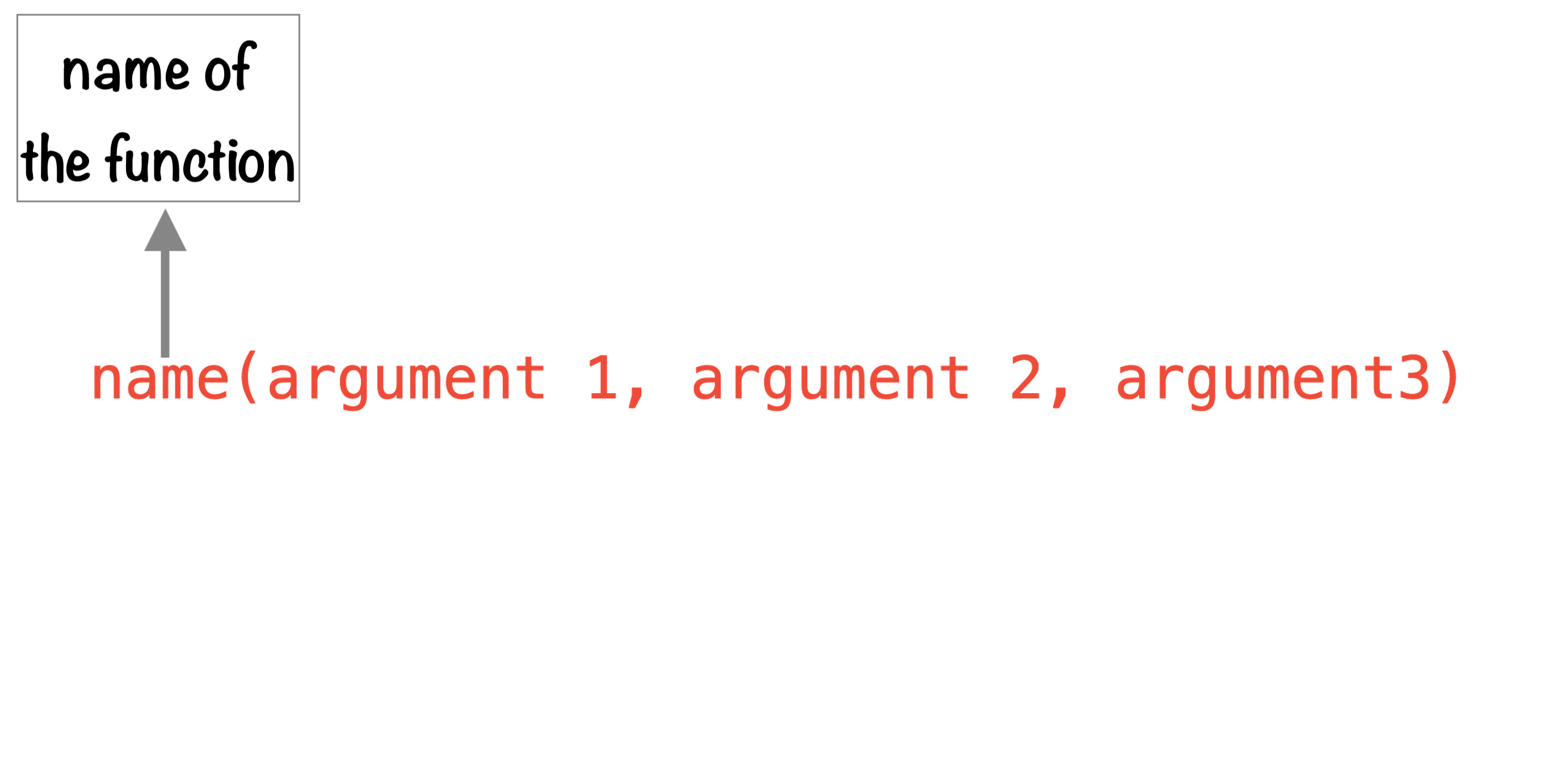
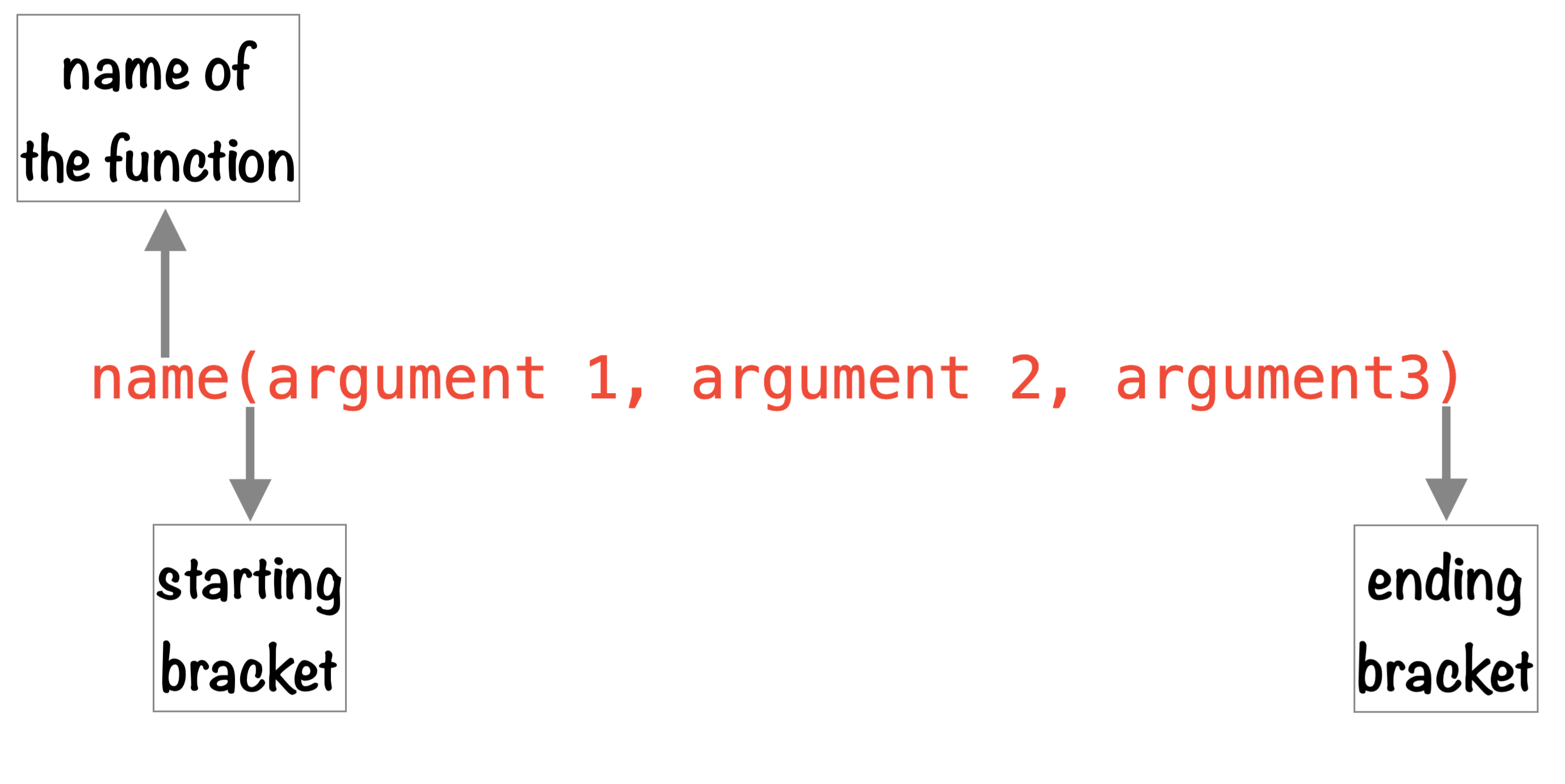
Structure of a R function


Structure of a R function

Structure of a R function

Structure of a R function
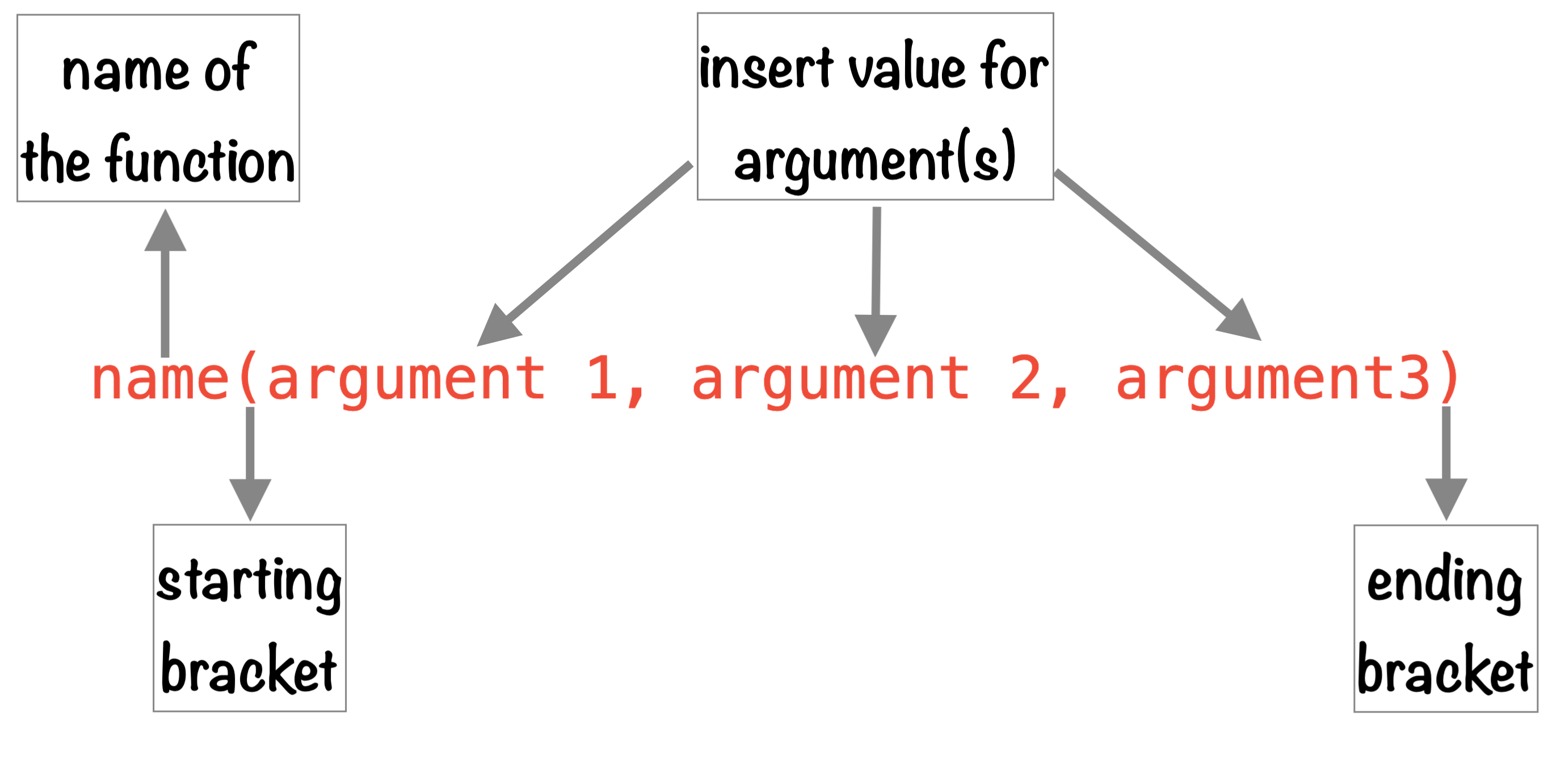

Structure of a R function
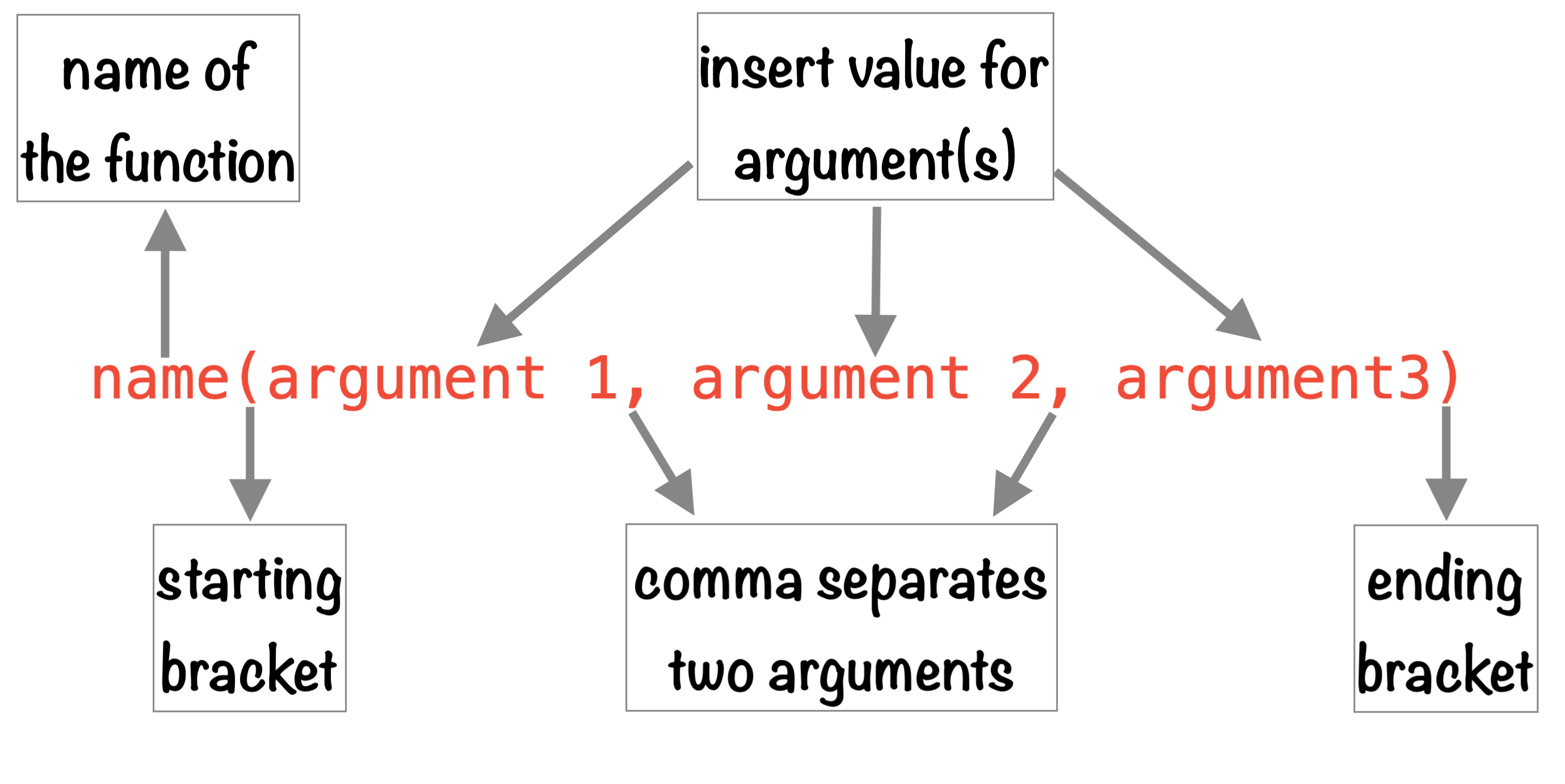

R Function sum()

sum(12:36) 

[1] 600

Round function

Function with default argument.

round(x = 42.58756)

or

round(42.58756)

[1] 43

or

[1] 43

Round function

Function with a specific value of an argument.

round(x = 46.58754, digits = 2)

or

round(46.58754, 2)

[1] 46.59

or

[1] 46.59

Square Root Function

Function with a specific value of an argument.

sqrt(x = 9)

[1] 3

Sequence Function

Function with a specific value of an argument.

seq.int(from = 10, to = 30, by = 5)

or

seq.int(from = 10,
        to = 30,
        by = 5)

or

seq.int(10, 30, 5)

[1] 10 15 20 25 30

or

[1] 10 15 20 25 30

or

[1] 10 15 20 25 30

Plot using R

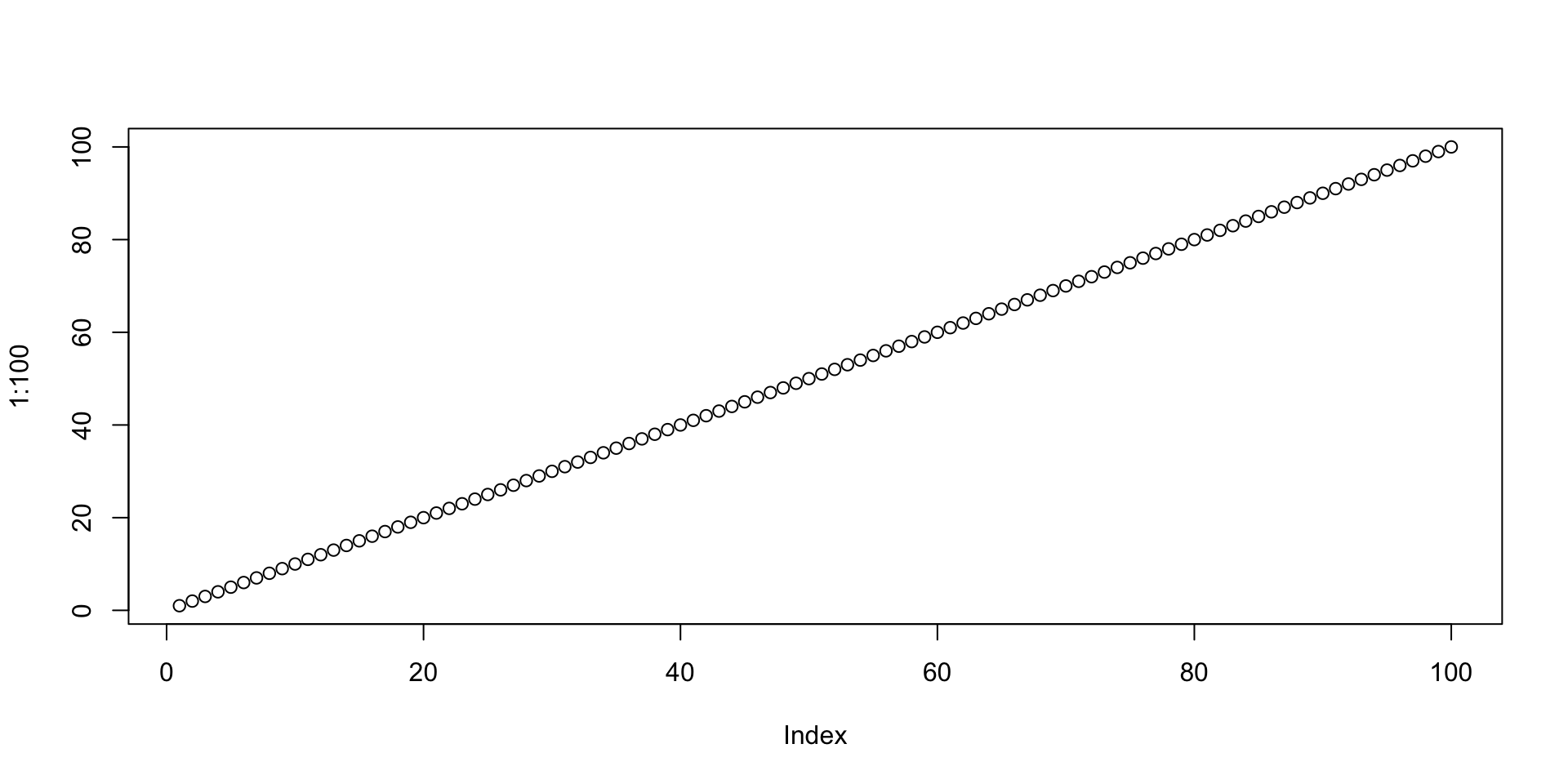
plot(1:100)

Create Function

– reusable set of instructions

add <- function(x, y) {
  return(x + y)
}

add(3, 4)   # Output: 7
[1] 7

Getting Help with R

  • The help() function and ? help operator in R.

  • Use args() function to the get the list of arguments of a function.

🧑🏽‍💻👨🏽‍💻
Question & Answer

🤯 Your Turn

15:00
  1. Add two numbers: 15 + 27

  2. Create a sequence of numbers from 1 to 10

  3. Create a sequence from 5 to 50, increasing by 5

  4. Find the square root of 81

  5. Round the number 3.786 to 2 decimal places

🤩 Your Turn

  1. Add two numbers: 15 + 27, 15 + 27

  2. Create a sequence of numbers from 1 to 10, seq(1, 10)

  3. Create a sequence from 5 to 50, increasing by 5, seq(5, 50, by = 5)

  4. Find the square root of 81, sqrt(81)

  5. Round the number 3.786 to 2 decimal places, round(3.786, 2)

😏 That’s okay but how to …

  • combine plot, text, tables and images in a single file,

  • publish my work online or convert into a word, pdf or html file, and

  • work efficiently with my different projects and save, share and track them.

🔥 WE NEED A SUPERHERO - RStudio 🔥