CREATING PROJECTS
USING RSTUDIO IDE

2 Days Data Science Workshop at Institute of Development Studies, Jaipur (ICSSR)

DR. AJAY KUMAR KOLI, PHD


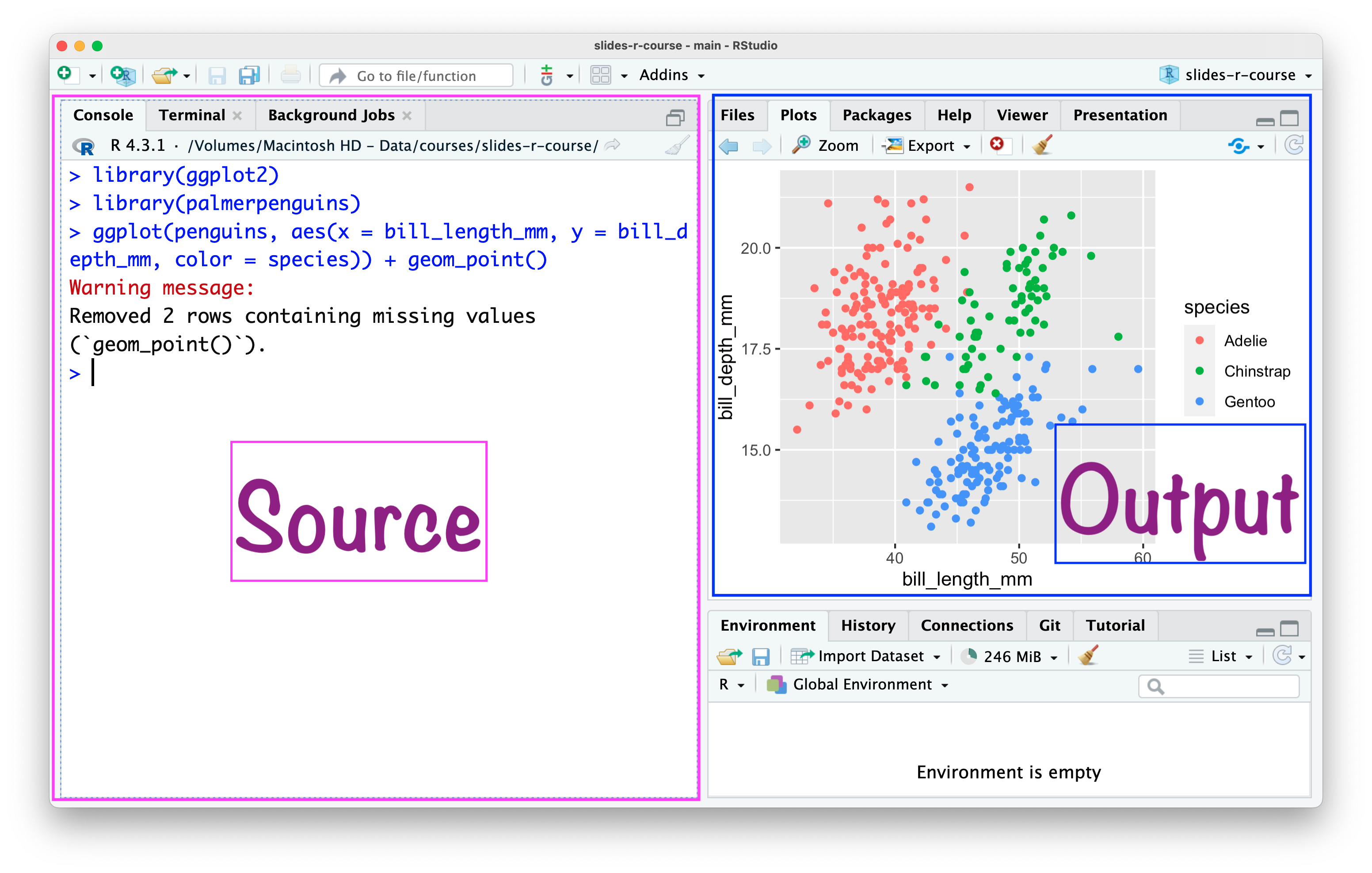
“RStudio is an integrated development environment (IDE) for R and Python from company posit.”

R and RStudio


Imagine R as a powerful engine


and RStudio as a stylish car


  • “It includes a console, syntax-highlighting editor that supports direct code execution, and tools for plotting, history, debugging, and workspace management.”

  • Download RStudio.

RStudio IDE

RStudio \(\rightarrow\) Tools \(\rightarrow\) Global Options
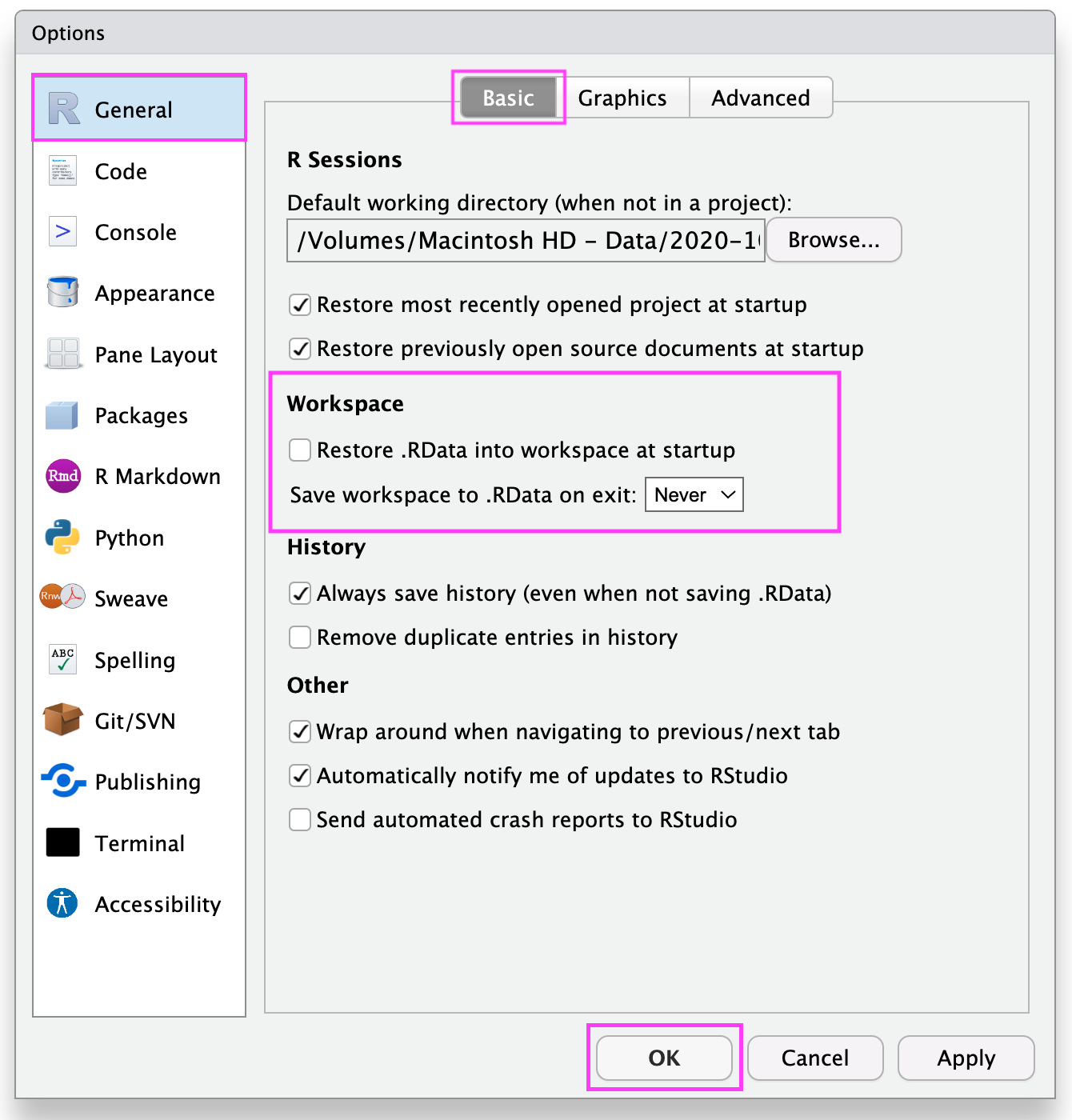
RStudio \(\rightarrow\) Tools \(\rightarrow\) Global Options
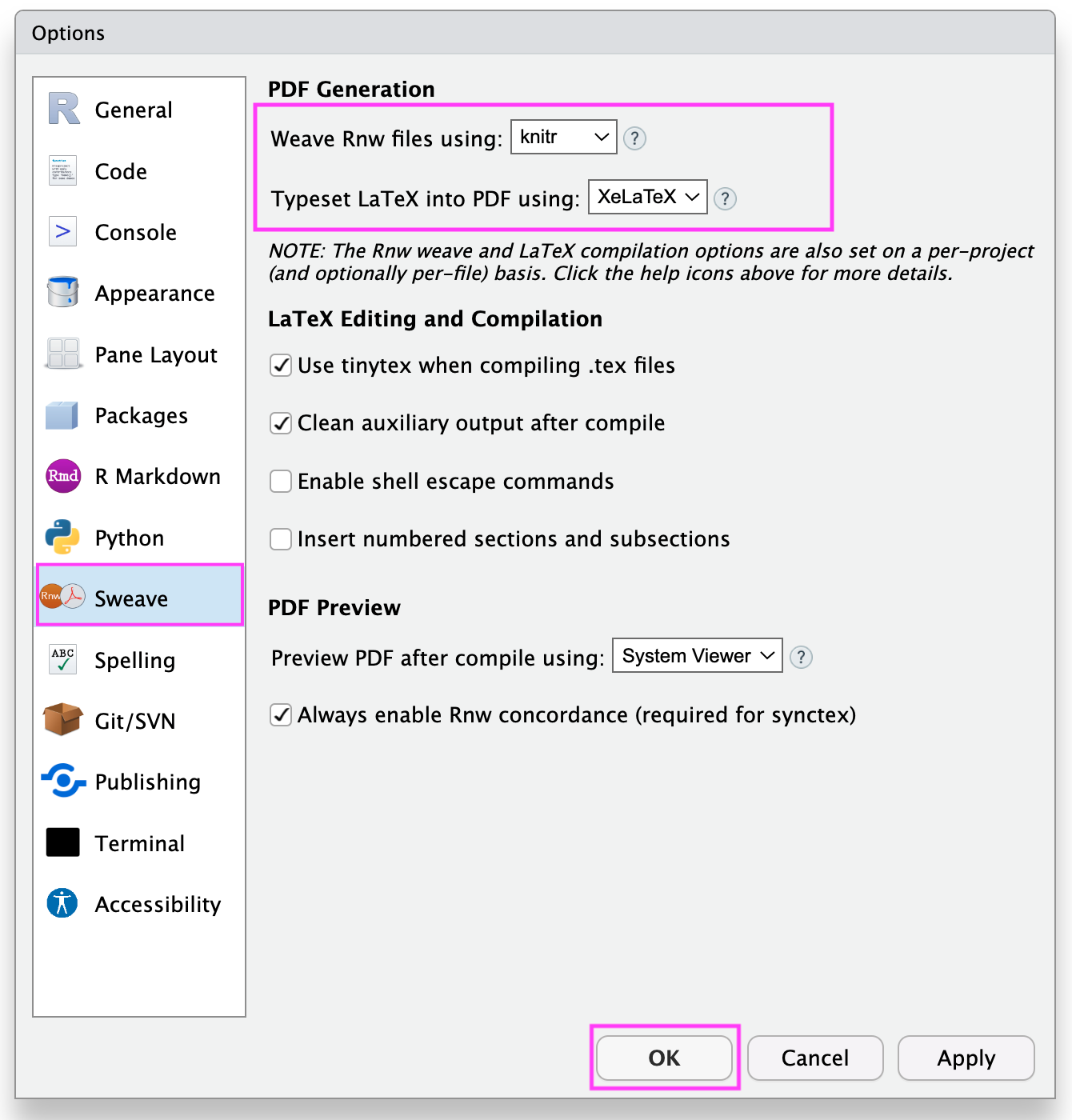
Open RStudio
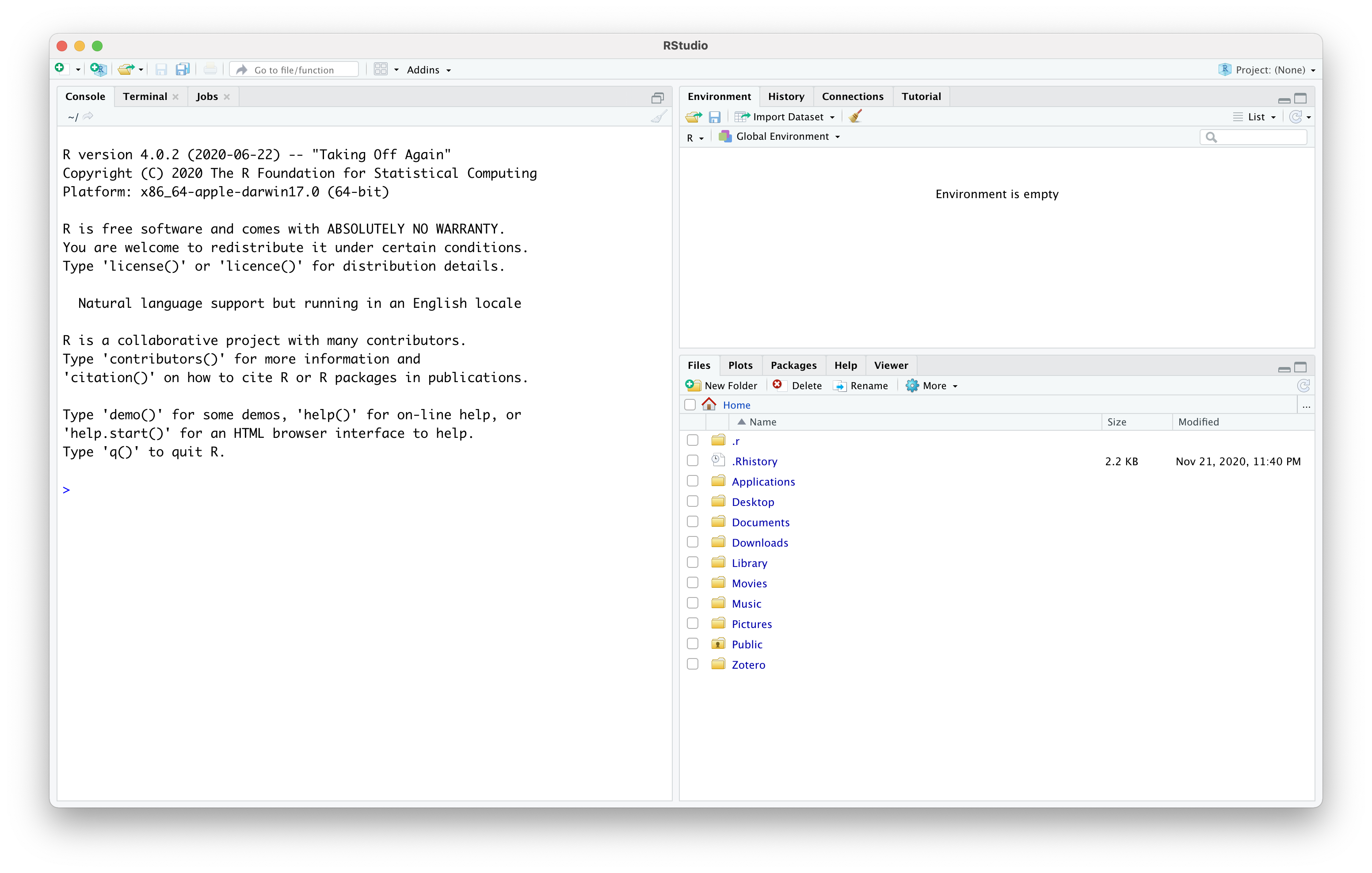
RStudio Without Project
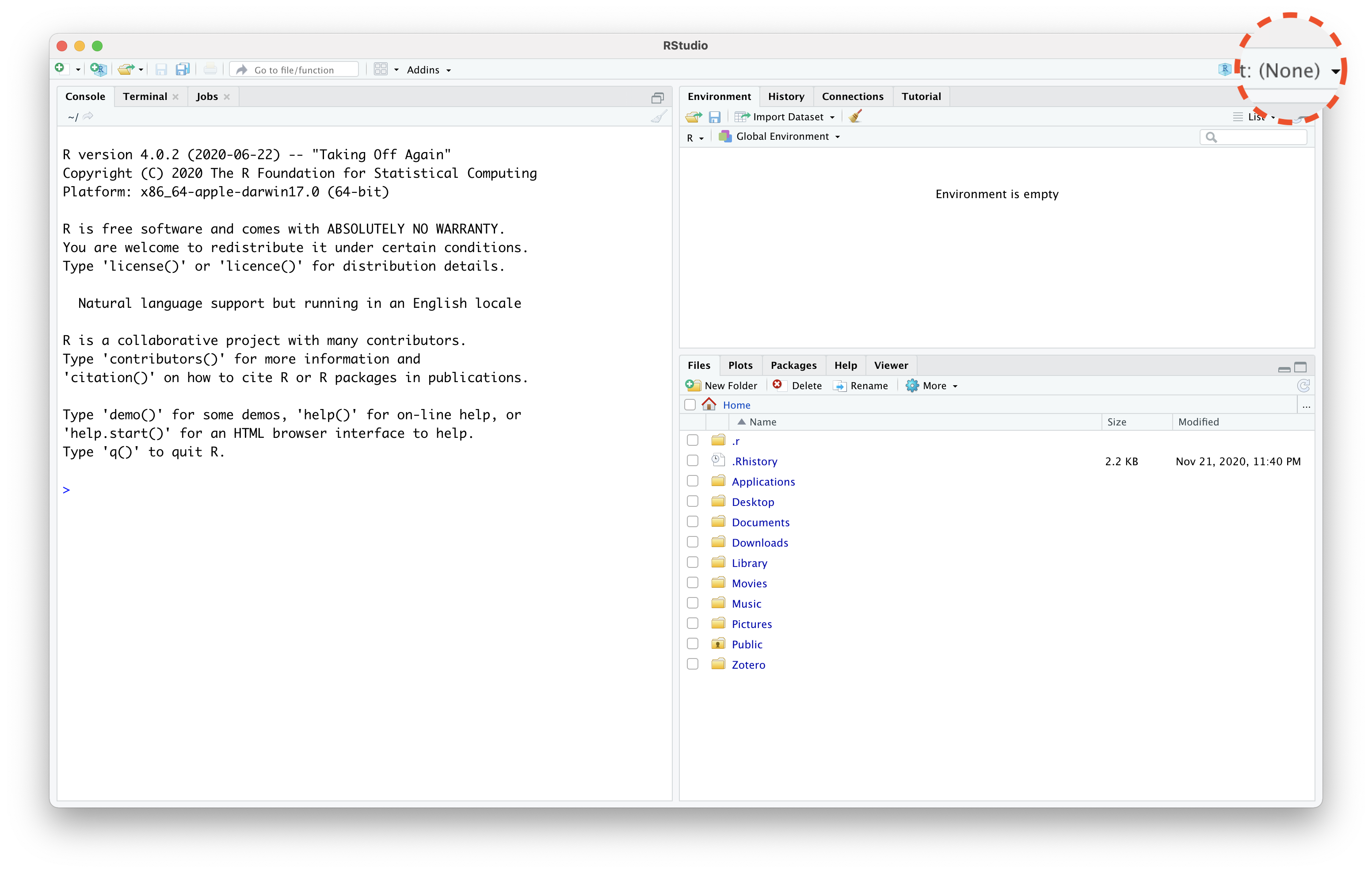
RStudio Without Project
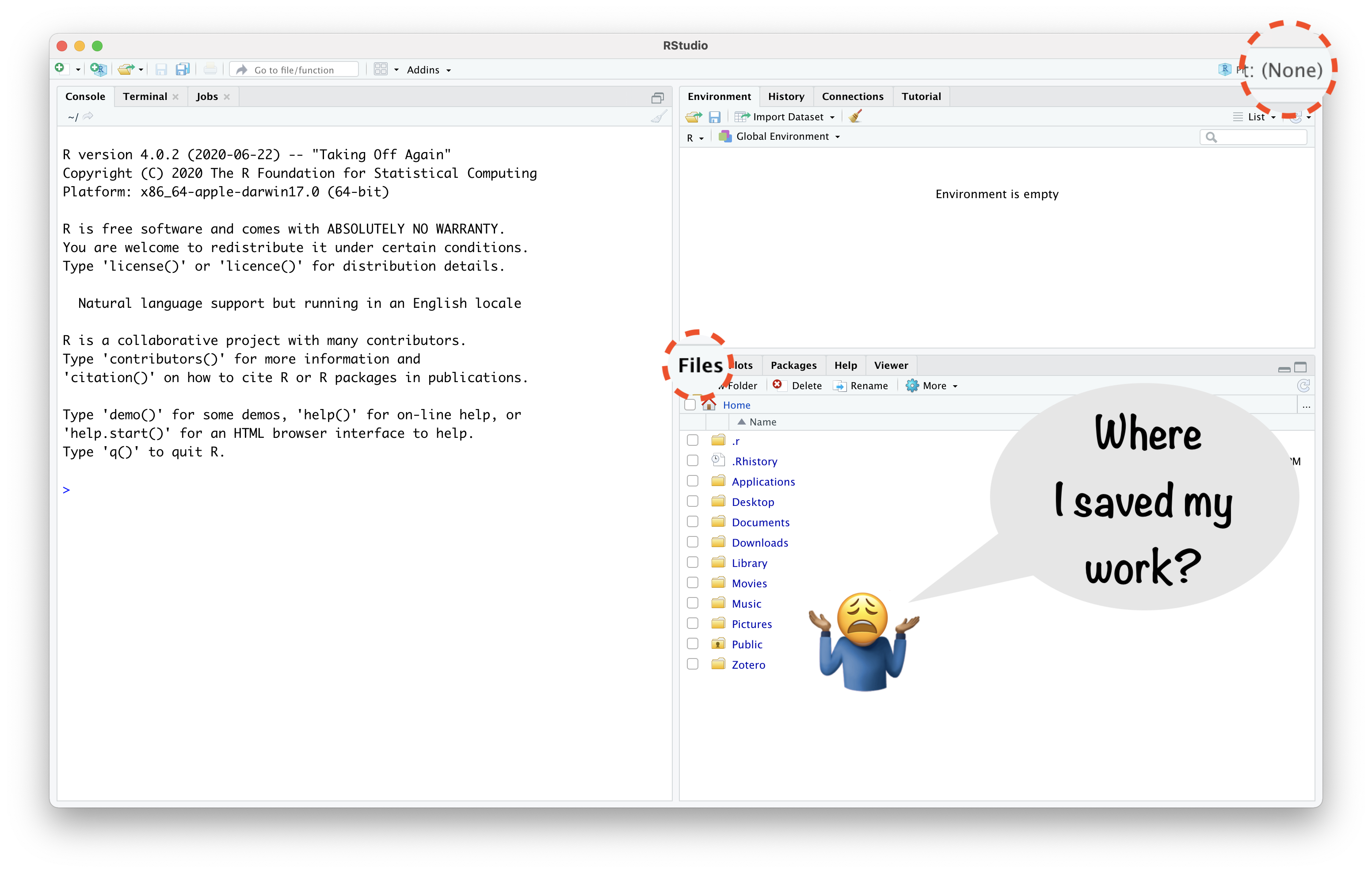
RStudio Project Helps:

  • “to divide your work into multiple contexts, each with their own”
    • working directory,
    • workspace,
    • history, and
    • source documents.”

RStudio
Project
in 4 Steps

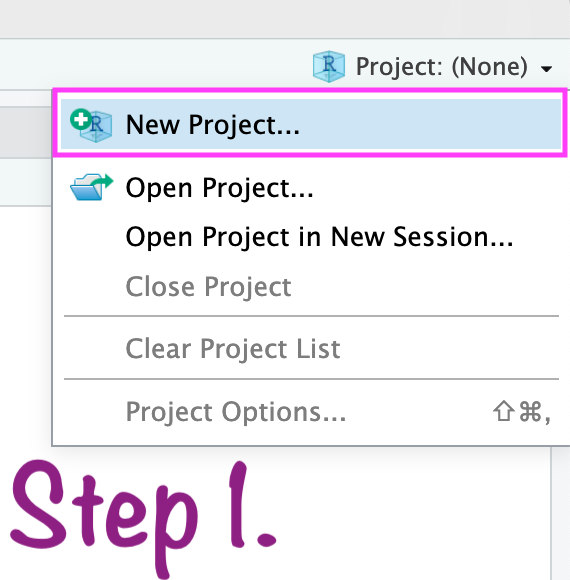
Create RStudio project

Create RStudio project
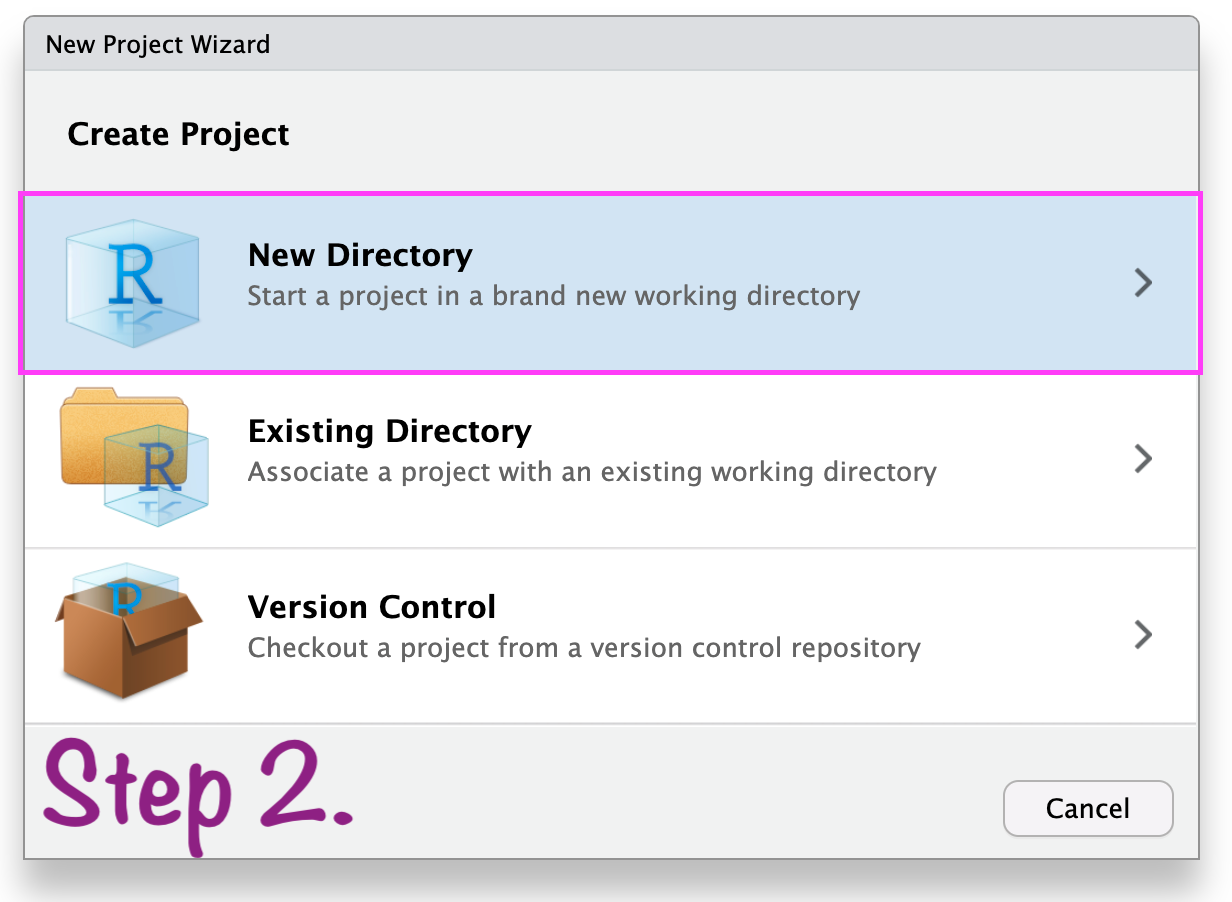
In case anything goes wrong\(...\)
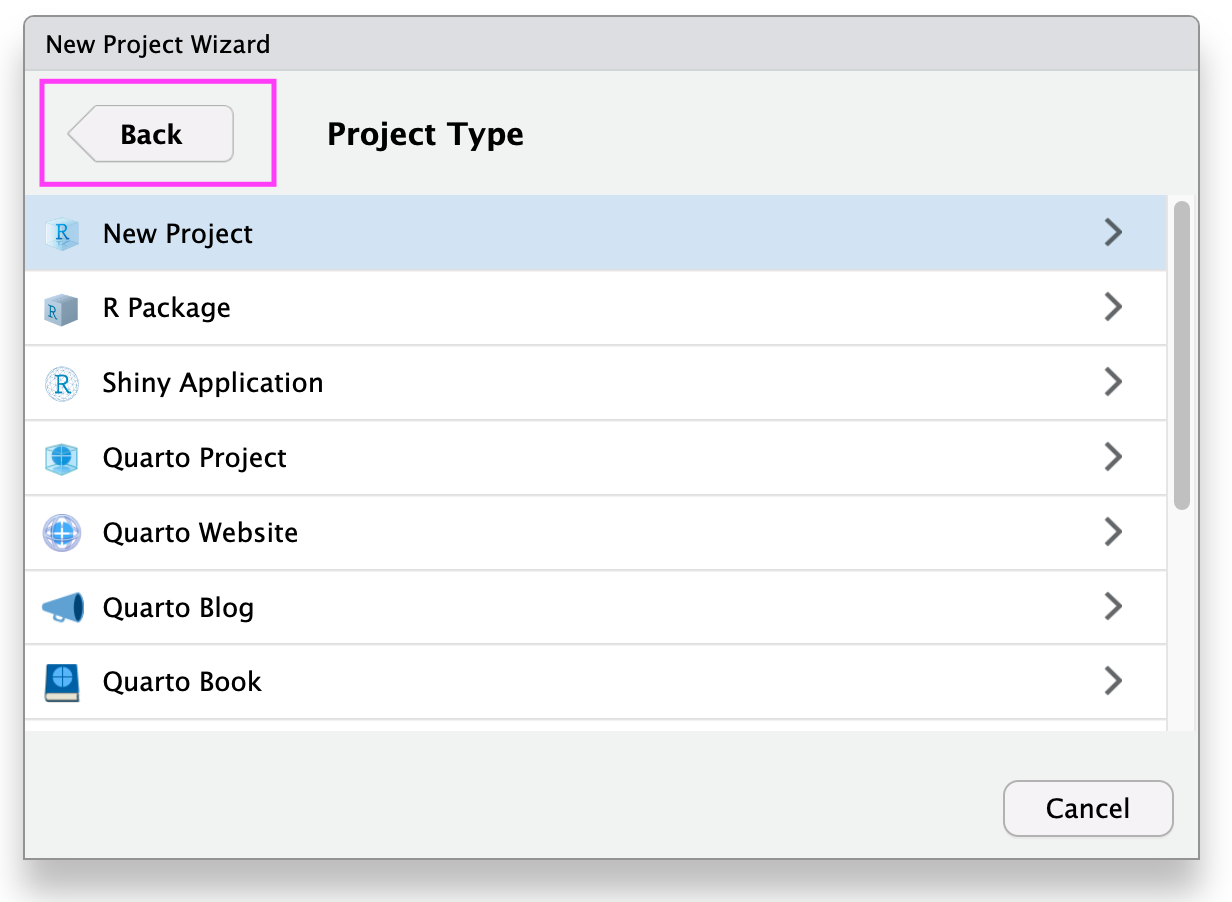
Create RStudio Project
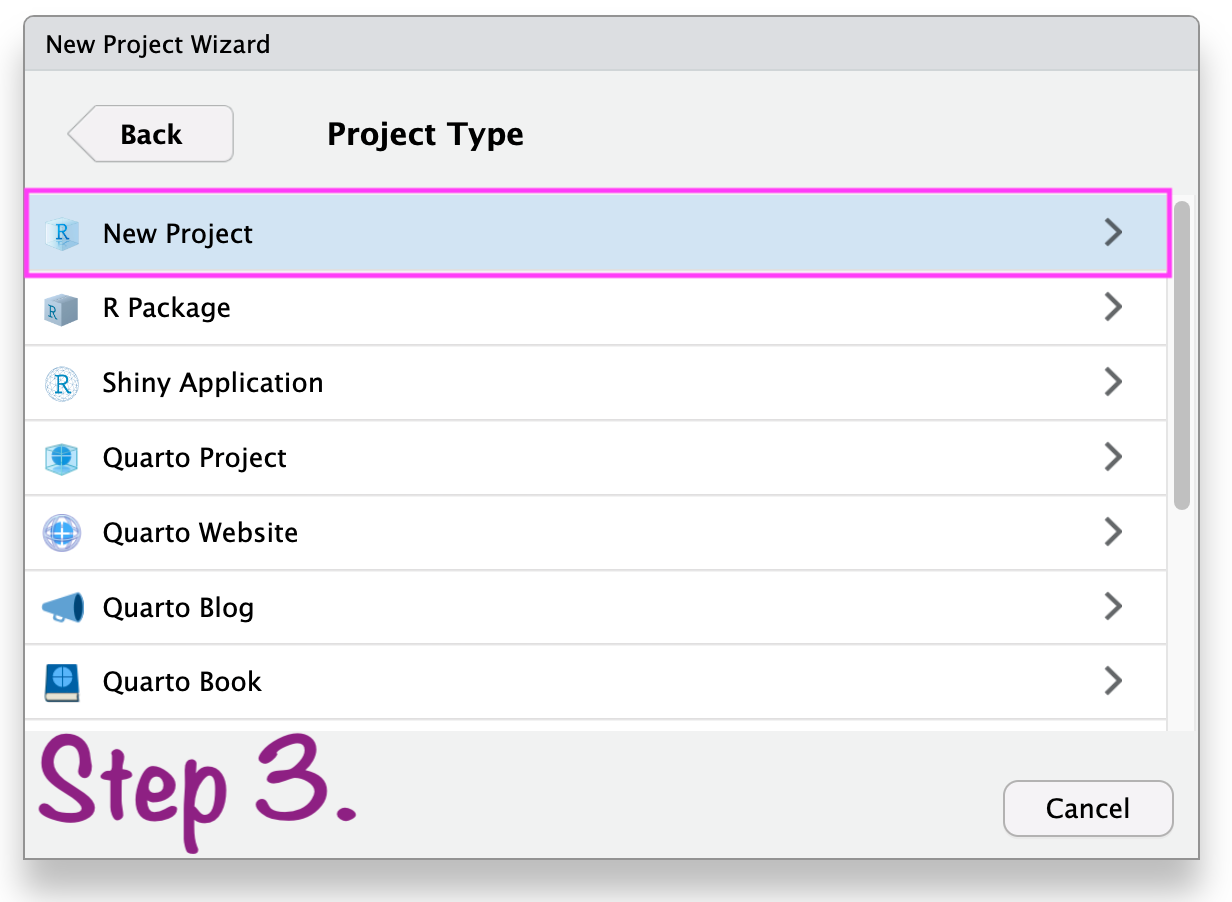
Create RStudio project
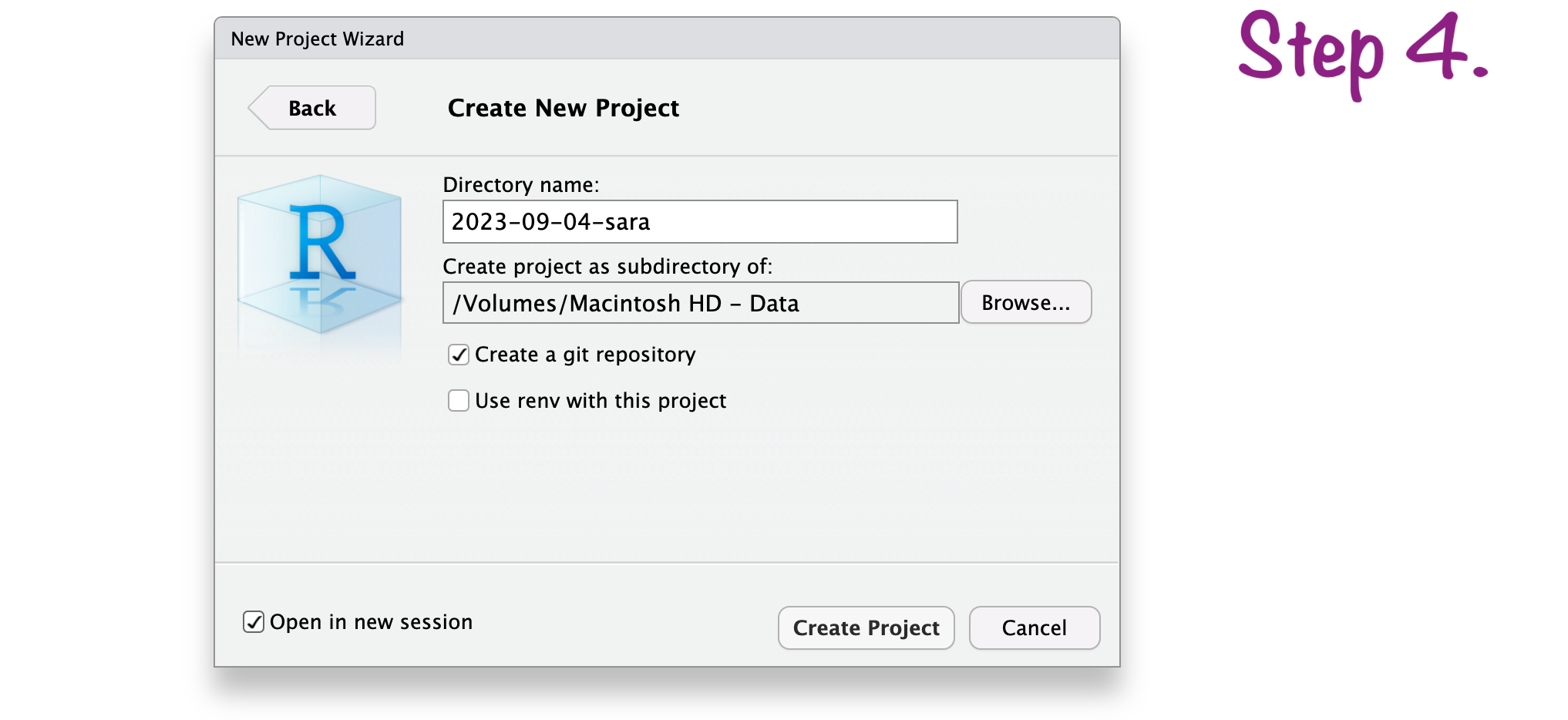
Create RStudio project
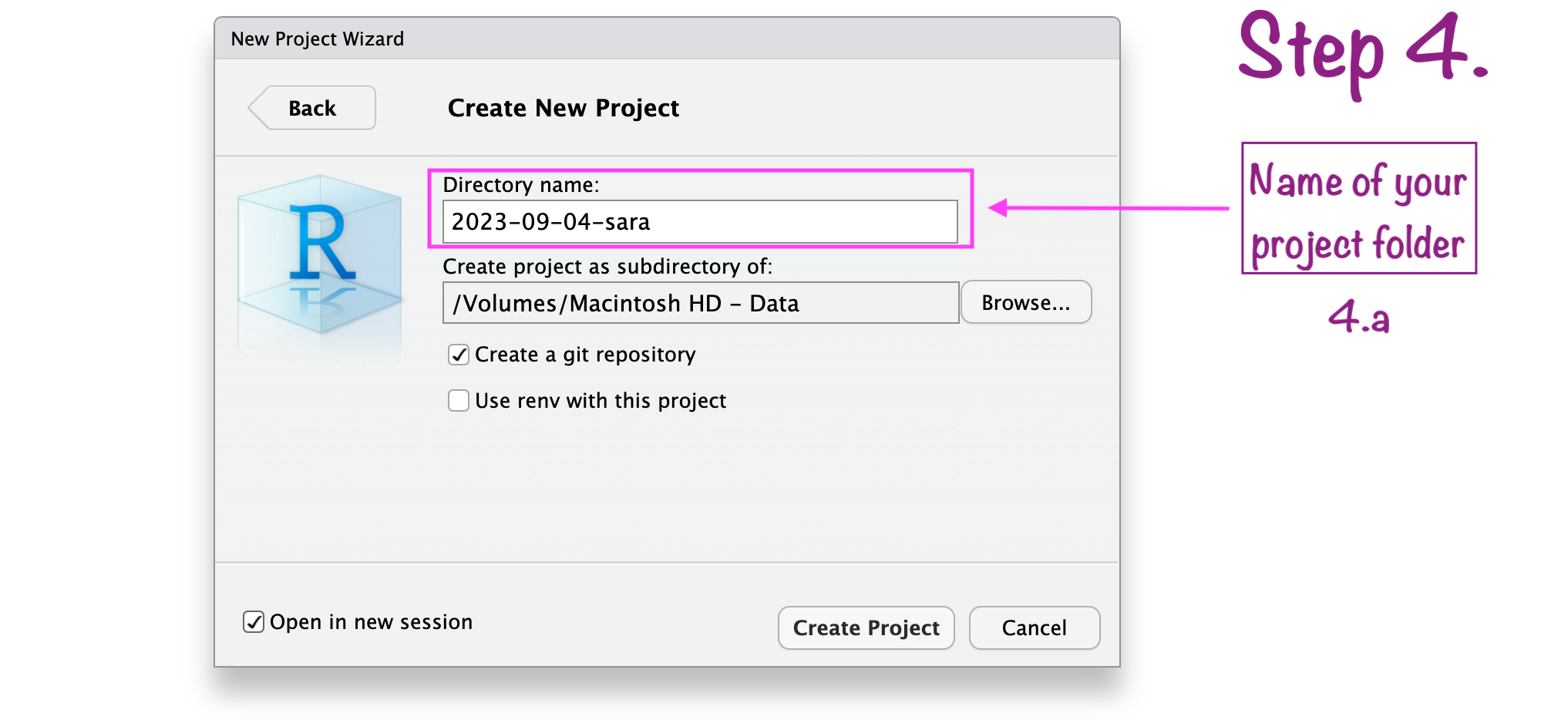
Create RStudio project
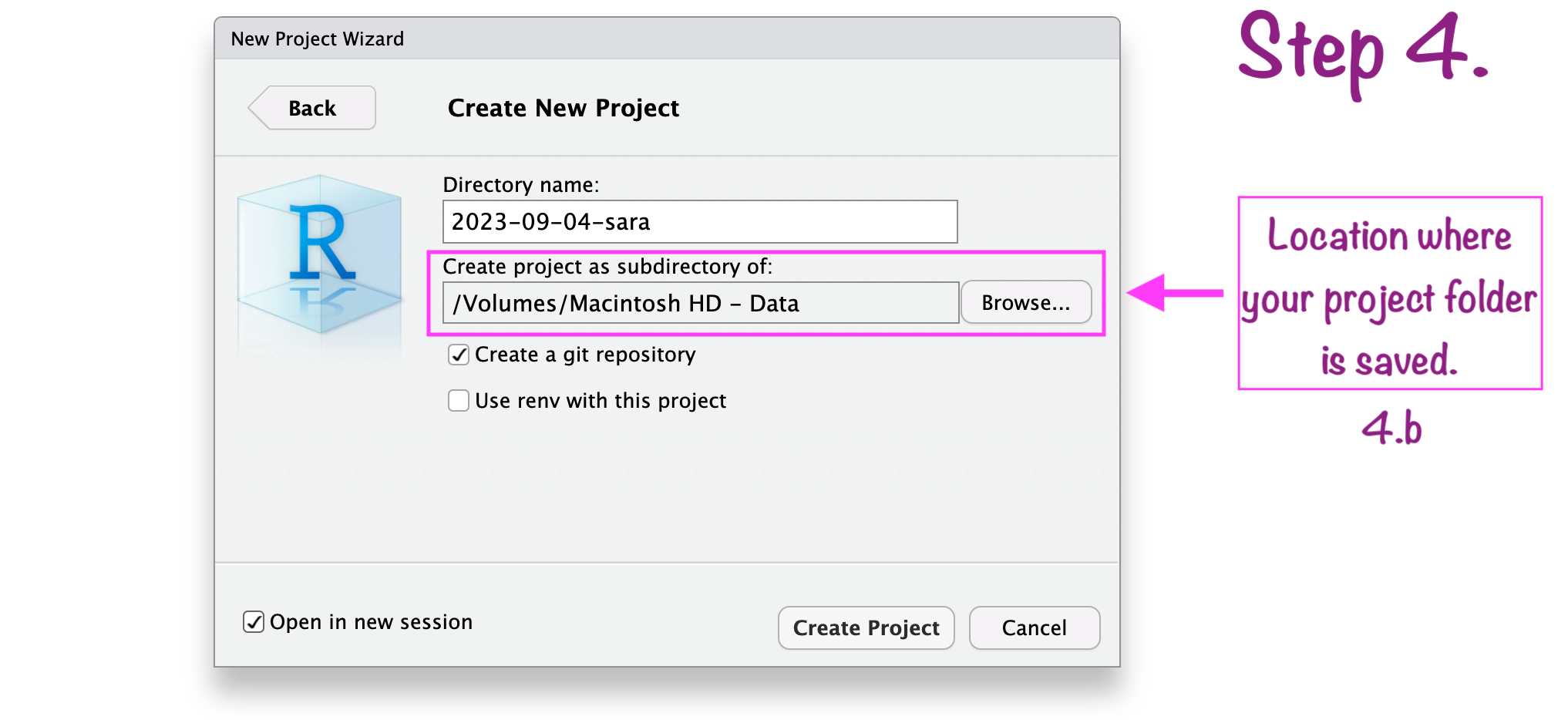
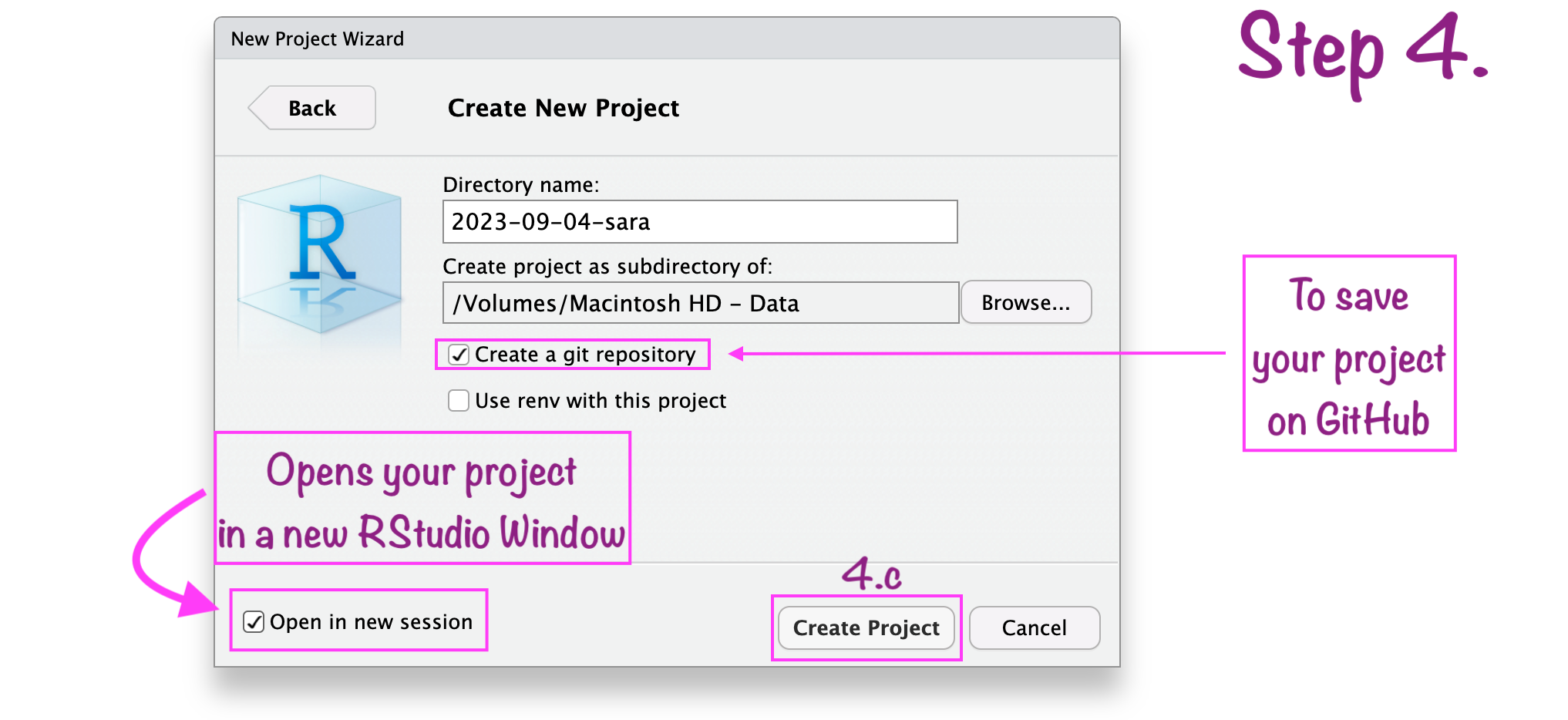
Create RStudio project
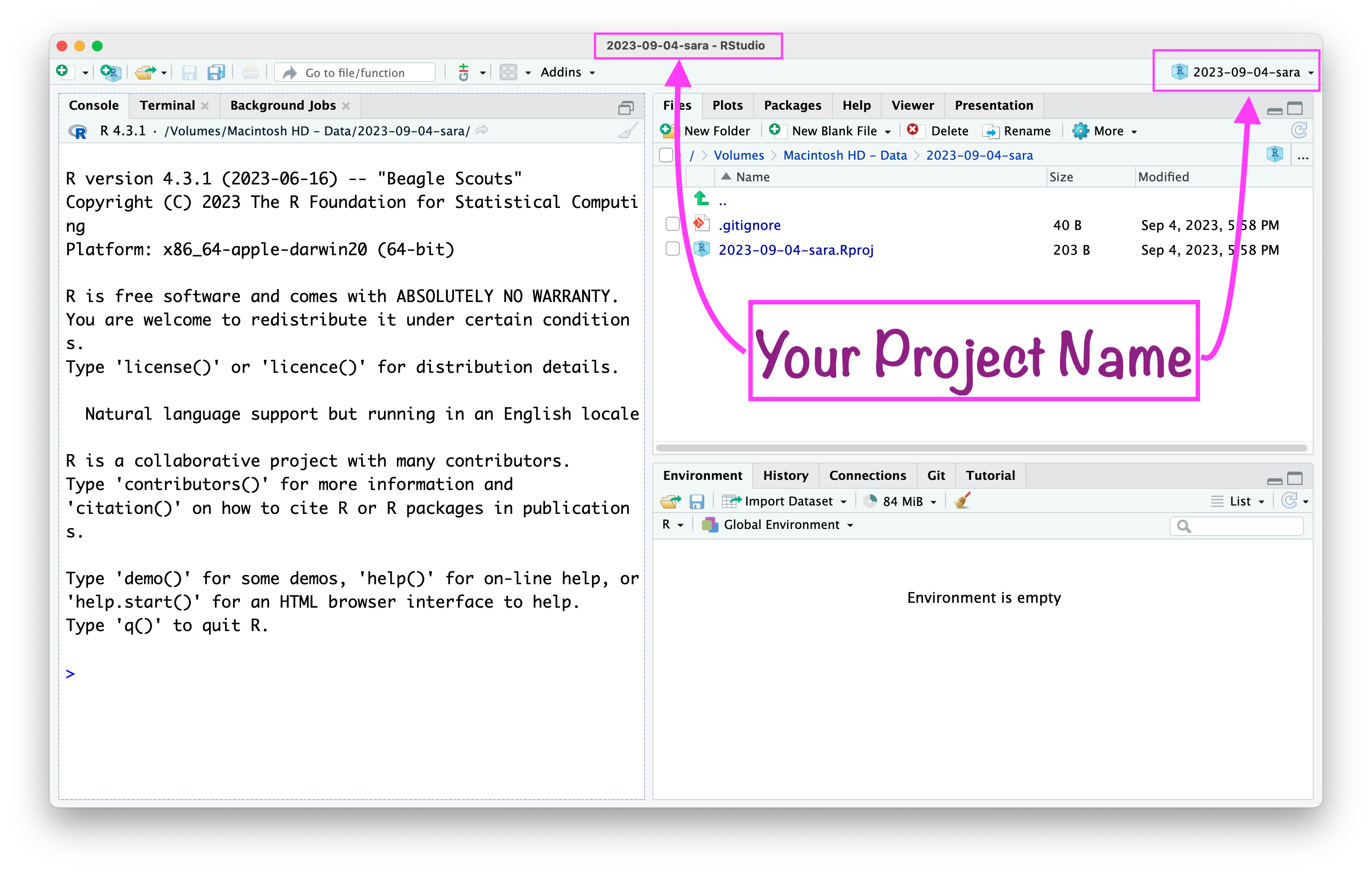
RStudio project “name”
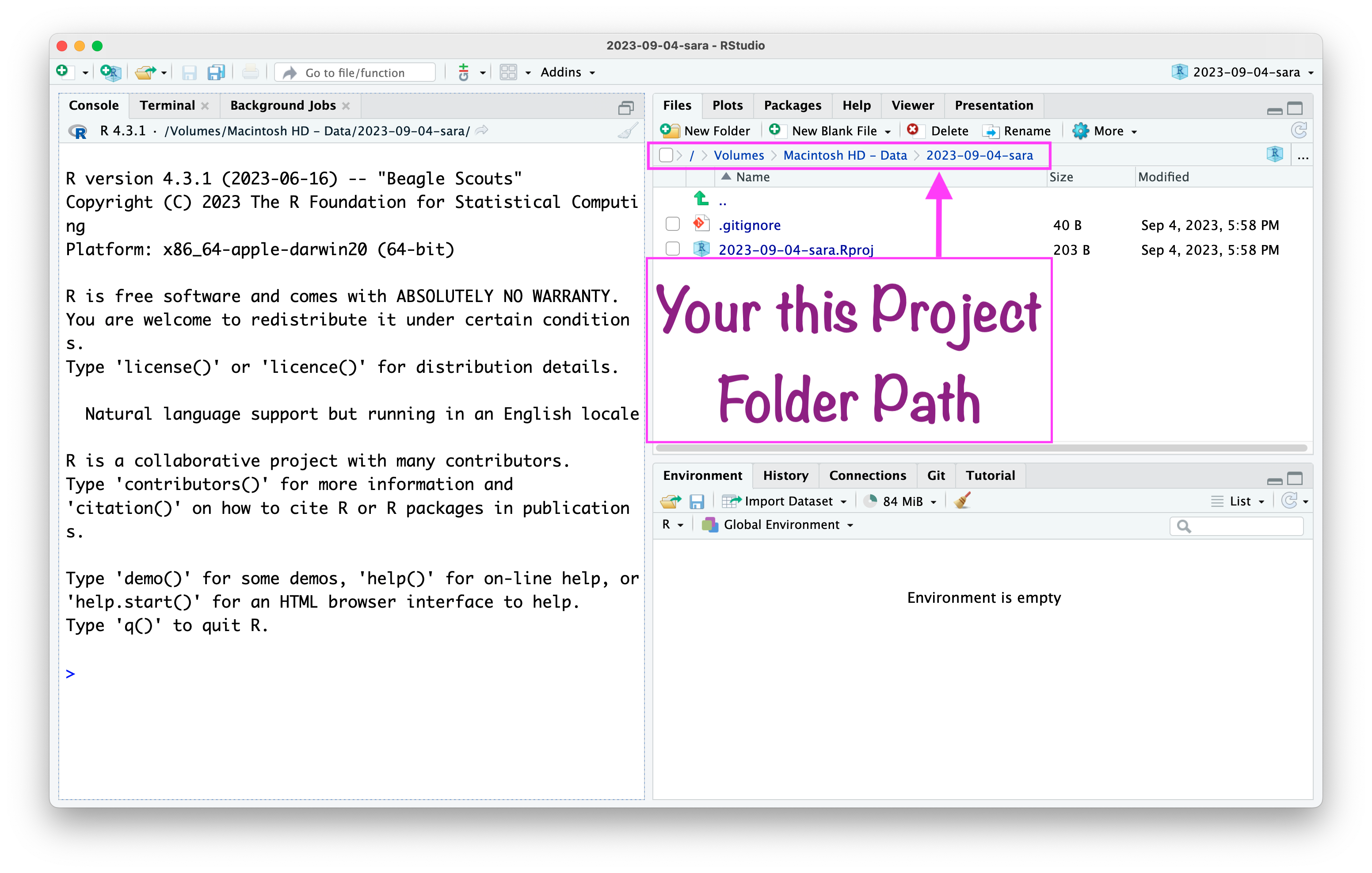
RStudio project “path”
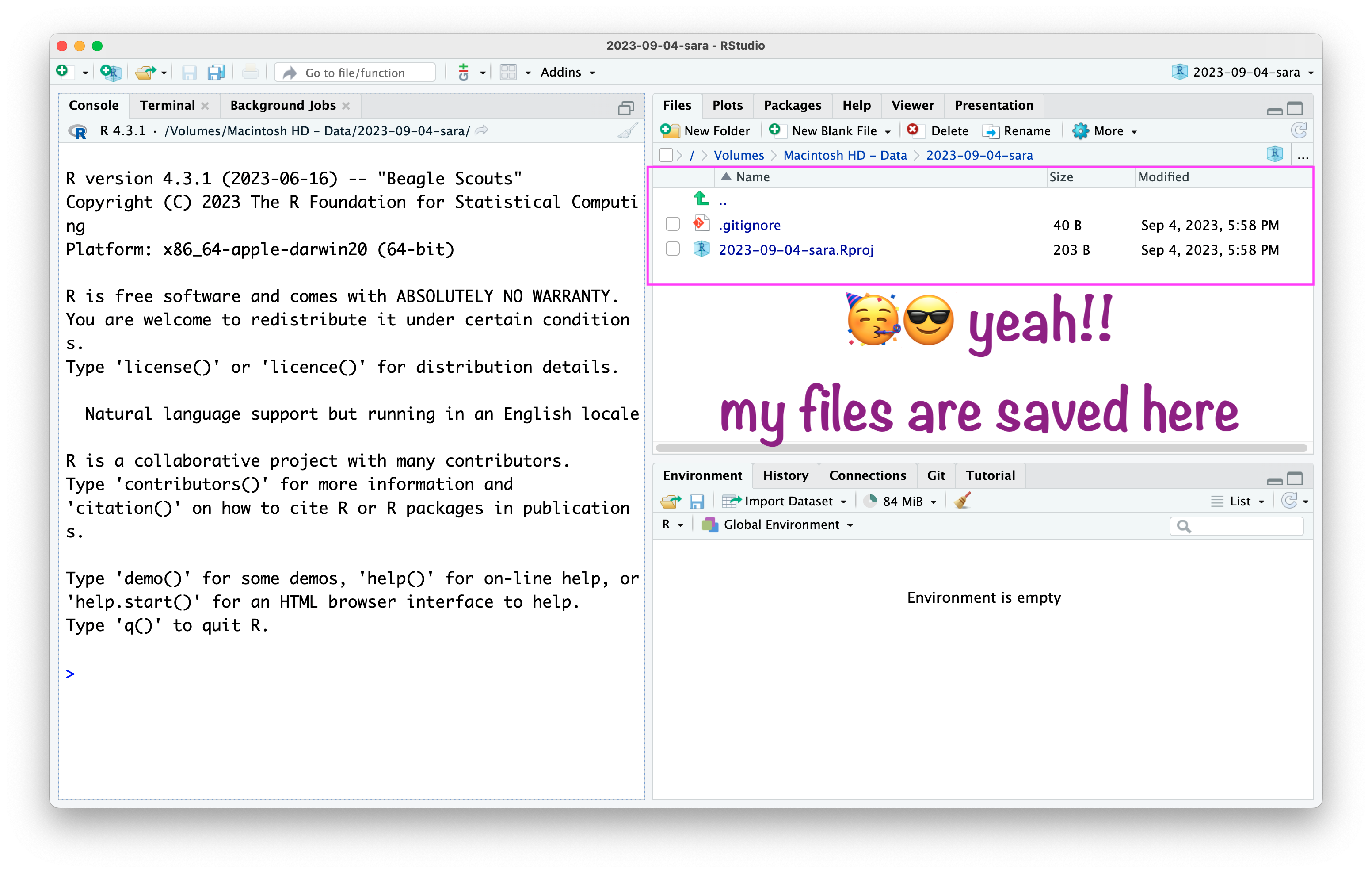
RStudio project
R
OBJECTS

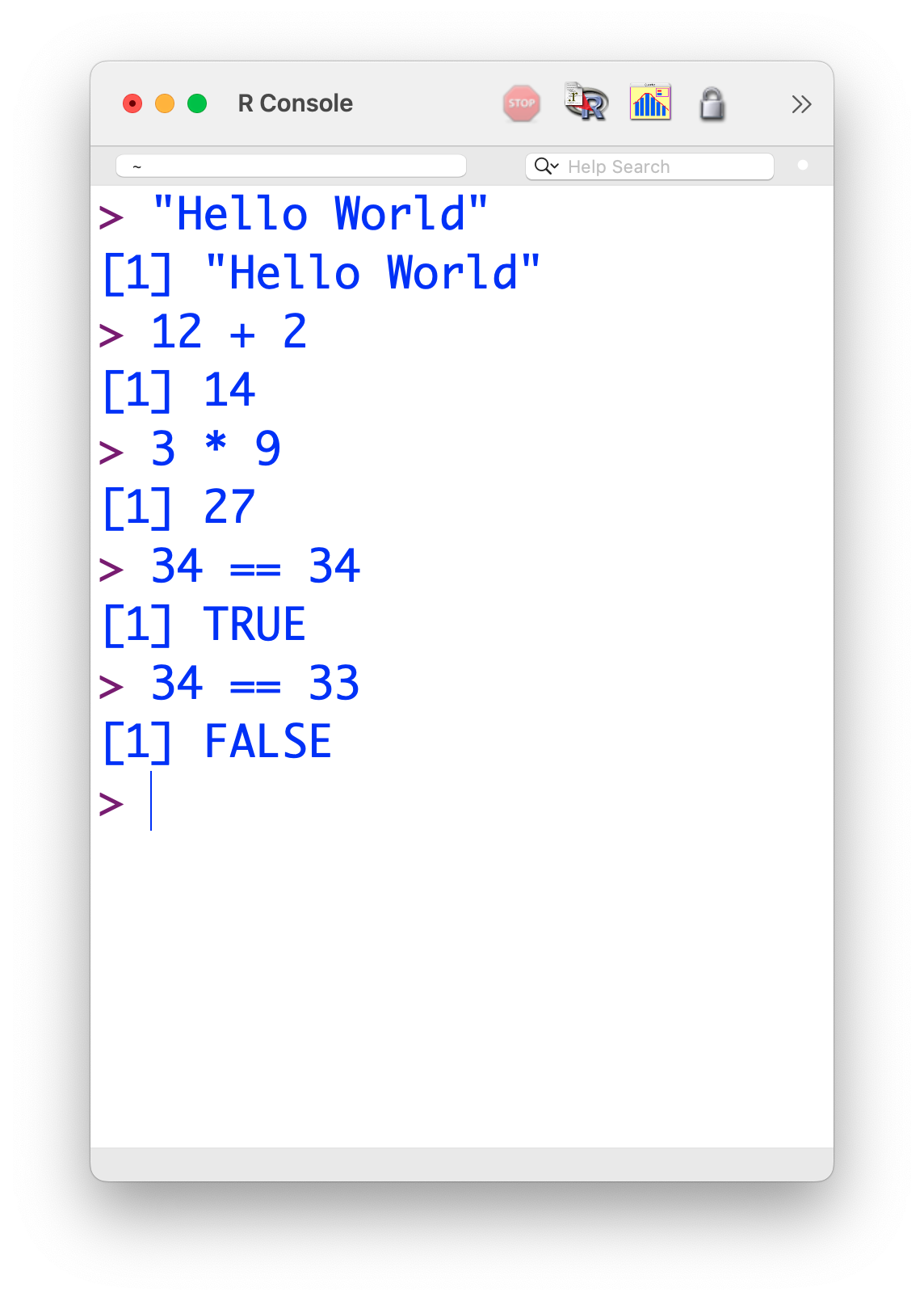
Write codes in RStudio console

Write codes in R script
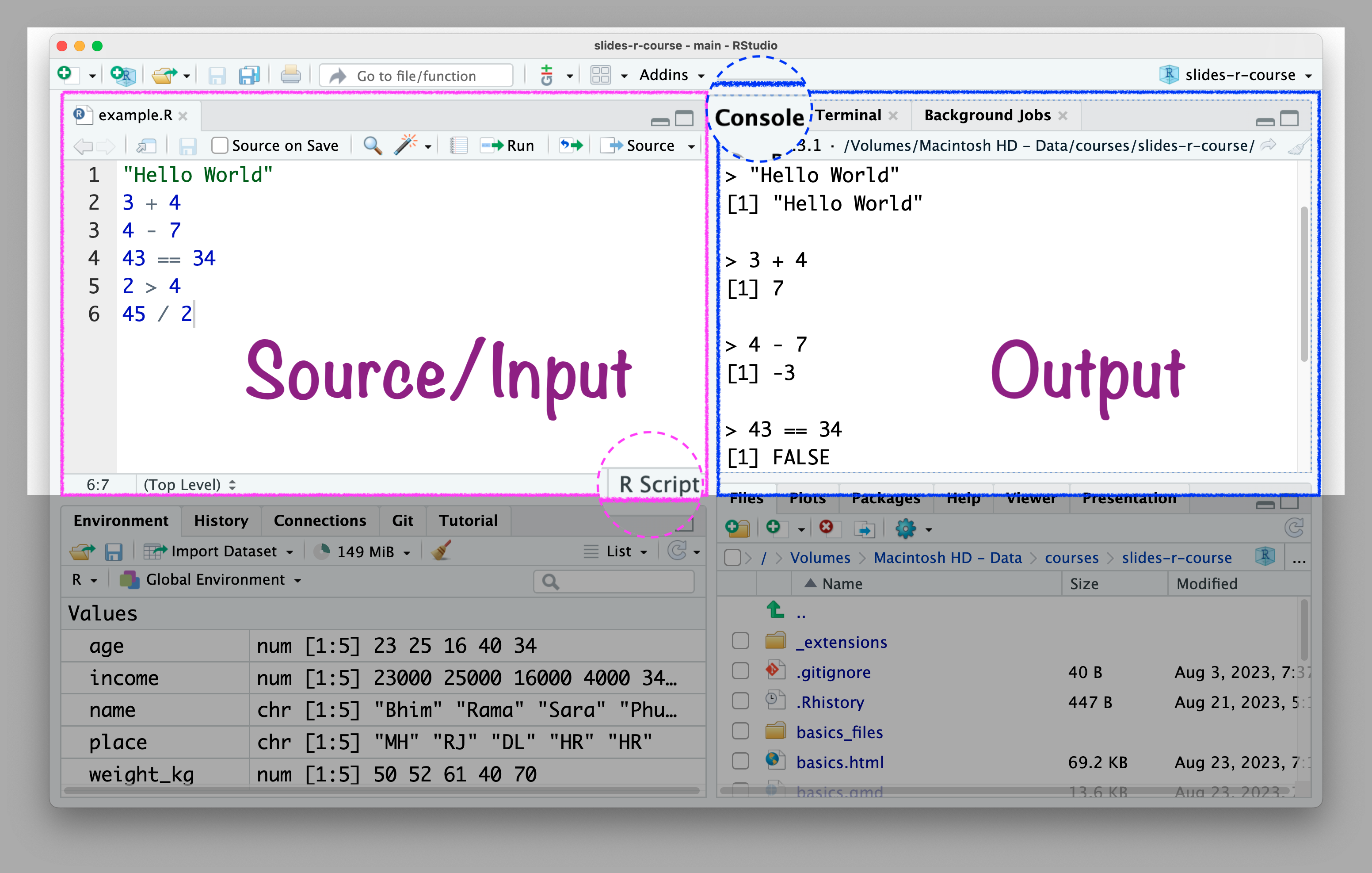
R script .R

Write codes in the R script \(\rightarrow\) Console will show the results.

  • Benefits of writing codes in R script:
    • You can save it for later use and revision.
    • You can share with others.
    • A better track of codes.

💡 Tips for R script:

  1. Writing readable code because other people might need to use your code.

  2. Writing readable code because you might need to use your code, a few weeks/months/years after you’ve written it.

  3. Put spaces between and around variable names and operators (=+-*/).

  4. Break up long lines of code.

  5. Keeping a consistent style.

R Object

  • In R, everything you create or work with is stored as an object.

  • Objects can be numbers, text, data tables, functions, or even plots.

  • Think of an object as a named container that stores information in your R environment.

Create Object

age <- c(23, 25, 16, 40, 34)

age

[1] 23 25 16 40 34

Assignment Operator


Important

R assignment operators: Assignment operators are used to assign values to variables.

object_name <- c(2, 3, 4, 5)

object_name

Create object

income <- c(23000, 25000, 16000, 4000, 34000)

income

[1] 23000 25000 16000 4000 34000

Create object

name <- c("Bhim", "Rama", "Sara", "Phule", "Savitri")

name

[1] “Bhim” “Rama” “Sara” “Phule” “Savitri”

Create object

place <- c("MH", "RJ", "DL", "HR", "HR")

place

[1] “MH” “RJ” “DL” “HR” “HR”

Create object

weight_kg <- c(50, 52, 61, 40, 70)

weight_kg

[1] 50 52 61 40 70

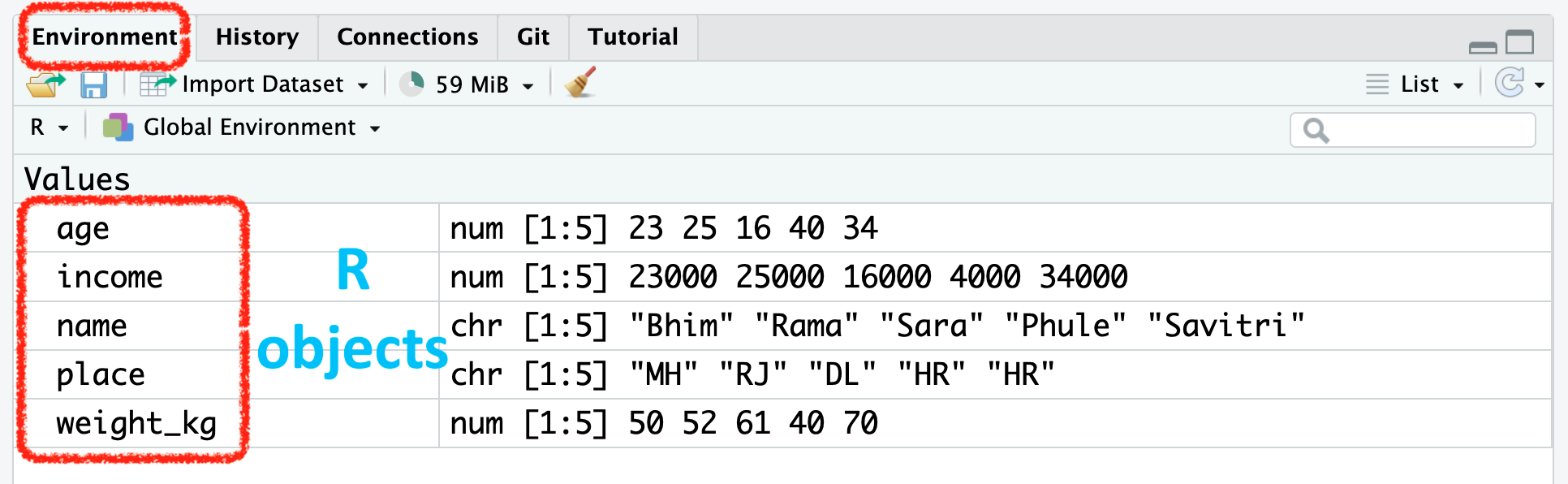
RStudio Environment Window


💡Guidelines to “name” R Objects:

  • A name cannot start with a number.

  • A name cannot use some special symbols, like ^, !, $, @, +, -, /, or *,:.

  • Avoid caps.

  • Avoid space.

  • Use dash (like weight-kg) or underscore (like weight_kg).

  • If chronology matters then add date (2020-09-05-file-name).

Basic Object Types


Type Description Example
numeric Numbers (floating point) 3.14, 2, -5
integer Whole numbers 2L, 100L
character Text strings "R is great"
logical Boolean values TRUE, FALSE

🤔 How to combine all these objects and form a data set?

👇 Something Like This 😻😻


     name income age place weight_kg
1    Bhim  23000  23    MH        50
2    Rama  25000  25    RJ        52
3    Sara  16000  16    DL        61
4   Phule   4000  40    HR        40
5 Savitri  34000  34    HR        70

How to create a data object?

example_df <- data.frame(name, income, age, place, weight_kg)

example_df
     name income age place weight_kg
1    Bhim  23000  23    MH        50
2    Rama  25000  25    RJ        52
3    Sara  16000  16    DL        61
4   Phule   4000  40    HR        40
5 Savitri  34000  34    HR        70

List of all objects

objects()

[1] “age” “example_df” “income” “name” “place”
[6] “weight_kg”

R
Packages

R Packages


“An R package is a collection of functions, data, and documentation that extends the capabilities of base R. Using packages is key to the successful use of R.”

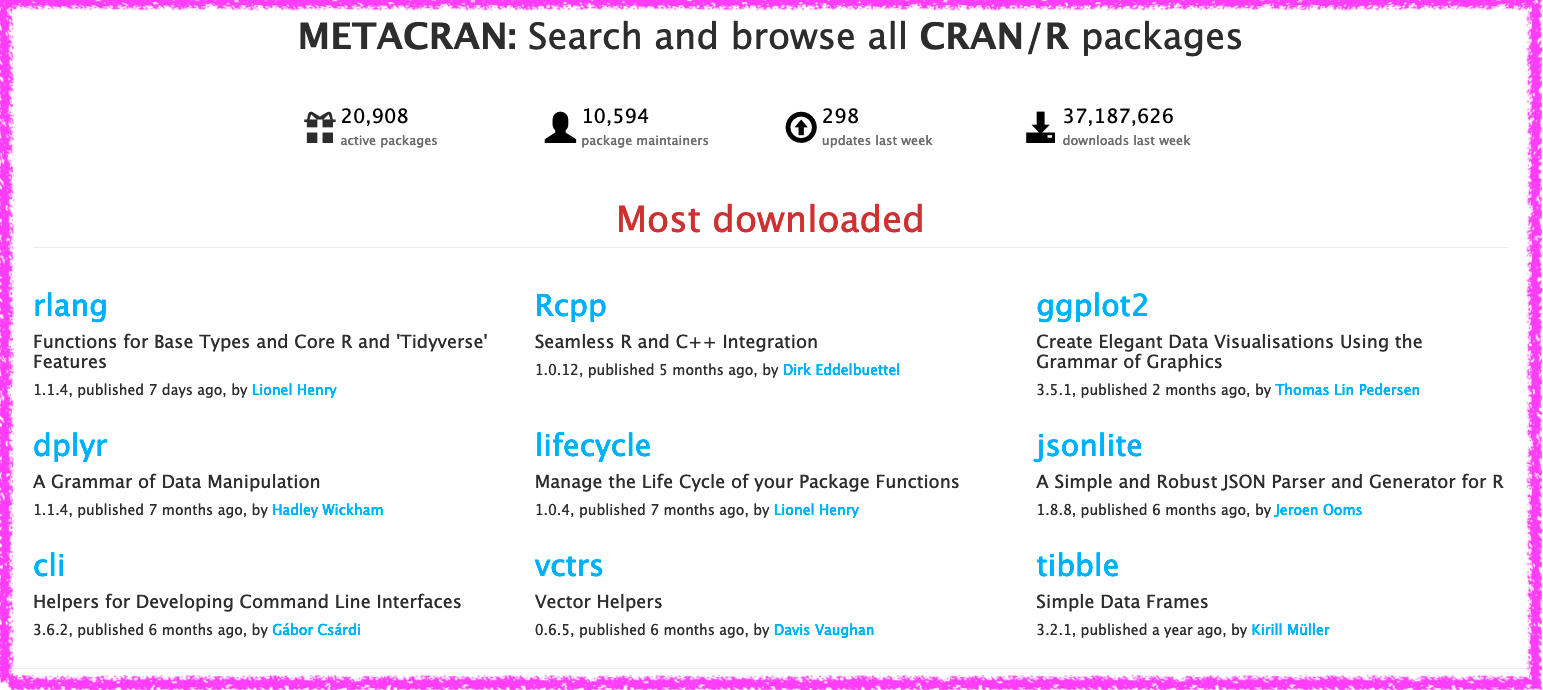
Metacran

R Packages

  1. Install the R package

  2. Call the R package

  3. Update the R package

  4. Remove the R package

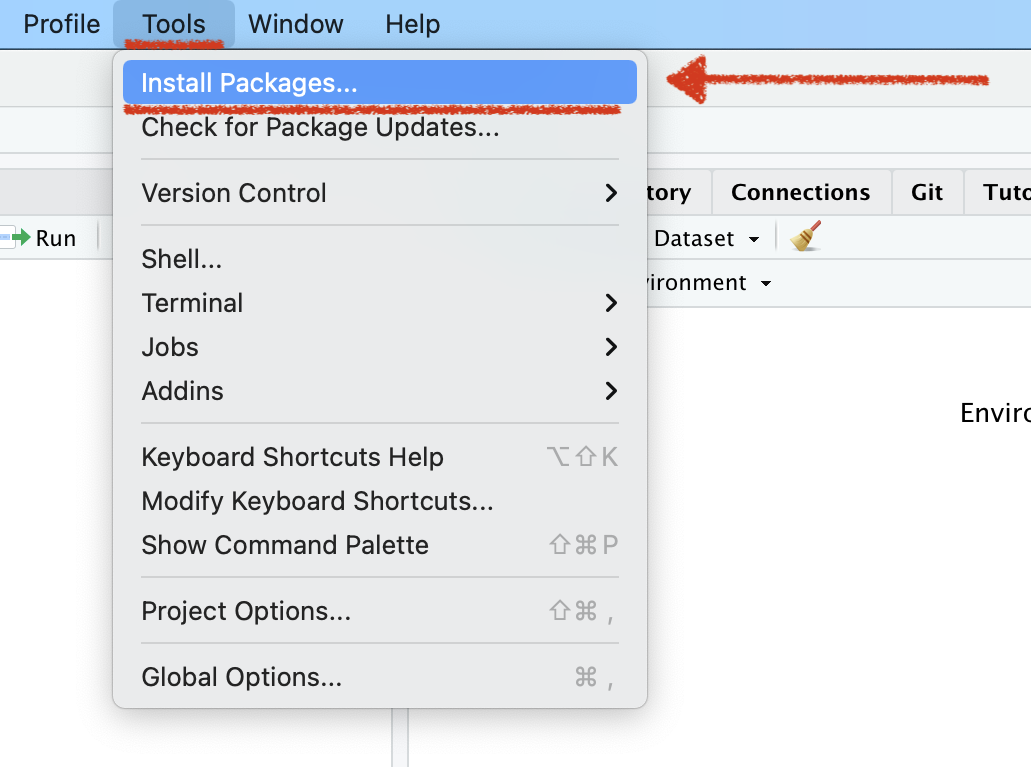
Install Packages

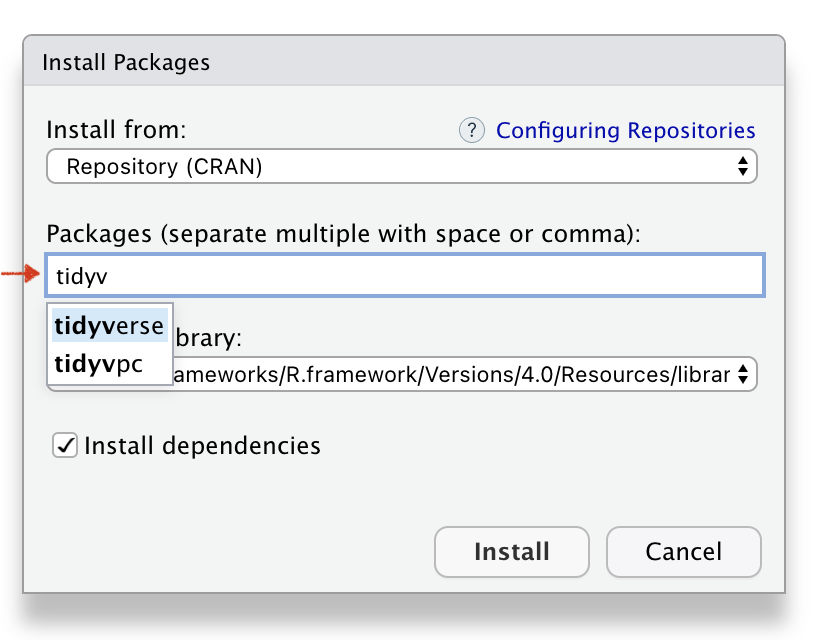
Name of the Packages
Installed Packages
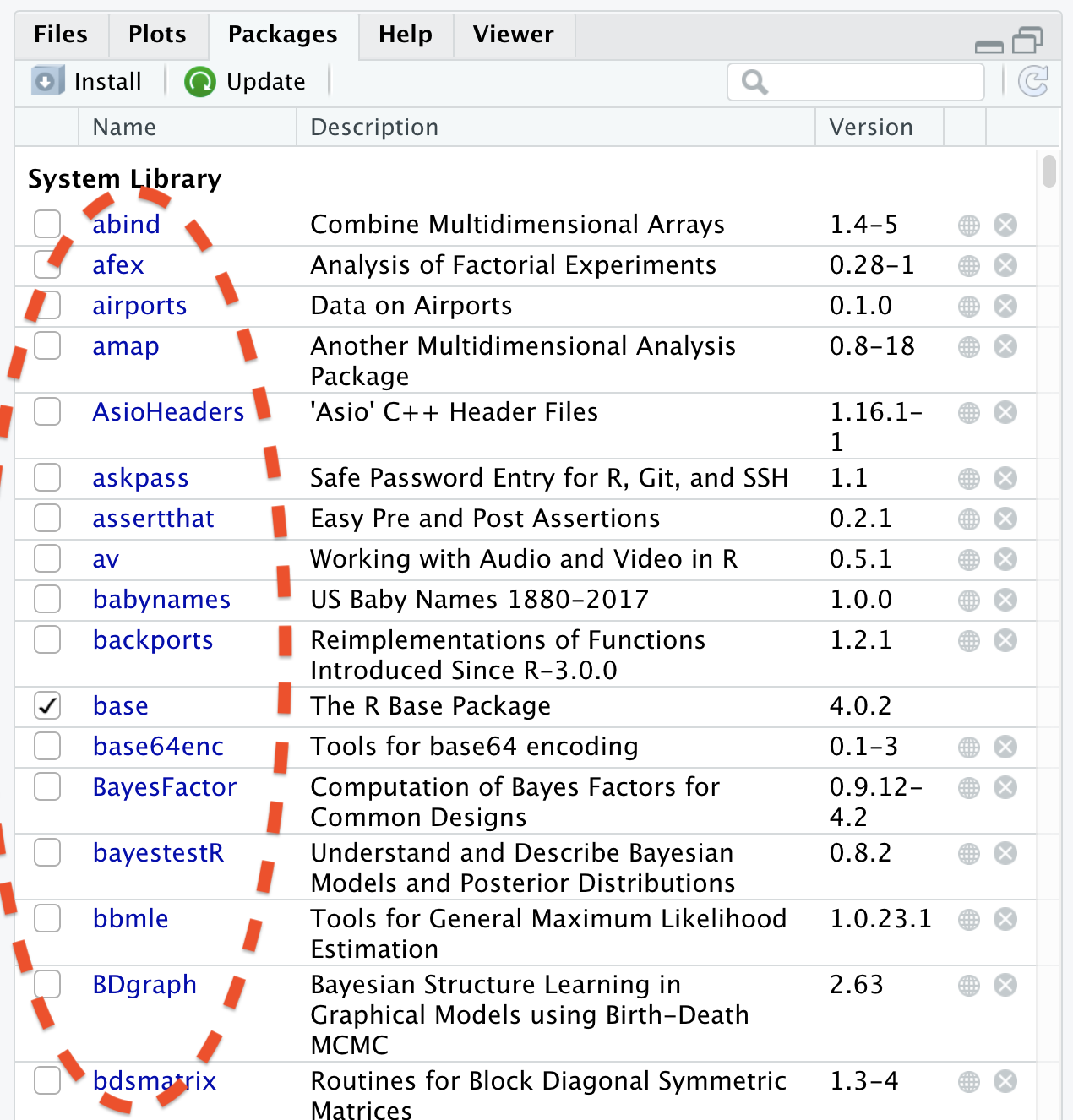
Function to Install Packages


install.packages("tidyverse")

Function to Call Package


library(tidyverse)

Using Packages

  • You need to install package only once like:

    • 📚 We buy books once and use them again and again

    • 💡 Fix the bulb once and use it again and again.

Using Packages

  • In every R document you need to call once the package using function library(), for example library(ggplot2).

  • Once in a while, you need to update the installed packages as well.

  • If you un-install R or RStudio, you will lose all installed packages.

Tools \(\rightarrow\) Package Updates
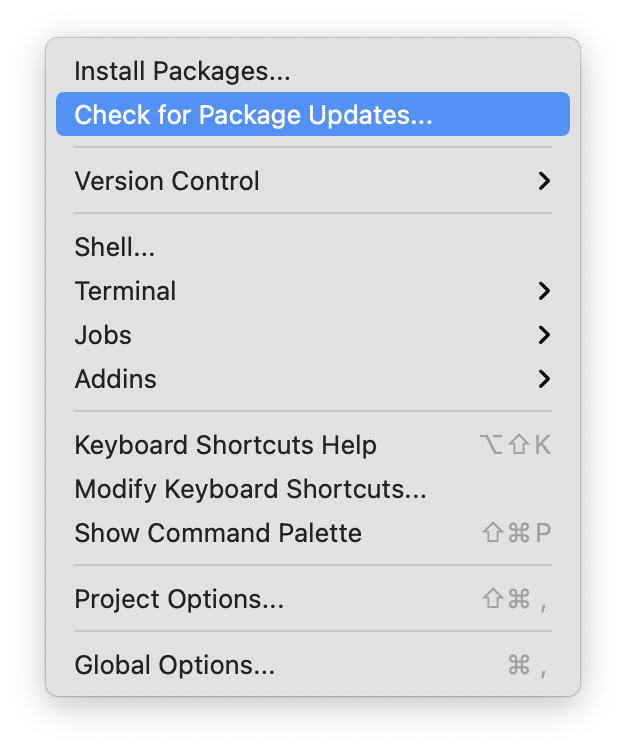
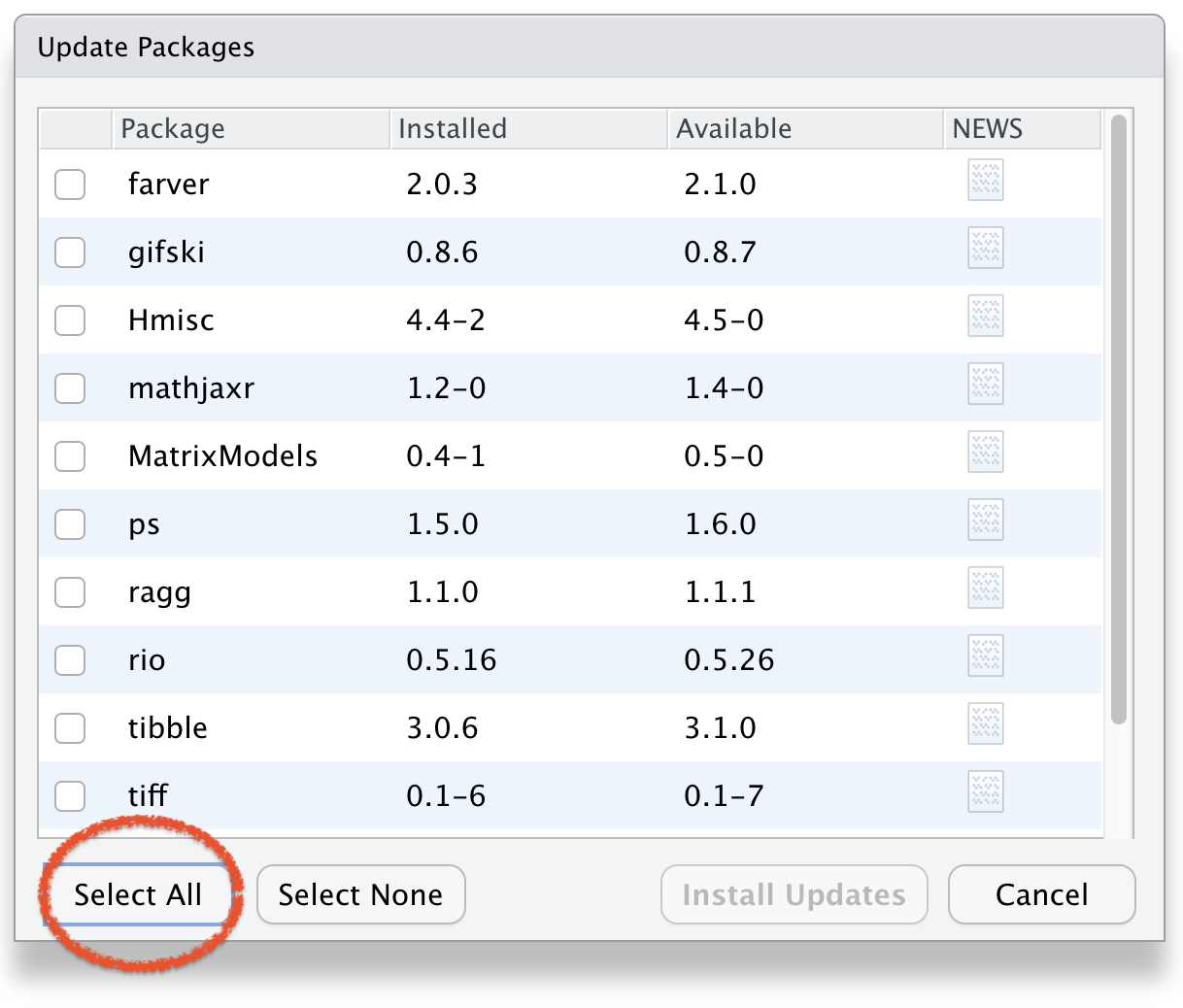
Select Packages to Update
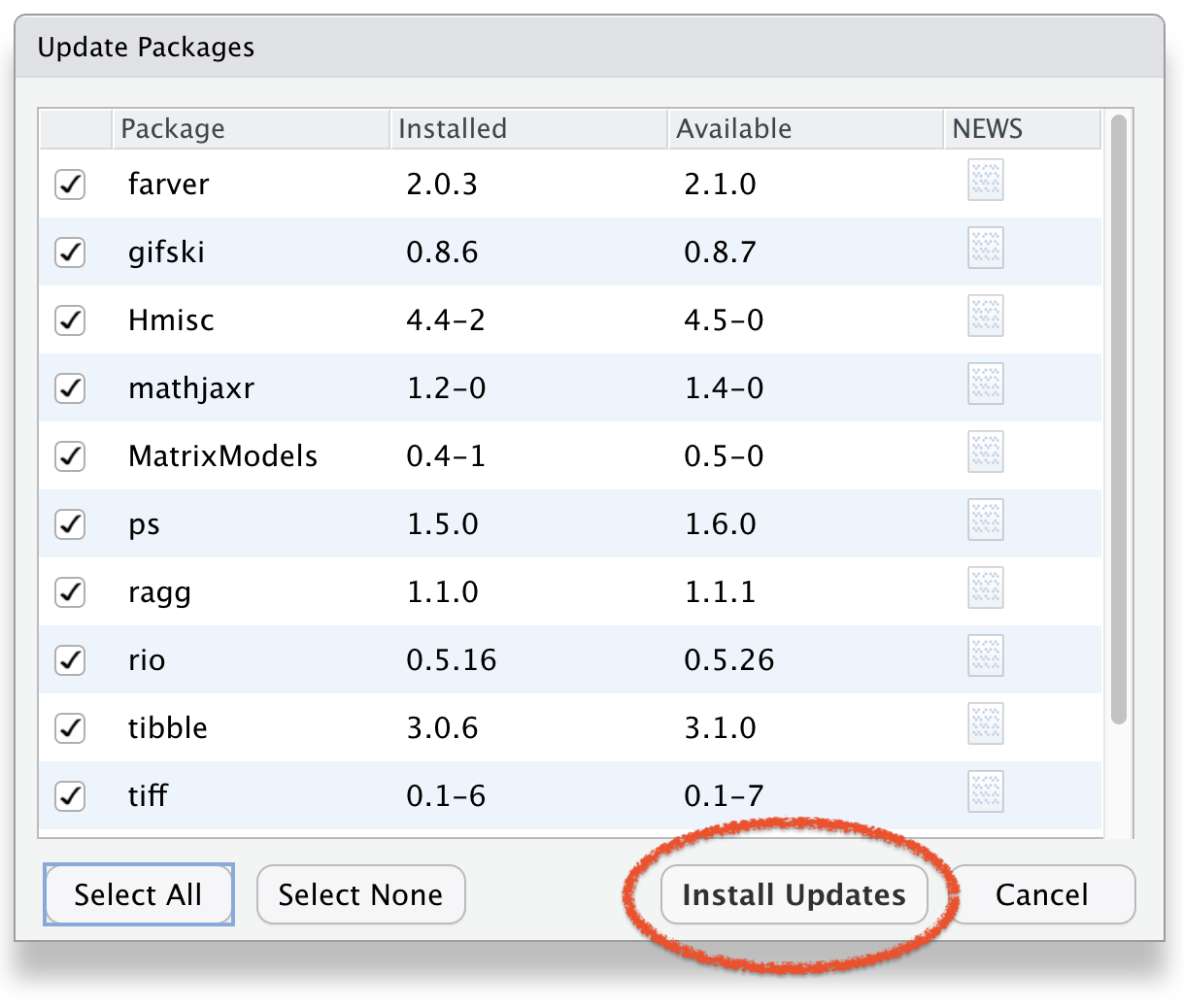
Click Install Updates
To Remove Packages


Export data as a csv file

library(readr)

# create a folder in wd & name it "data"
write_csv(example_df, "data/example_df.csv") 

To see the created file, check the “data” folder in your working directory.

🧑🏽‍💻👨🏽‍💻
Question & Answer

🤯 Your Turn

1. What is R mainly used for?

  1. Web browsing.
  2. Gaming.
  3. Data analysis and statistics.
  4. Drawing cartoons.

🤯 Your Turn

2. What is RStudio?

  1. A video editing software
  2. A web browser
  3. An integrated development environment (IDE) for R
  4. A spreadsheet tool

🤯 Your Turn

3. What will 2 + 3 return in R?

  1. 5
  2. 6
  3. 23
  4. Error

🤯 Your Turn

4. Which of the following is used to create a sequence in R?

  1. list()
  2. seq()
  3. loop()
  4. run()

🤯 Your Turn

5. Where do you usually type your code in RStudio?

  1. Console or Script Editor
  2. File Explorer
  3. Toolbar
  4. Help tab

🤩 Your Turn Answers

  1. Correct answer: C) Data analysis and statistics

  2. Correct answer: C) An integrated development environment (IDE) for R

  3. Correct answer: A) 5

  4. Correct answer: B) seq()

  5. Correct answer: A) Console or Script Editor