DATA VISUALIZATION
USING GGPLOT

2 Days Data Science Workshop at Institute of Development Studies, Jaipur (ICSSR)

DR. AJAY KUMAR KOLI, PHD


“The simple graph has brought more information to the data analyst’s mind than any other device.” — John Tukey

Grammar of Graphics


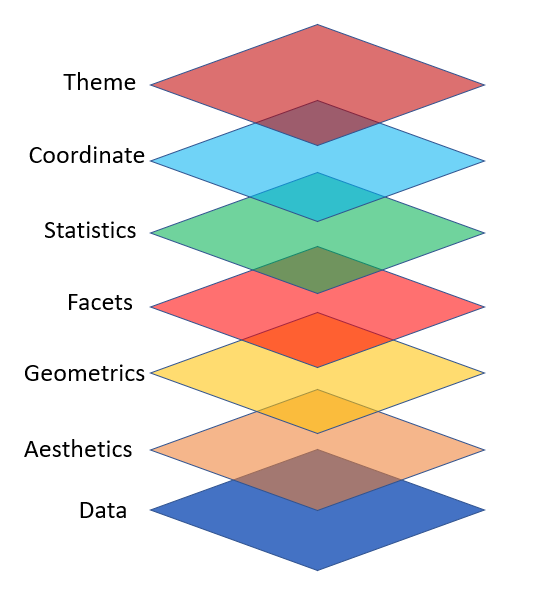
ggplot2 Layers

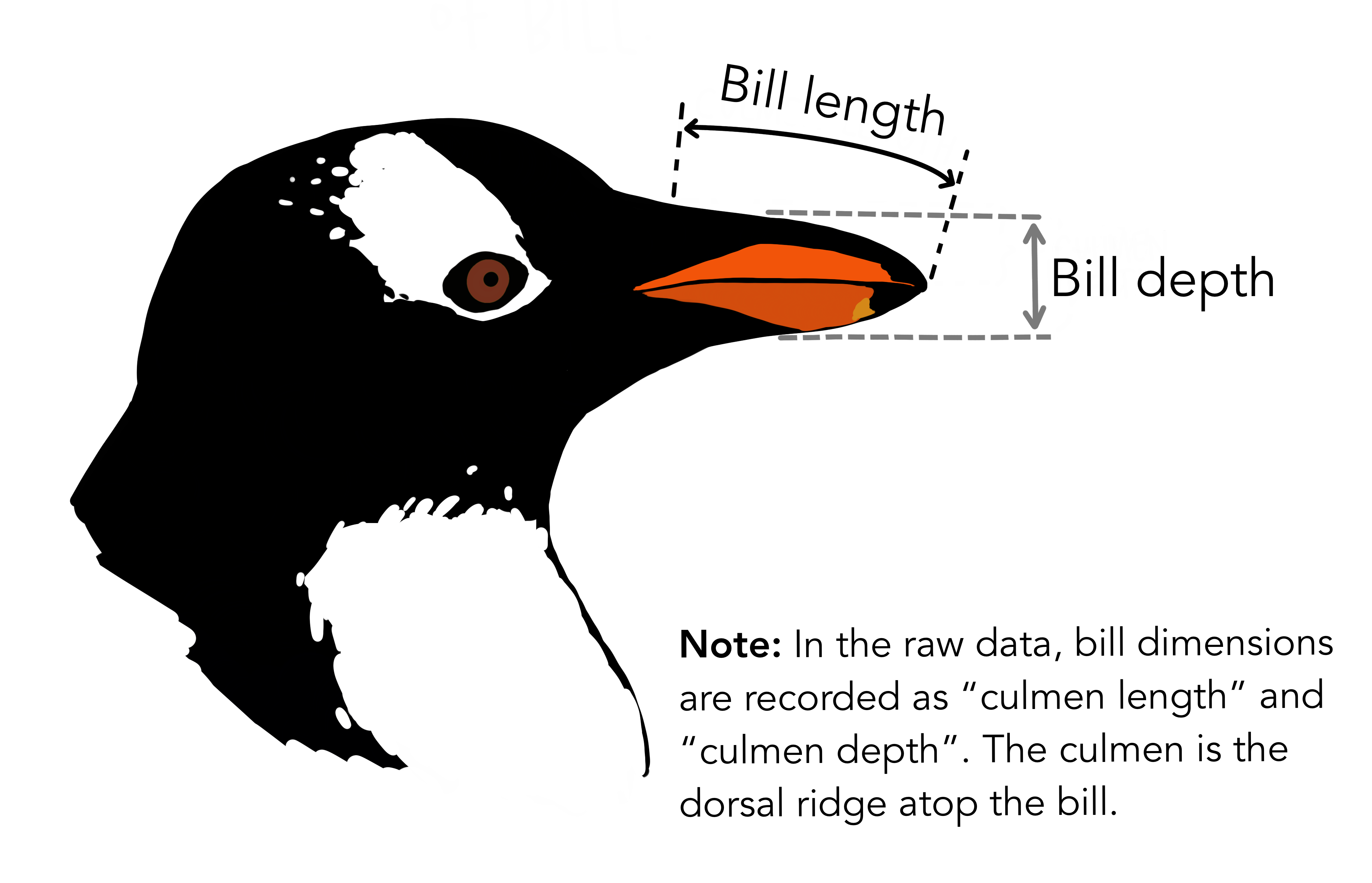
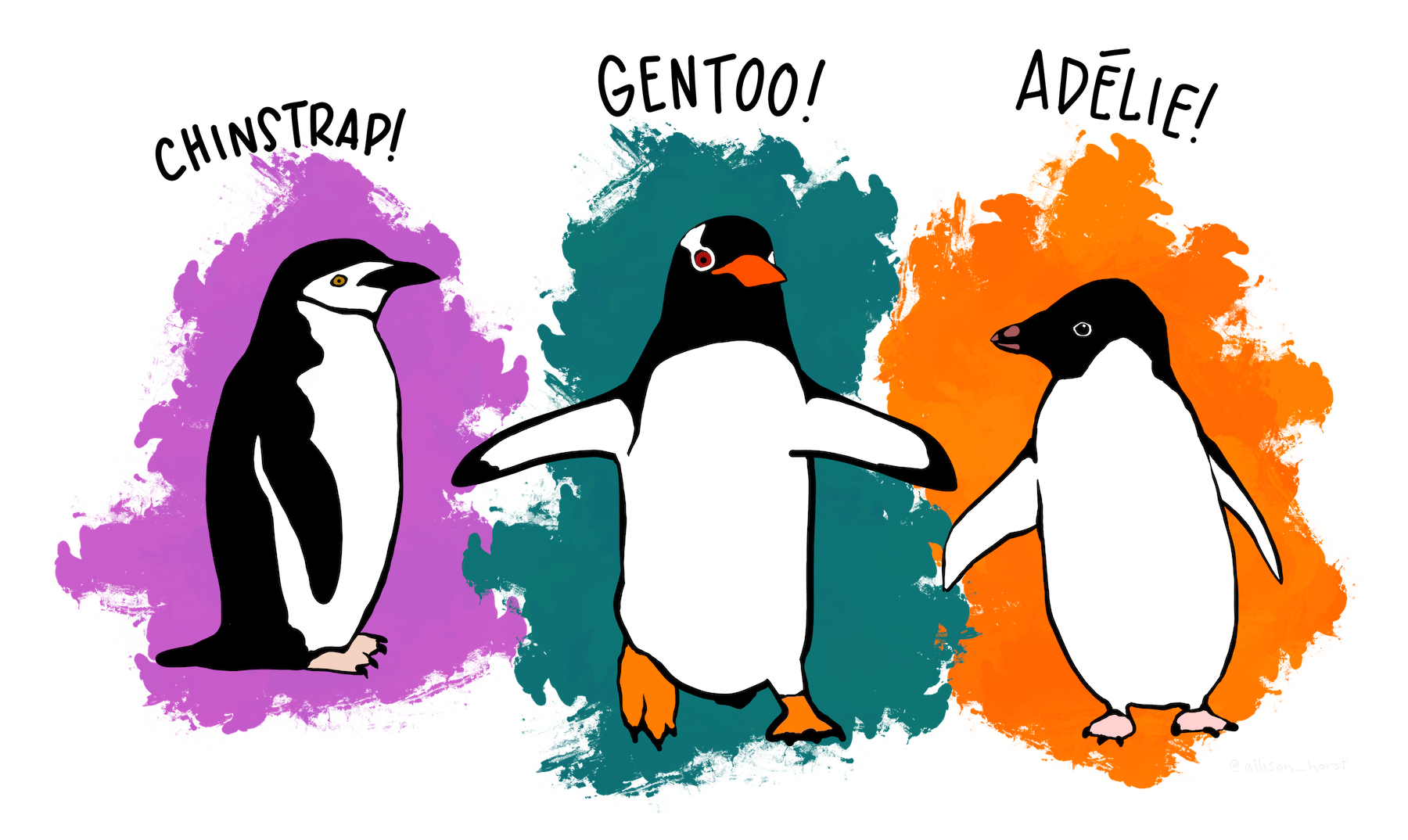
Data: penguins

Live on three island: Biscoe, Dream, & Torgersen.

Know Your Data


glimpse(penguins)
Rows: 344
Columns: 8
$ species           <fct> Adelie, Adelie, Adelie, Adelie, Adelie, Adelie, Adel…
$ island            <fct> Torgersen, Torgersen, Torgersen, Torgersen, Torgerse…
$ bill_length_mm    <dbl> 39.1, 39.5, 40.3, NA, 36.7, 39.3, 38.9, 39.2, 34.1, …
$ bill_depth_mm     <dbl> 18.7, 17.4, 18.0, NA, 19.3, 20.6, 17.8, 19.6, 18.1, …
$ flipper_length_mm <int> 181, 186, 195, NA, 193, 190, 181, 195, 193, 190, 186…
$ body_mass_g       <int> 3750, 3800, 3250, NA, 3450, 3650, 3625, 4675, 3475, …
$ sex               <fct> male, female, female, NA, female, male, female, male…
$ year              <int> 2007, 2007, 2007, 2007, 2007, 2007, 2007, 2007, 2007…

Import Data

ggplot(data = penguins)
Figure 1

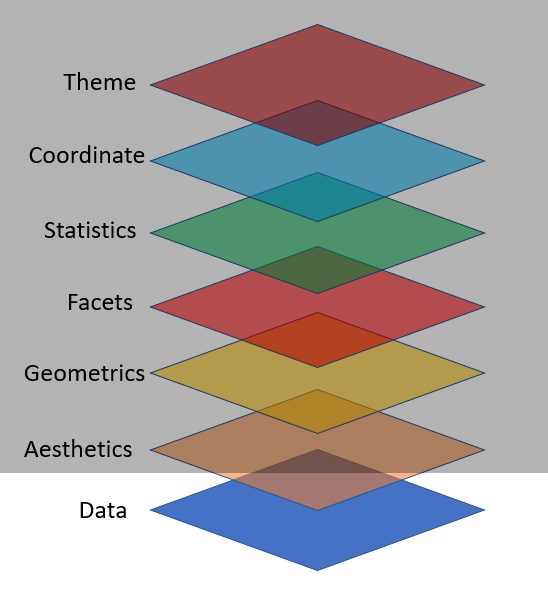
Map Variables Aesthetics

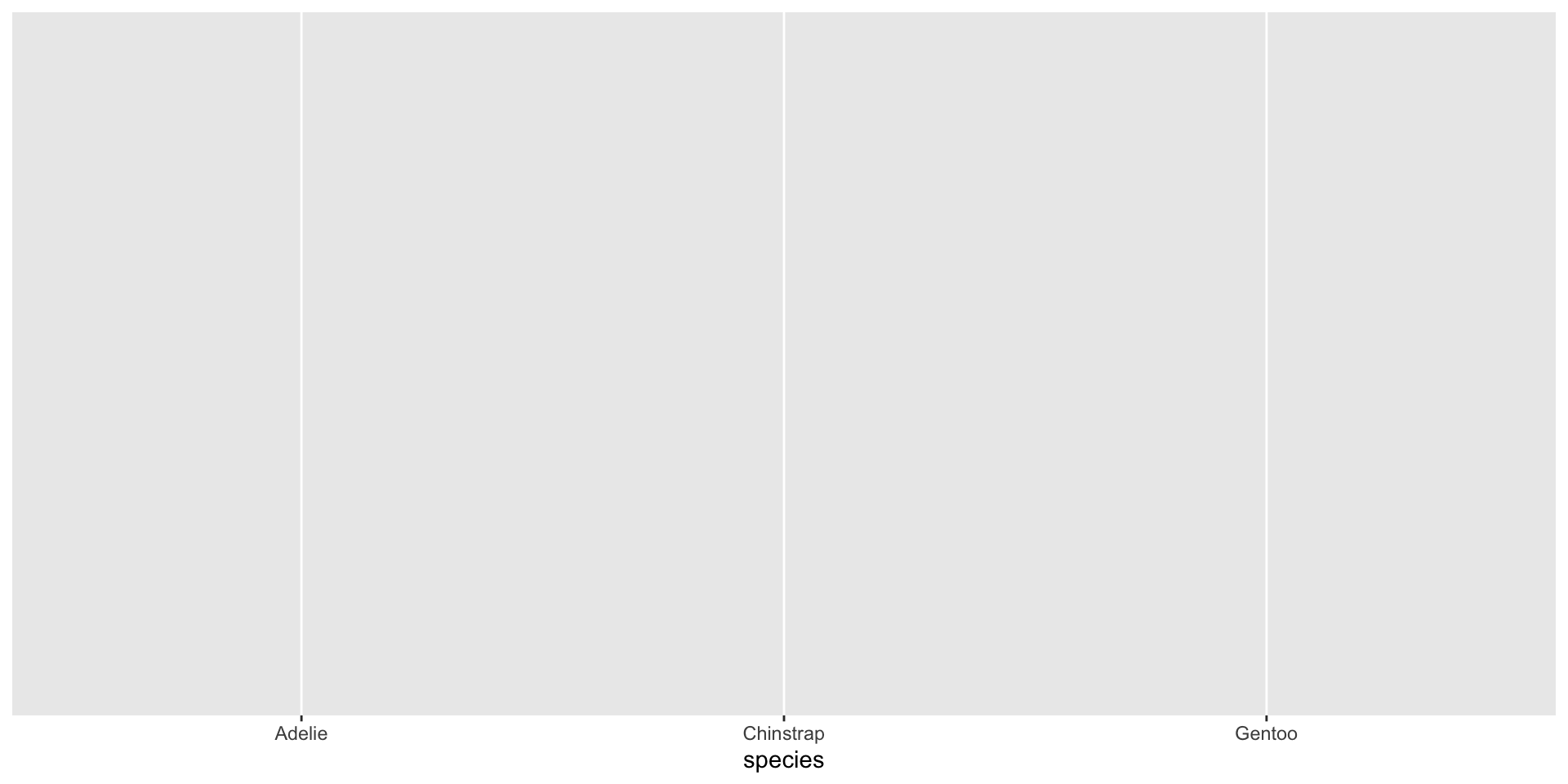
ggplot(data = penguins,
       mapping = aes(x = species))
Figure 2

Add Geometric Shapes

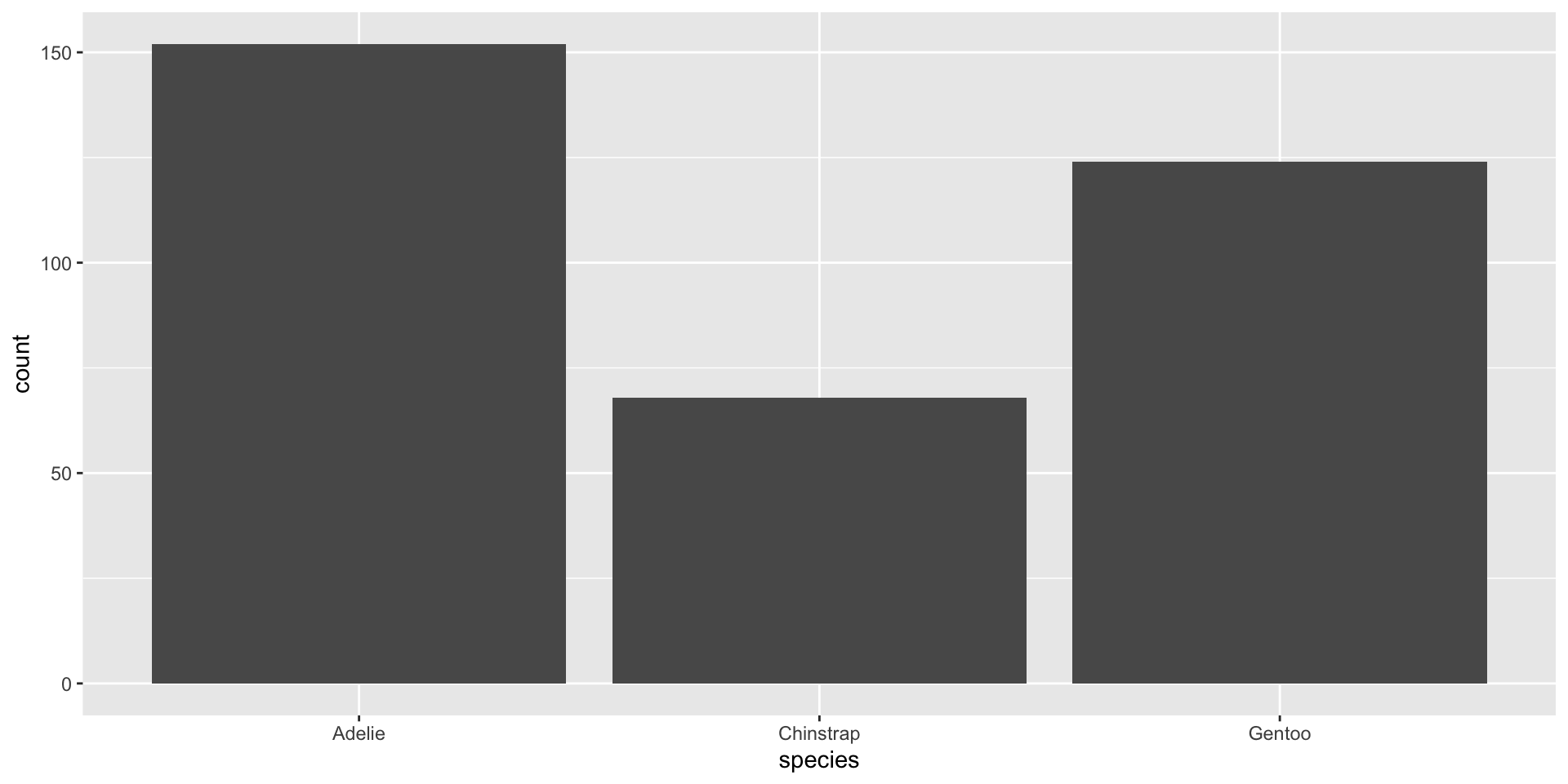
ggplot(data = penguins,
       mapping = aes(x = species)) +
  geom_bar()
Figure 3

Key Components are:


  1. Your data set,

  2. A set of aesthetic mappings between variables in the data and visual properties, and

  3. At least one layer which describes how to render each observation. Layers are usually created with a geom function.

🧠 YOUR TURN

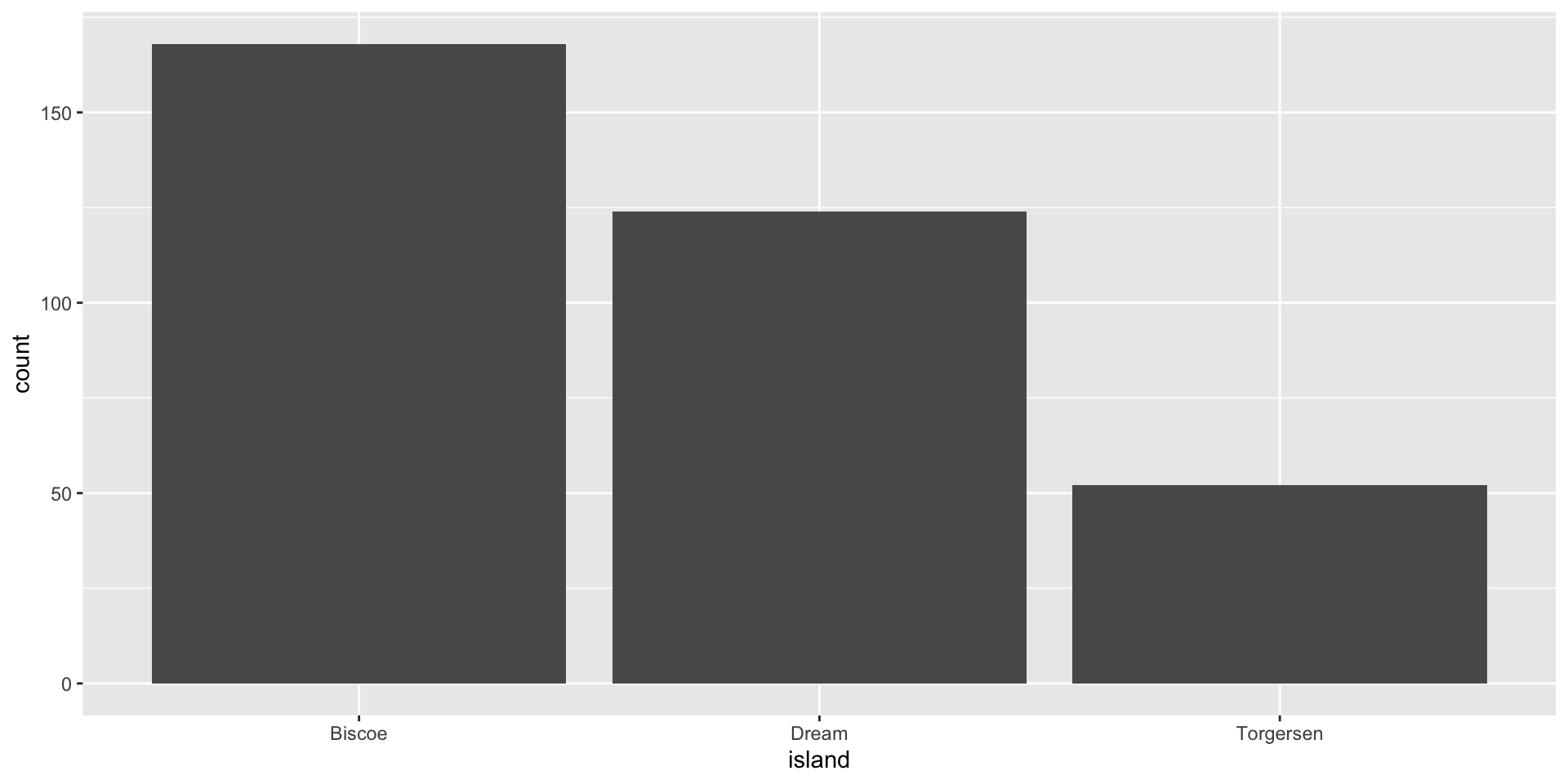
ggplot(data = penguins,
       mapping = aes(x = island)) +
  geom_bar()
05:00

Common Mistakes

  • Make sure that every ( is matched with a ) and every " is paired with another ".

  • Console shows no results but a + sign that means your code is incomplete and R is waiting for you to complete the code.

  • in ggplot + has to come at the end of the line, not the start

“Fill” Color

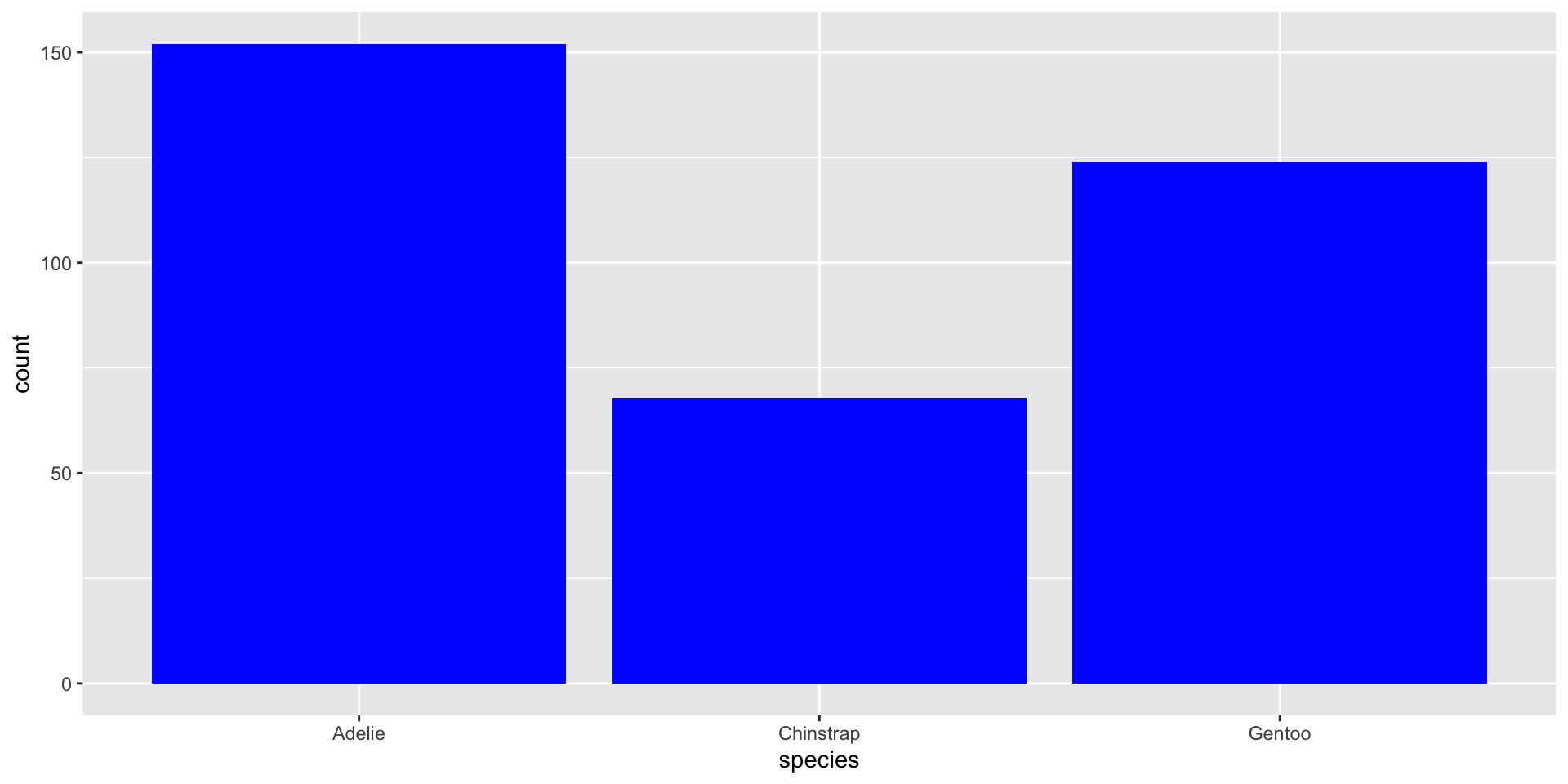
ggplot(data = penguins,
       mapping = aes(x = species)) +
  geom_bar(fill = "blue")
Figure 4

“Fill” Colors

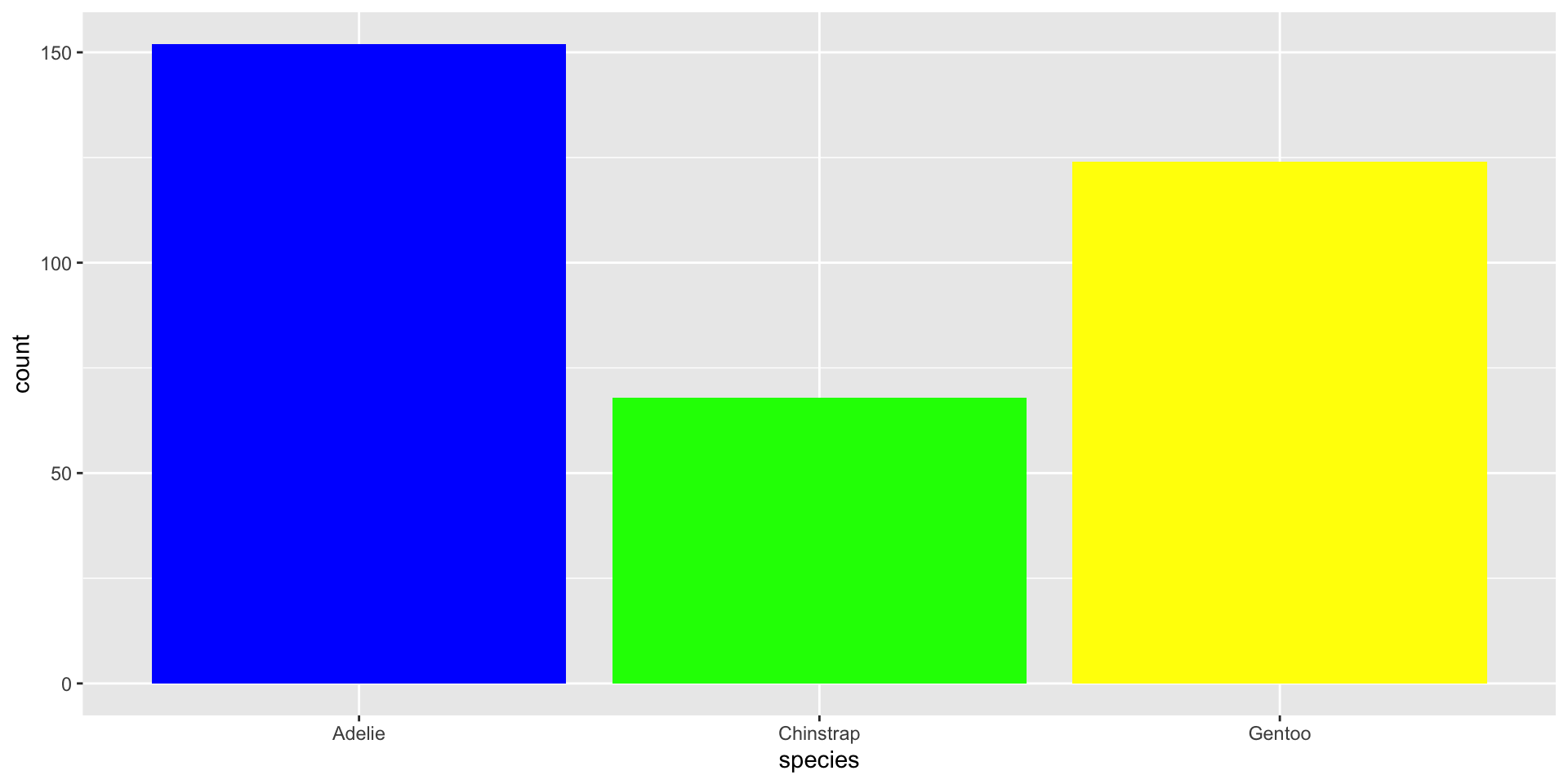
ggplot(data = penguins,
       mapping = aes(x = species)) +
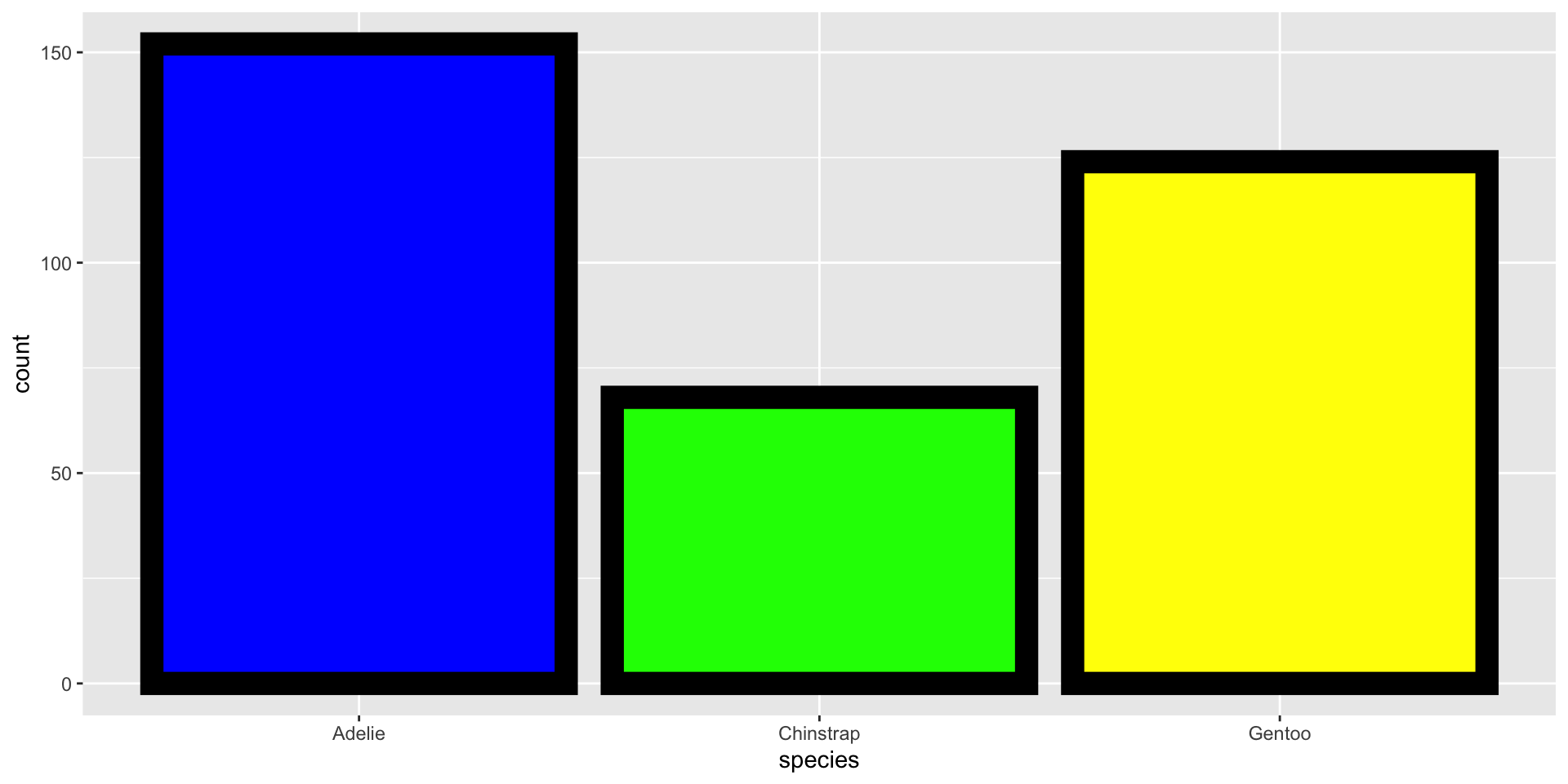
  geom_bar(fill = c("blue", "green", "yellow"))
Figure 5

“Fill” & “Color” Colors

ggplot(data = penguins,
       mapping = aes(x = species)) +
  geom_bar(fill = c("blue", "green", "yellow"),
           color = "black",
           size = 5)
Figure 6

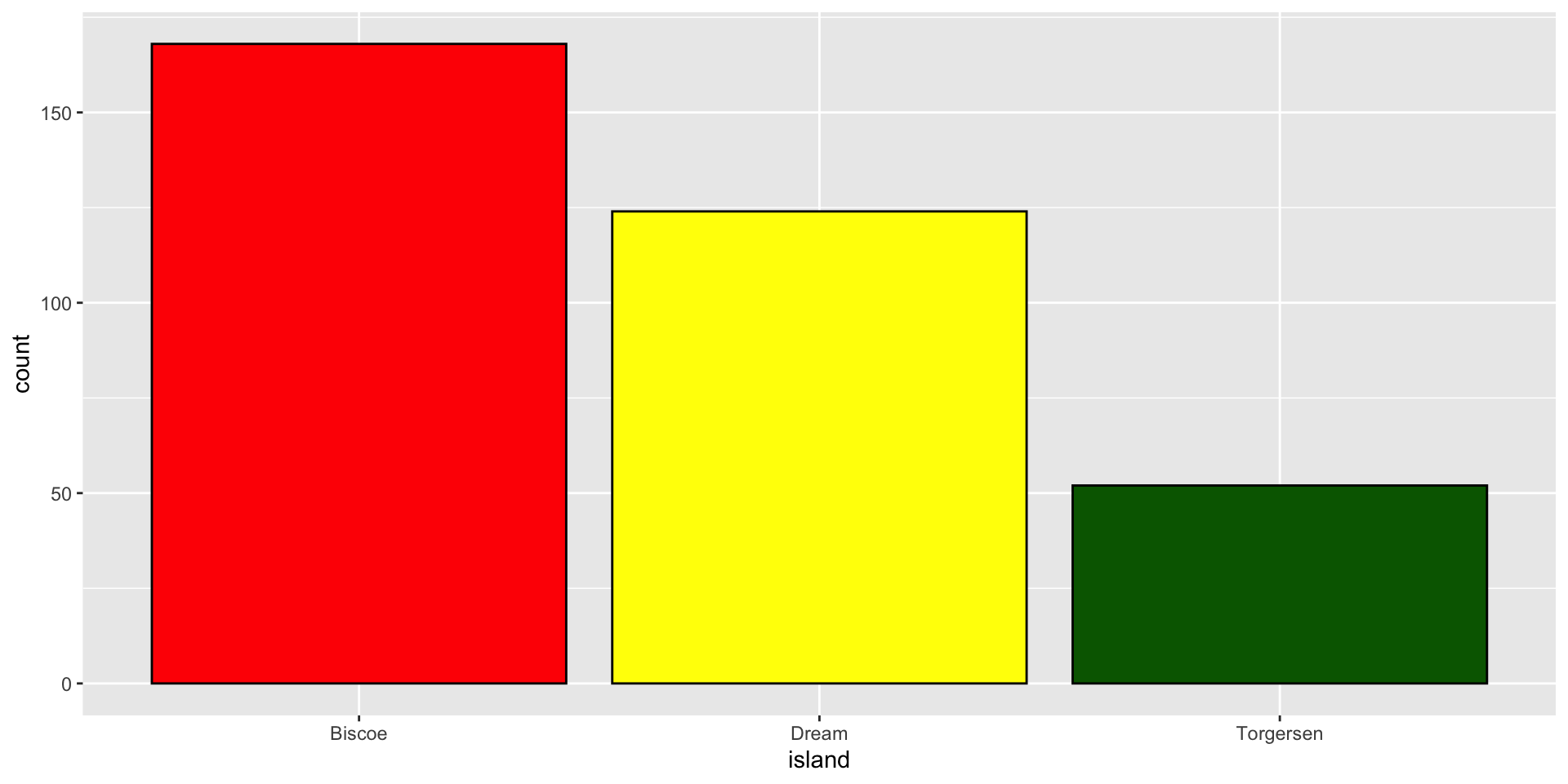
🧠 YOUR TURN

ggplot(data = penguins,
       mapping = aes(x = island)) +
  geom_bar(fill = c("red", "yellow", "darkgreen"),
           color = "black")
05:00

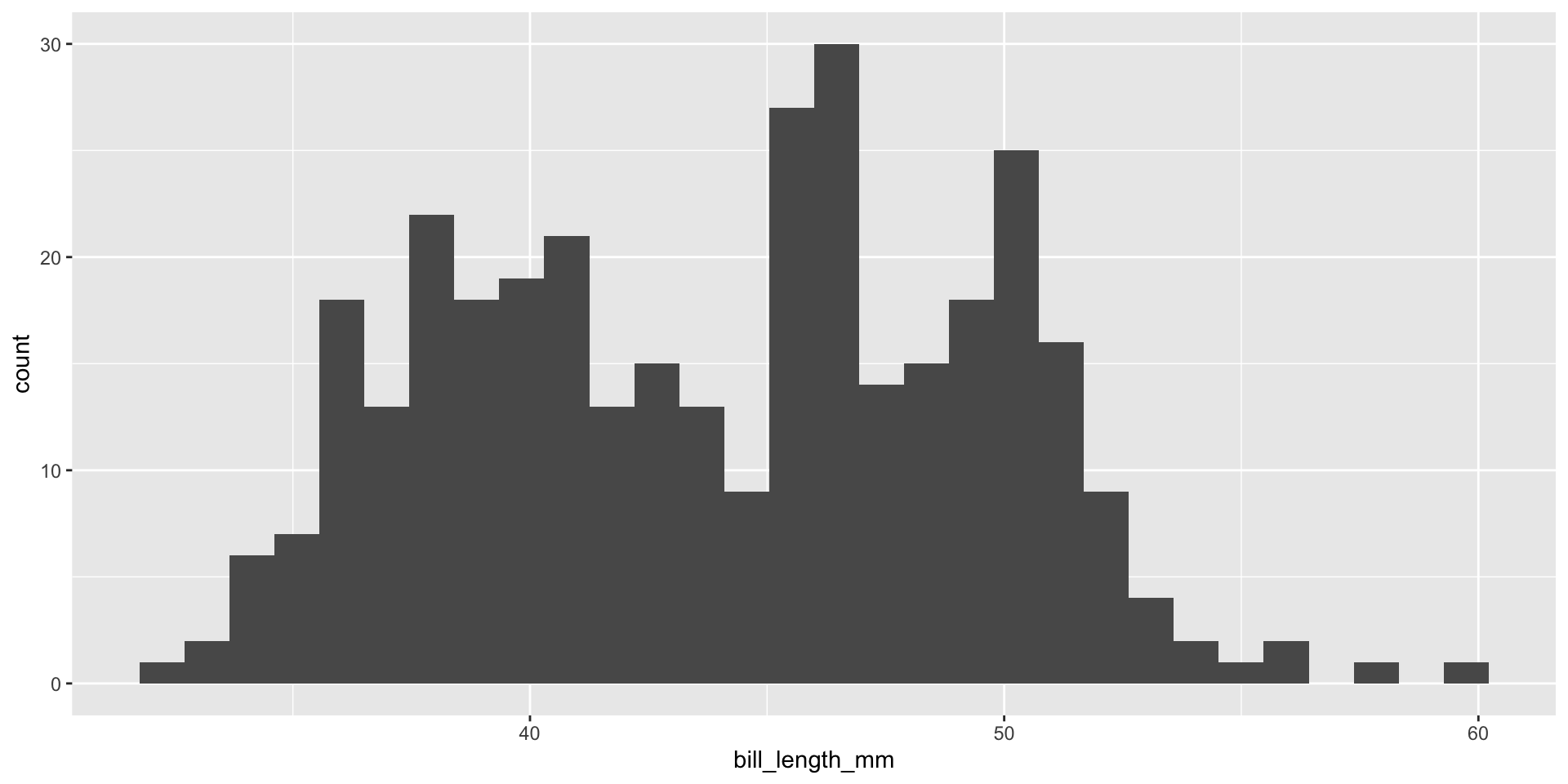
Plot A Continuous Variable

# bill_length_mm is dbl type variable/column

ggplot(data = penguins,
       mapping = aes(x = bill_length_mm)) +
  geom_histogram()
Figure 7

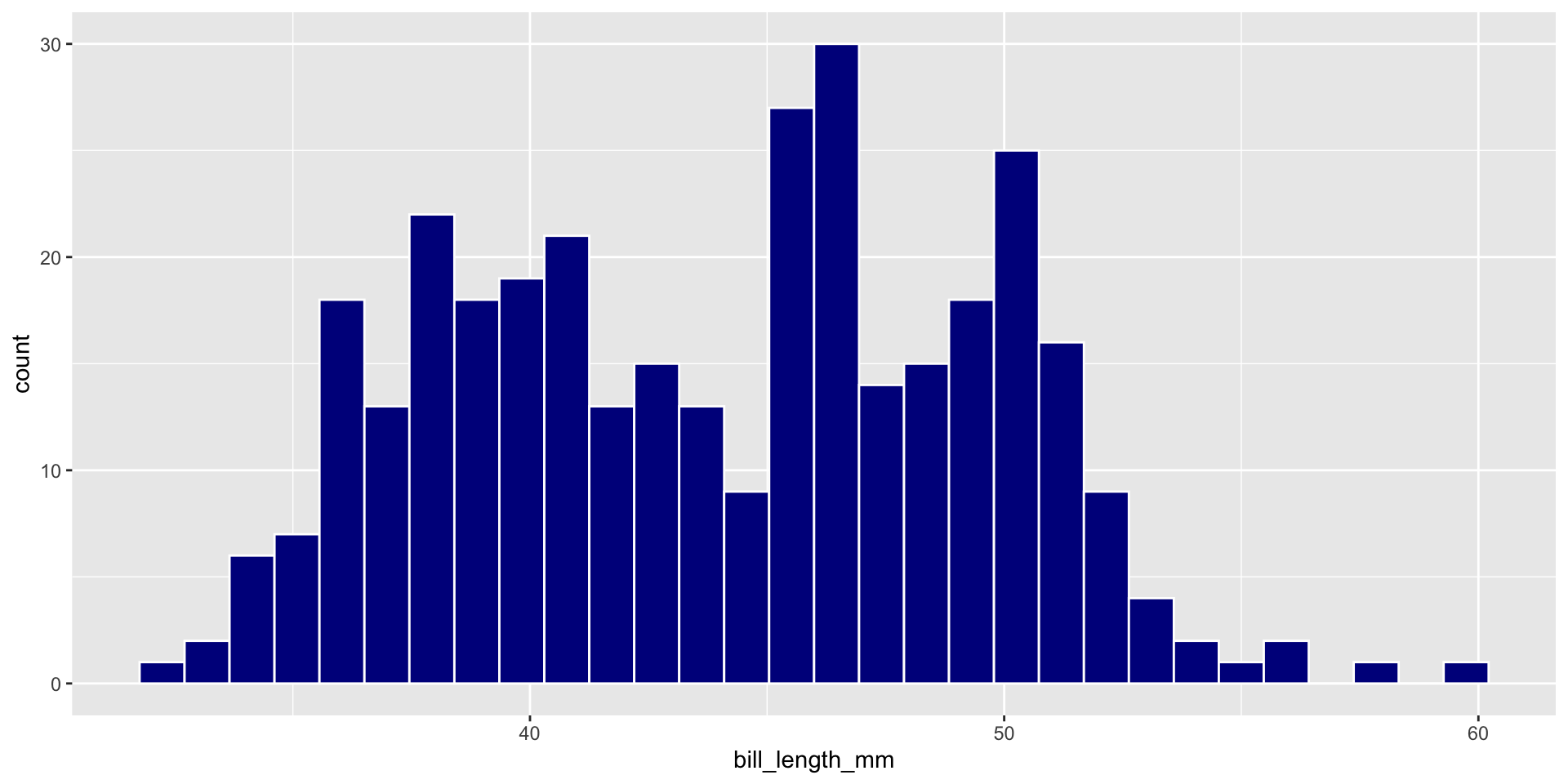
🧠 YOUR TURN

ggplot(data = penguins,
       mapping = aes(x = bill_length_mm)) +
  geom_histogram(fill = "darkblue",
                 color = "white")
05:00

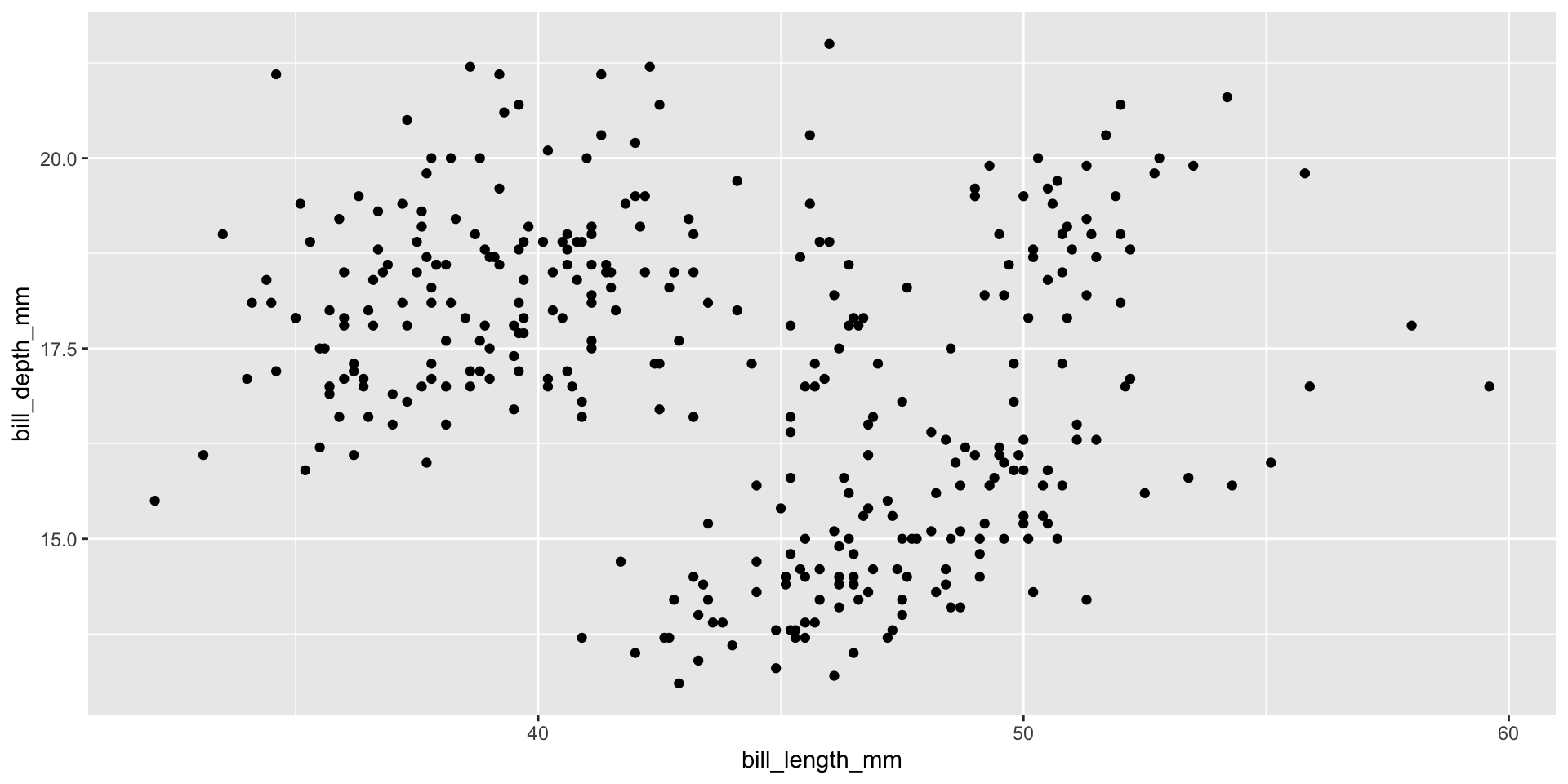
Two Continuous Variables

ggplot(data = penguins,
       mapping = aes(x = bill_length_mm, y = bill_depth_mm)) +
  geom_point()
Figure 8

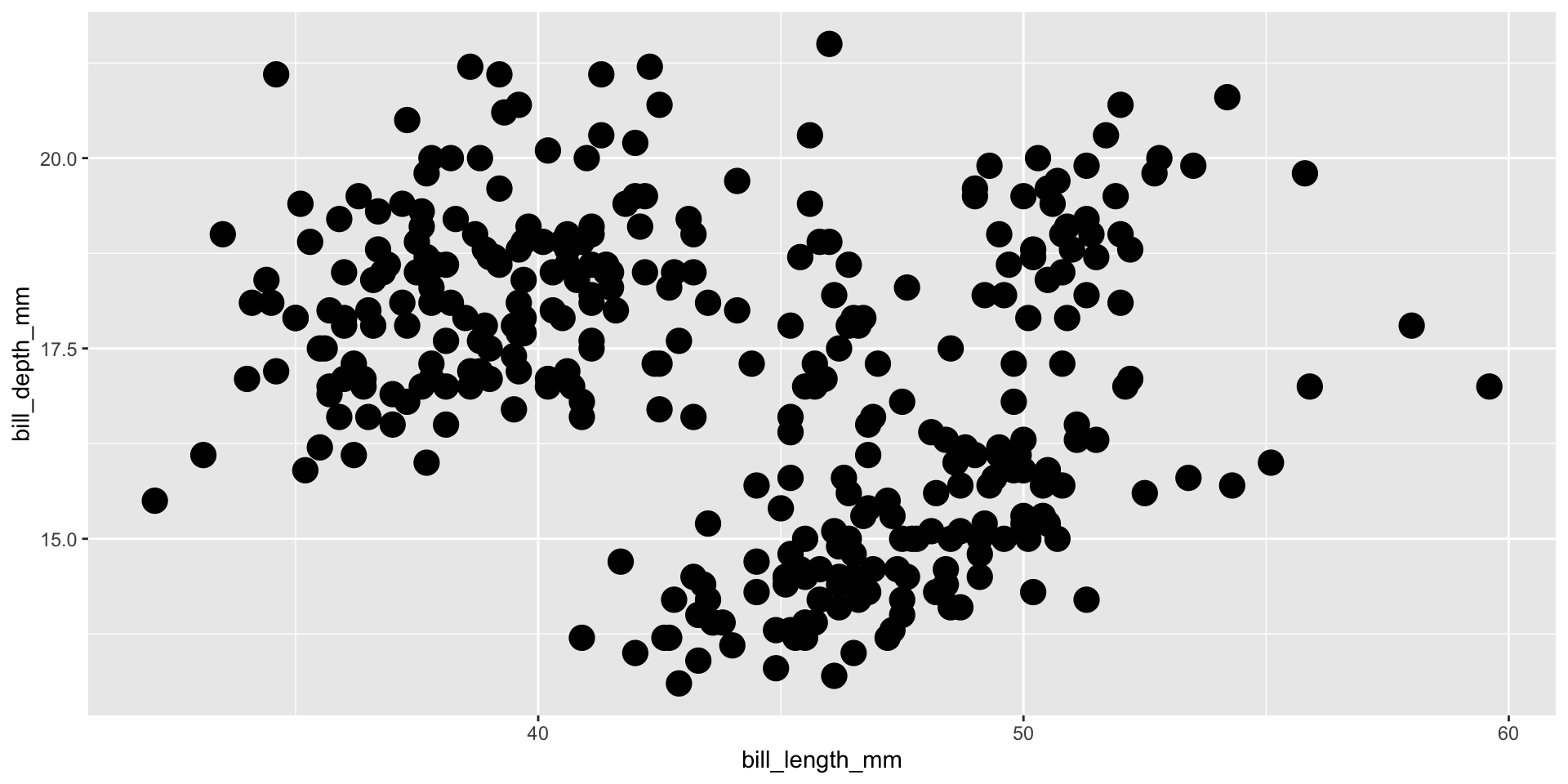
Geom Size

ggplot(data = penguins,
       mapping = aes(x = bill_length_mm, y = bill_depth_mm)) +
  geom_point(size = 5)
Figure 9

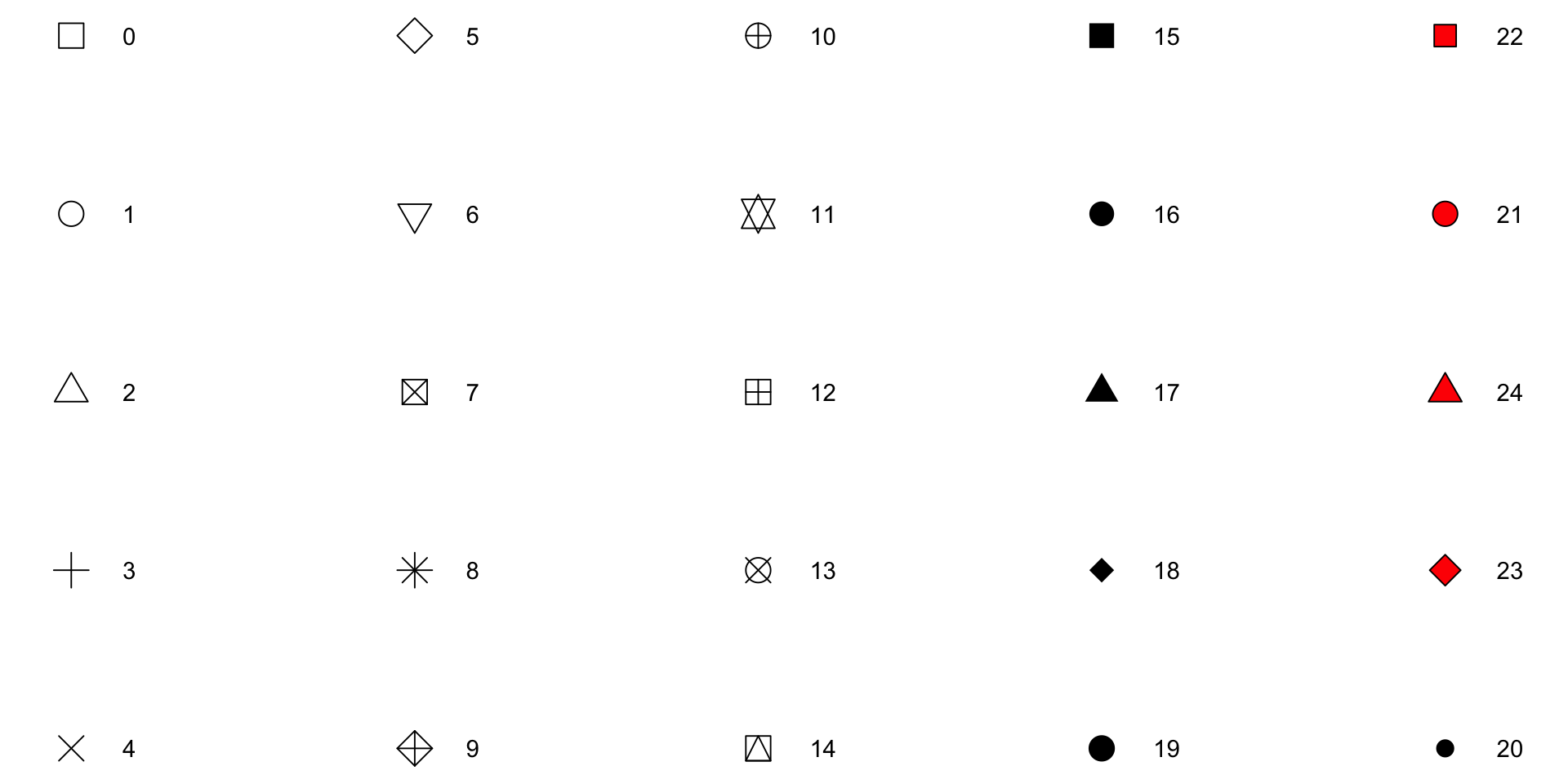
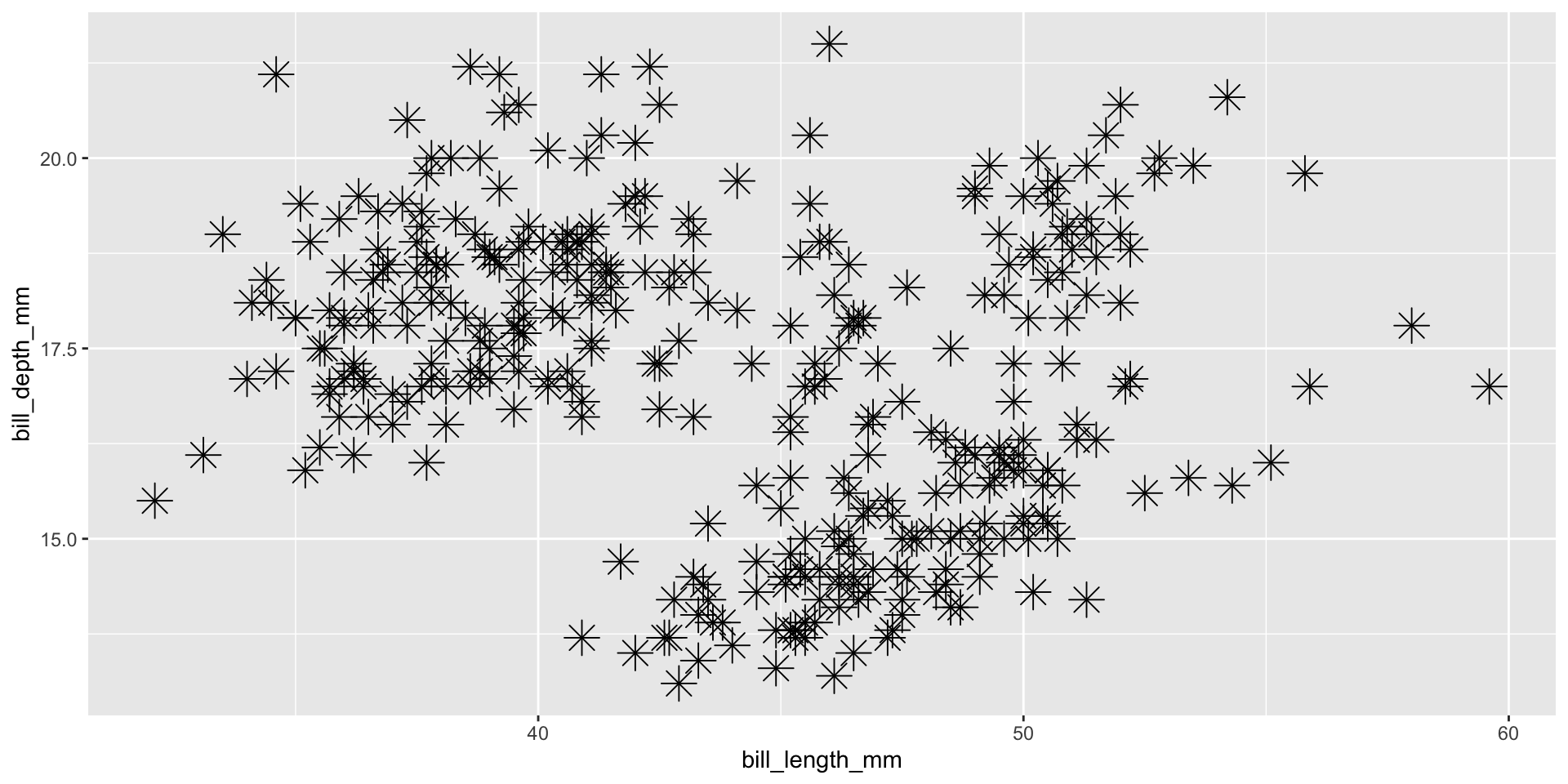
Geom Shape

ggplot(data = penguins,
       mapping = aes(x = bill_length_mm, y = bill_depth_mm)) +
  geom_point(size = 5,
             shape = 8)
Figure 10

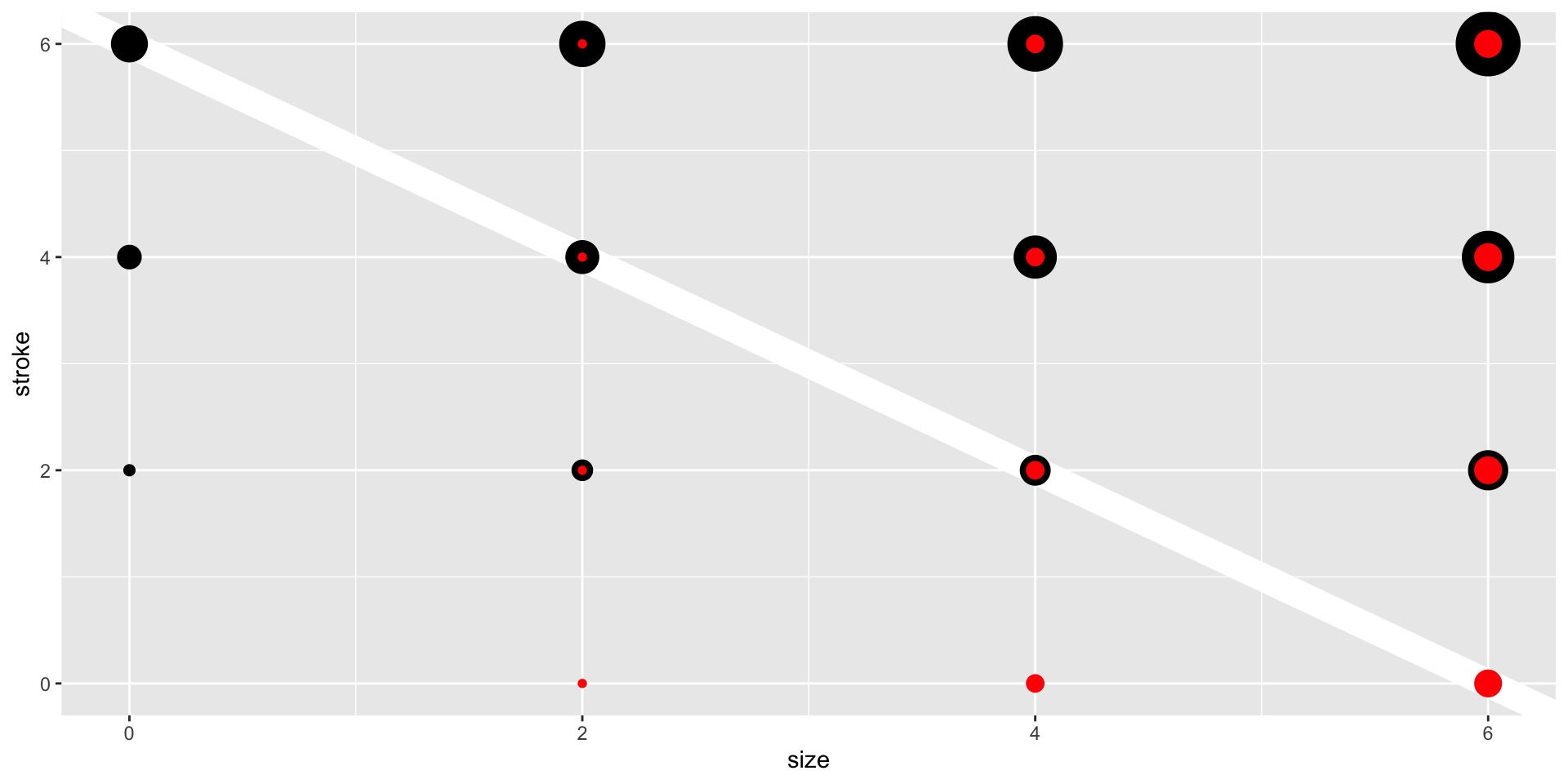
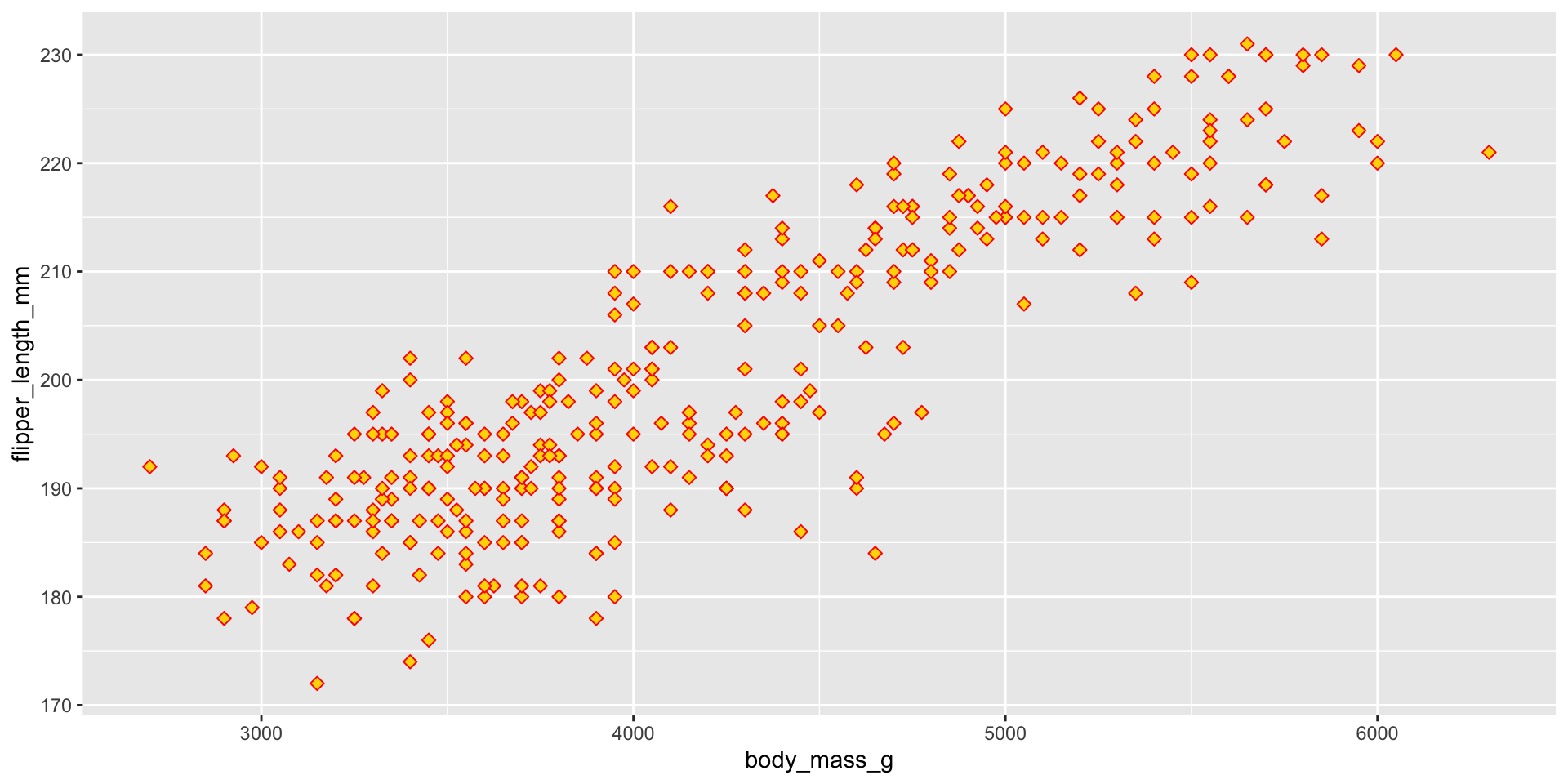
🧠 YOUR TURN

ggplot(data = penguins,
       mapping = aes(x = body_mass_g, y = flipper_length_mm)) +
  geom_point(size = 2, shape = 23, color = "red", fill = "gold")
05:00

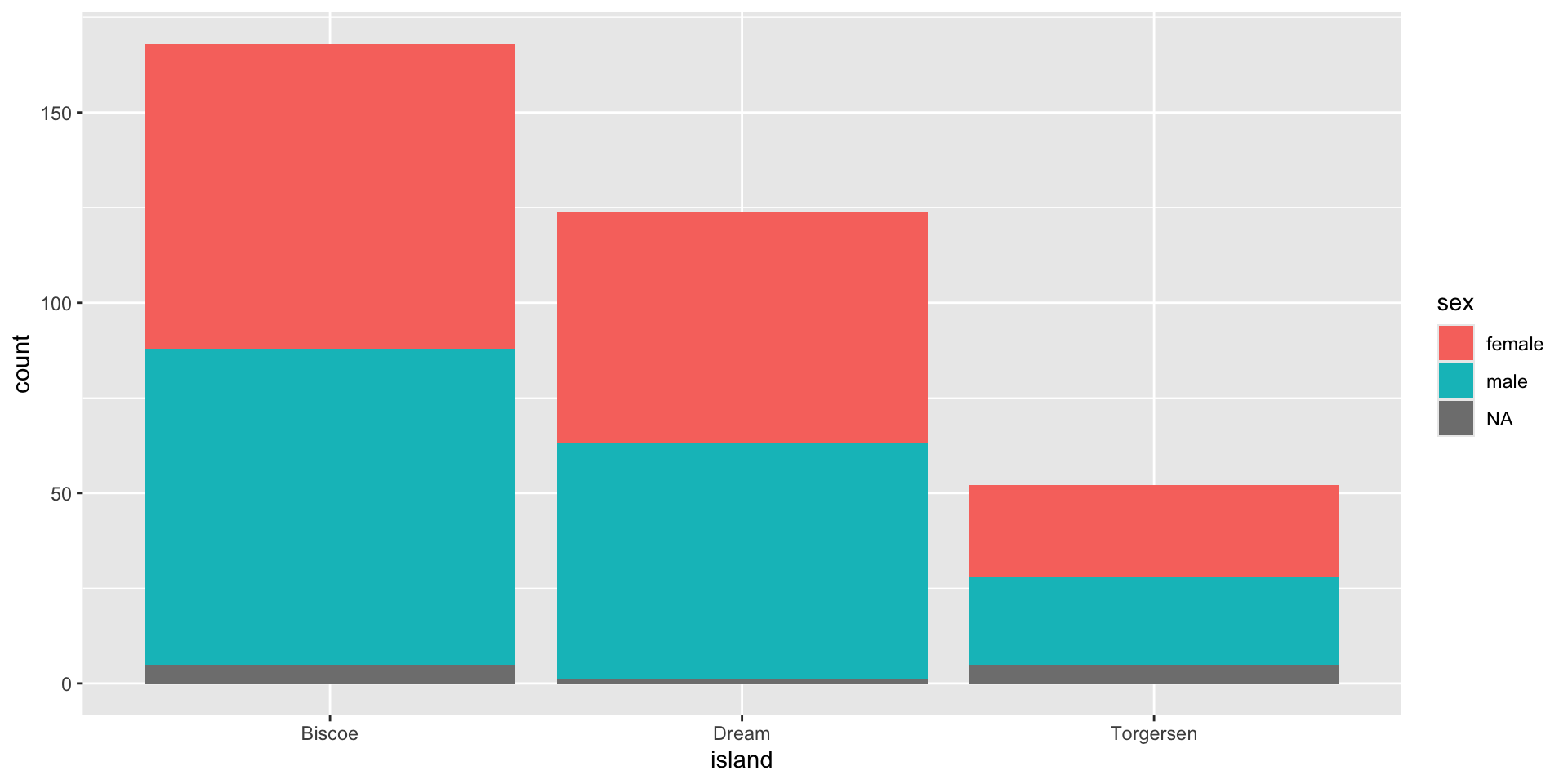
Plot Two Factors/Categorical

Sometimes, we want to differentiate values of a factor/category variable on the basis of another factor/category variable.

ggplot(data = penguins,
       mapping = aes(x = island)) +
  geom_bar(aes(fill = sex))
Figure 11

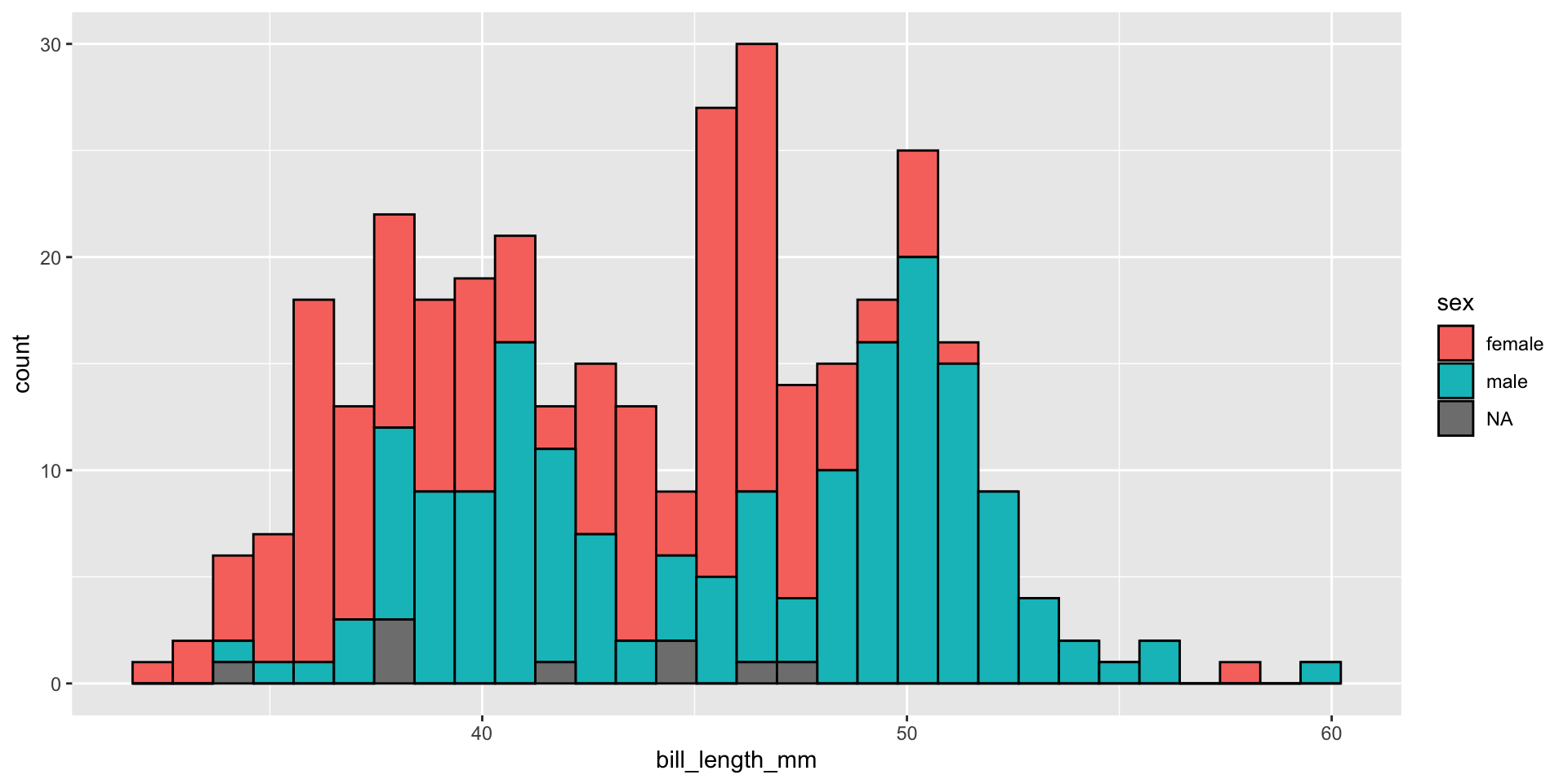
Plot a Continuous and Factor

Sometimes, we want to differentiate values from a continuous variable on the basis of factor/category variables.

ggplot(data = penguins,
       mapping = aes(x = bill_length_mm)) +
  geom_histogram(aes(fill = sex),
                 color = "black")
Figure 12

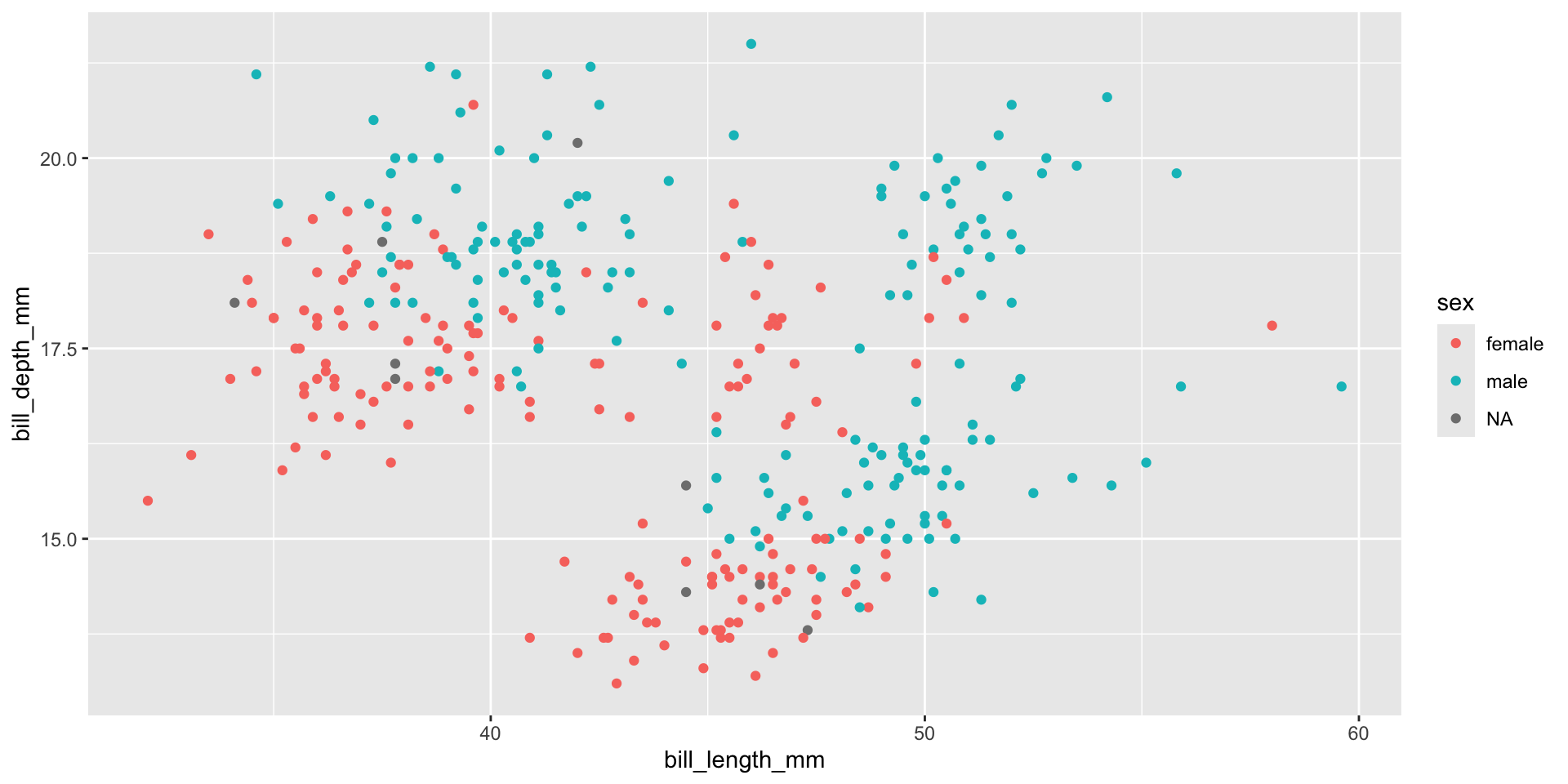
Two Continuous & a Factor

Visualize how the bill length and bill depth relationship varies between male and female penguins.

ggplot(data = penguins,
       mapping = aes(x = bill_length_mm, y = bill_depth_mm)) +
  geom_point(aes(color = sex))
Figure 13

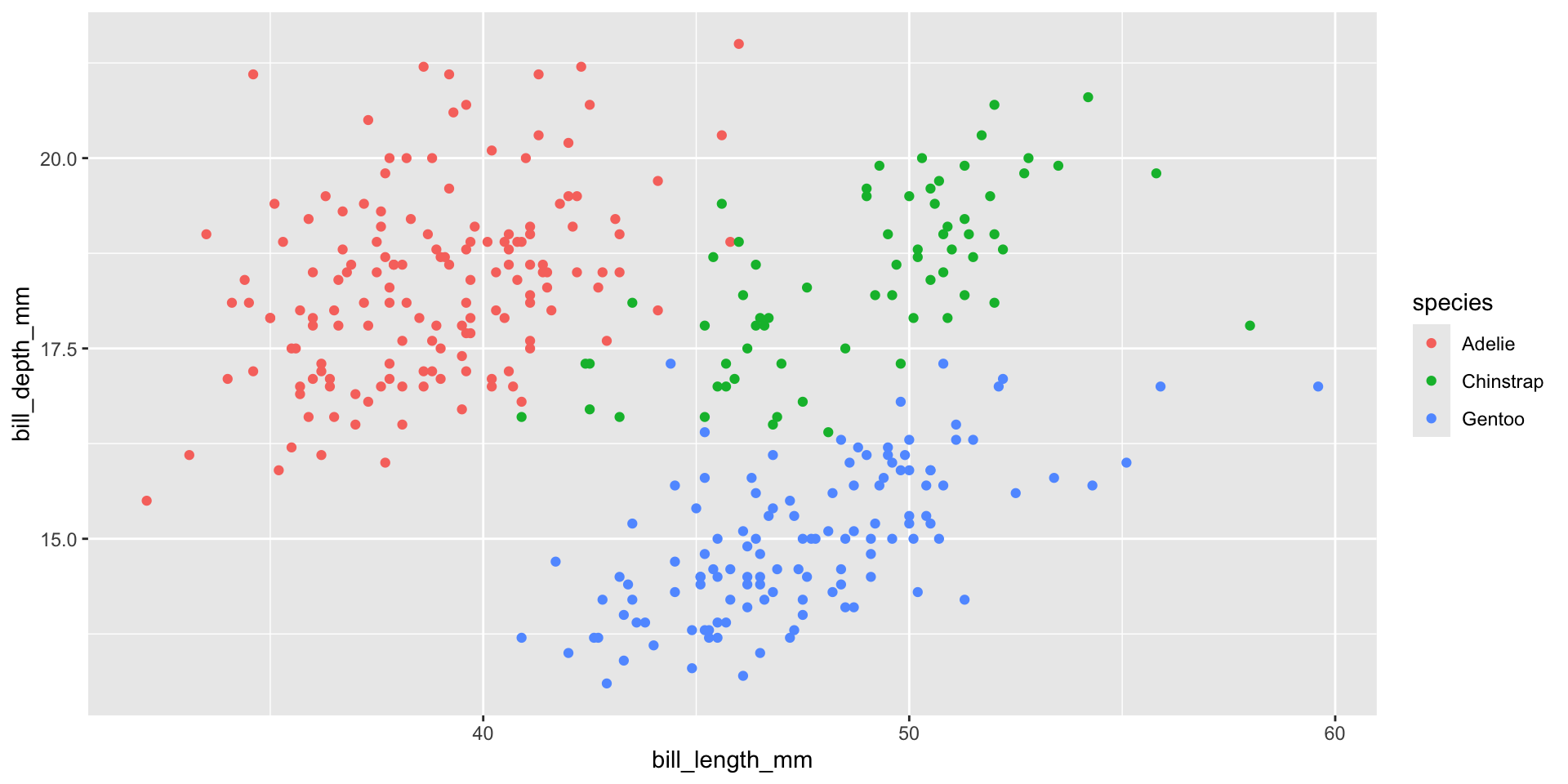
Two Continuous & a Factor

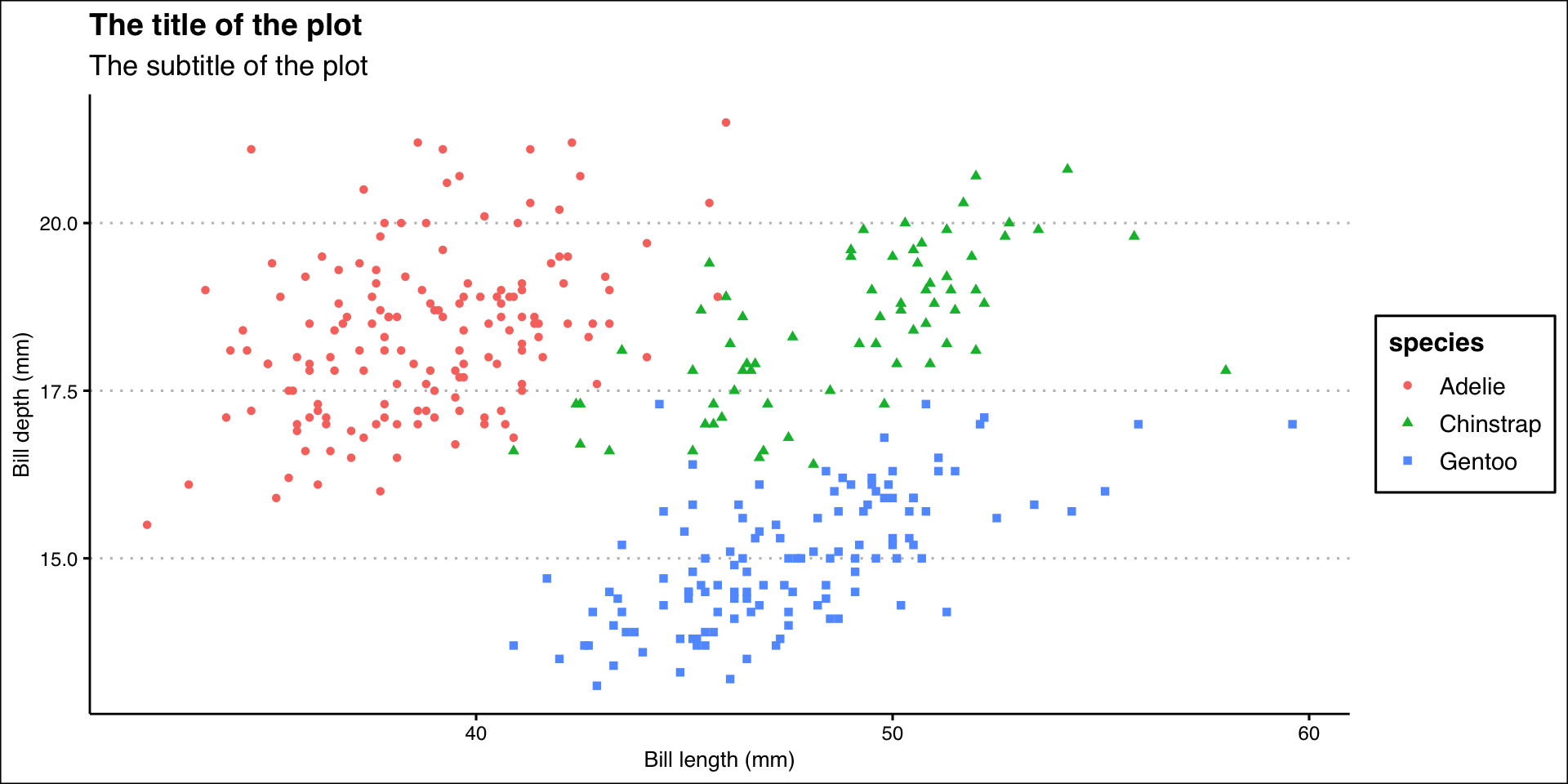
Visualize how the bill length and bill depth relationship varies among three penguin species.

ggplot(data = penguins,
       mapping = aes(x = bill_length_mm, y = bill_depth_mm)) +
  geom_point(aes(color = species))
Figure 14

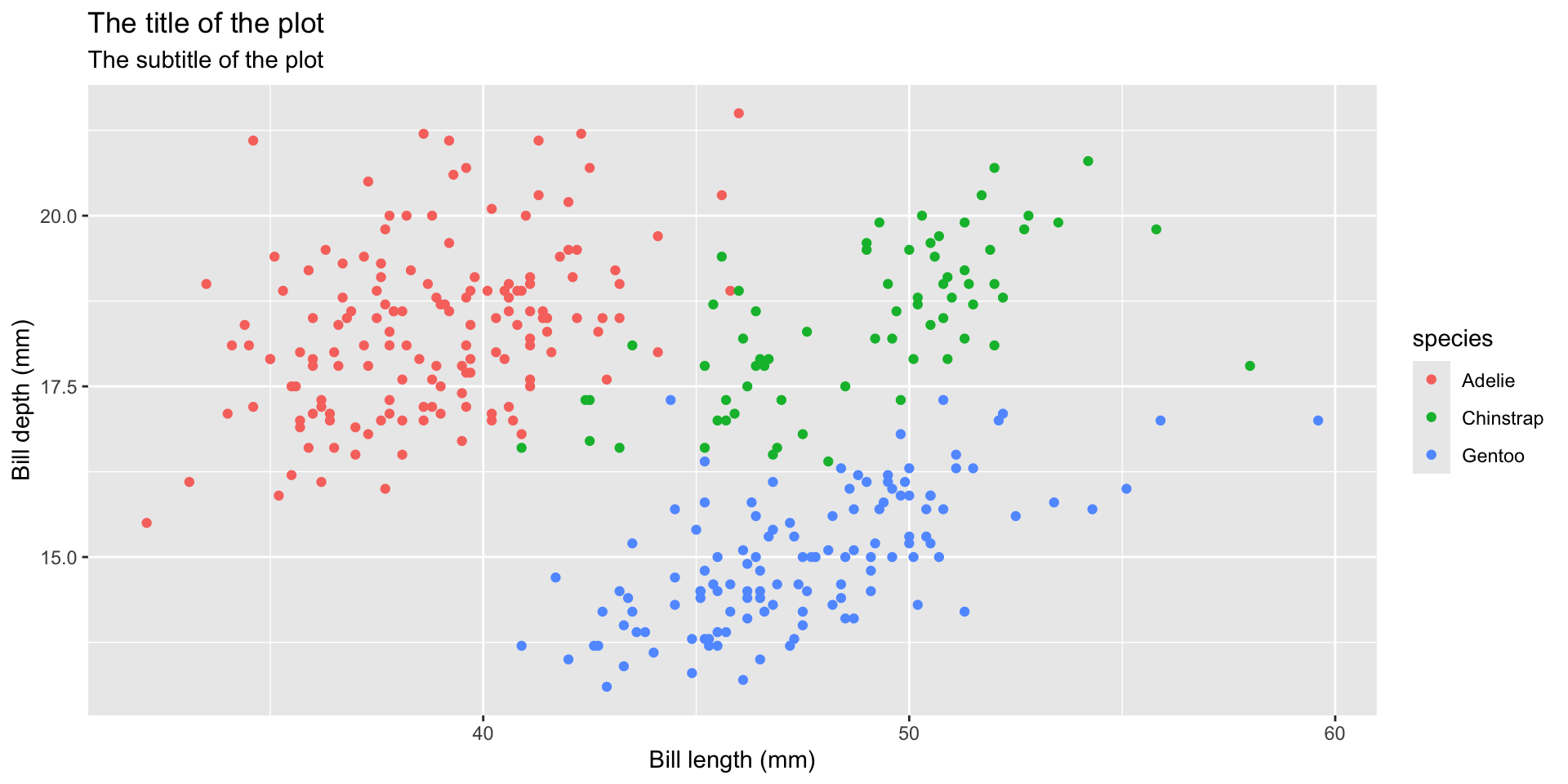
Write Labels

  • Title of the plot

  • Subtitle of the plot with more information

  • Title of the x-axis

  • Title of the y-axis

ggplot(data = penguins,
       mapping = aes(x = bill_length_mm, y = bill_depth_mm)) +
  geom_point(aes(color = species)) +
  labs(
    title = "The title of the plot",
    subtitle = "The subtitle of the plot",
    x = "Bill length (mm)",
    y = "Bill depth (mm)"
  )
Figure 15

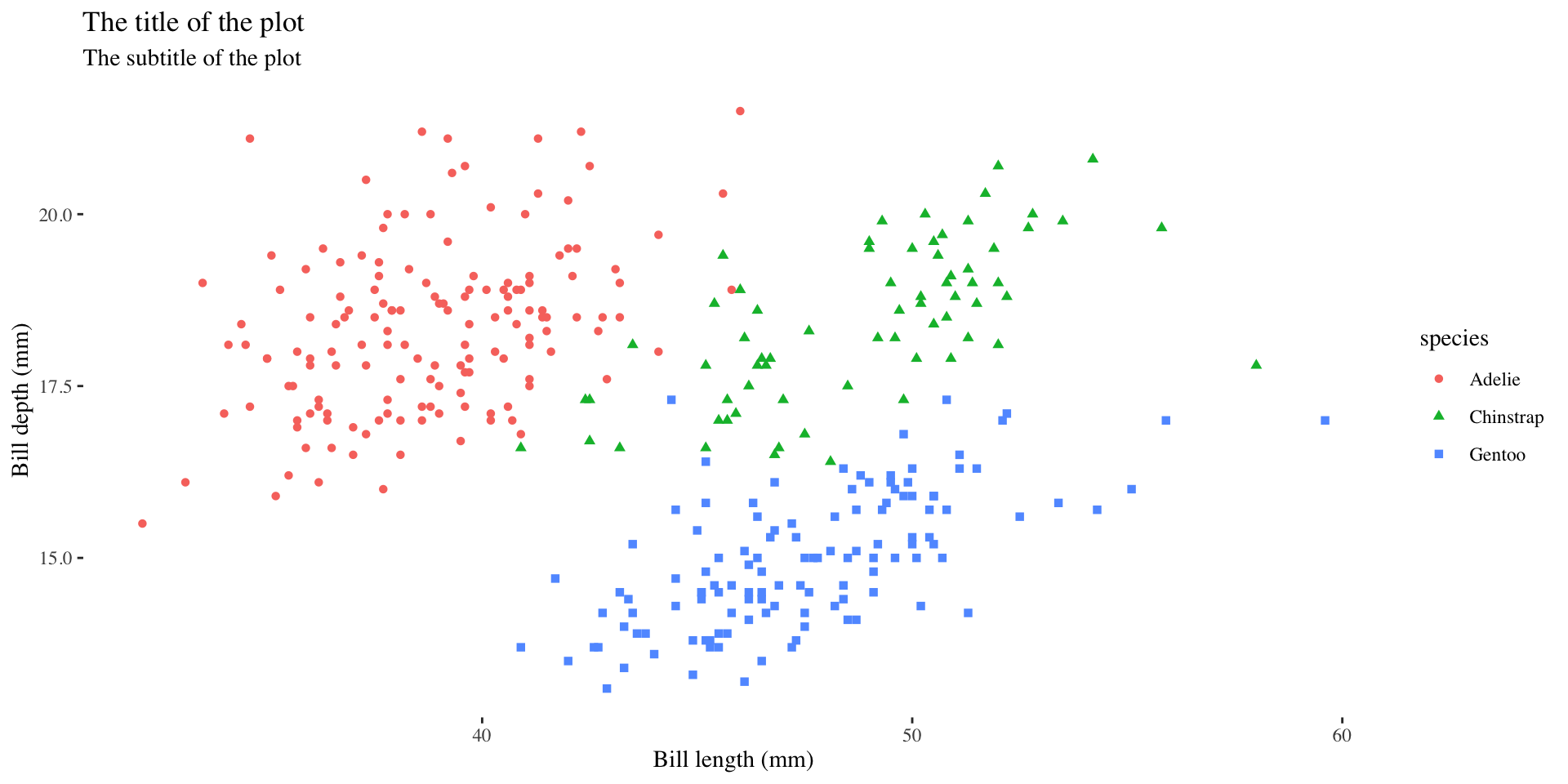
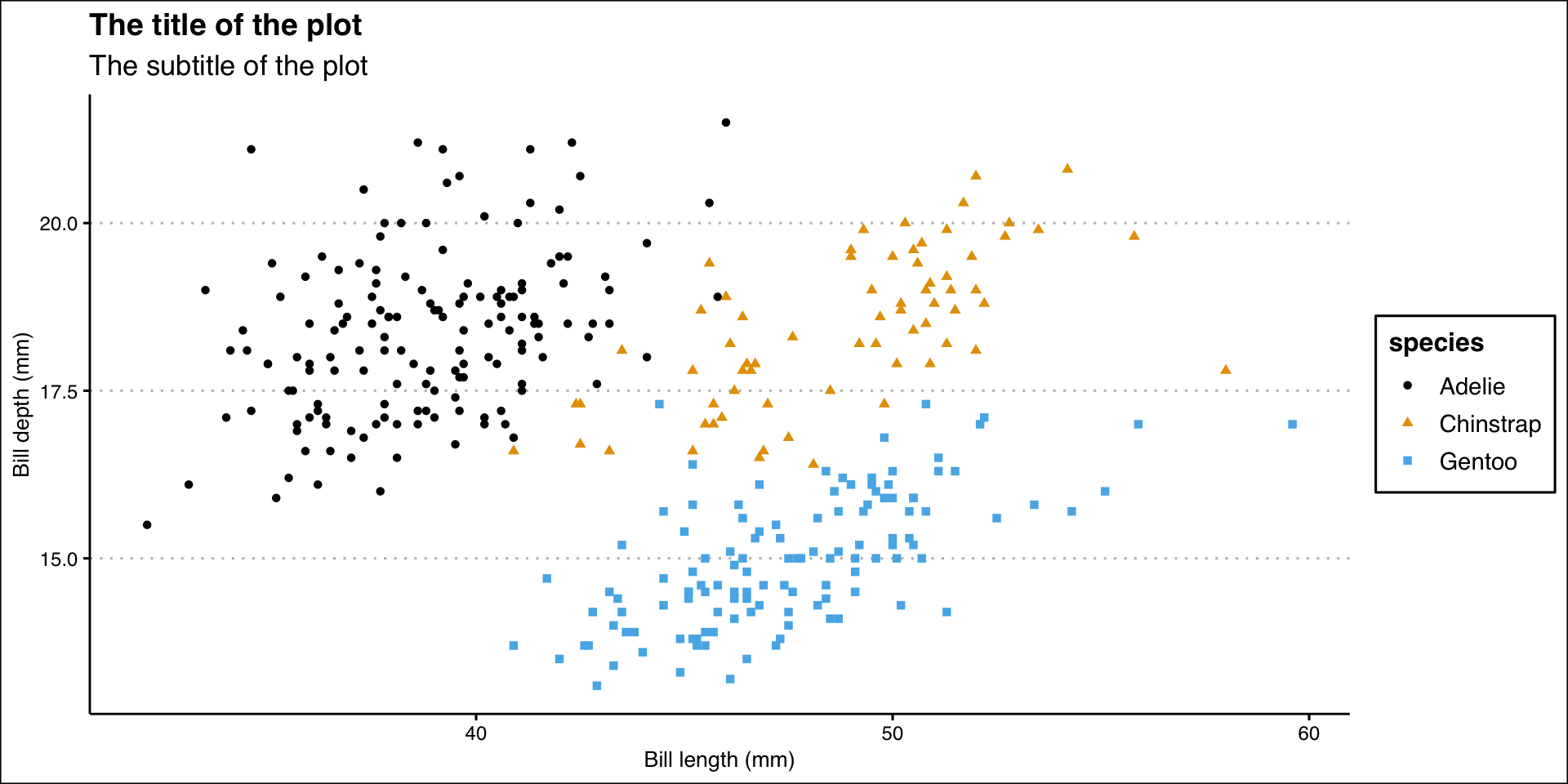
Different Shapes

Each level of the factor/category can be shown using a different shape of different color.
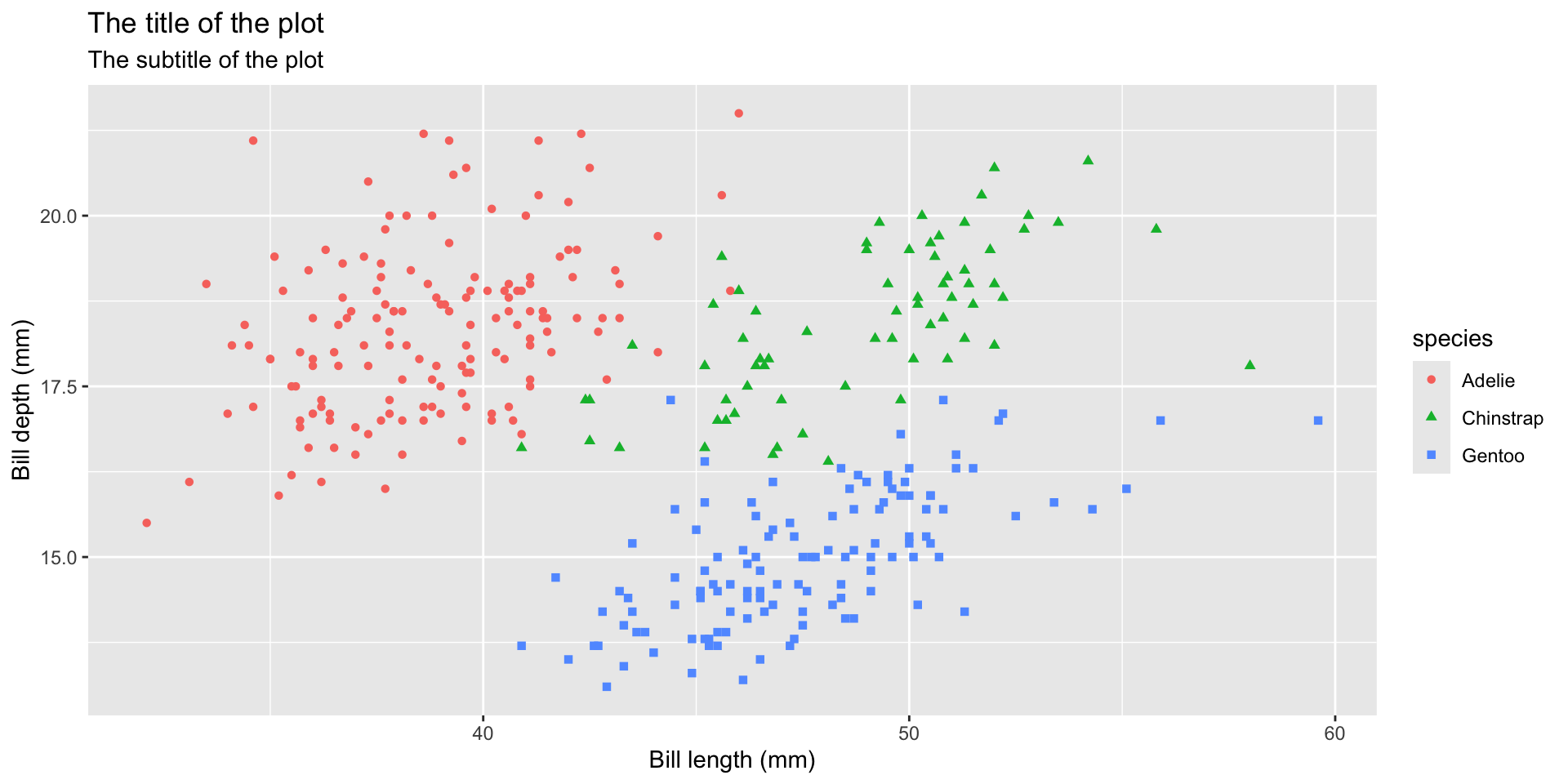
ggplot(data = penguins,
       mapping = aes(x = bill_length_mm, y = bill_depth_mm)) +
  geom_point(aes(color = species, shape = species)) +
  labs(
    title = "The title of the plot",
    subtitle = "The subtitle of the plot",
    x = "Bill length (mm)",
    y = "Bill depth (mm)"
  )
Figure 16

ggplot Extension Packages

GGThemes

Additional themes, scales, and geoms for ggplot2

#install.packages('ggthemes', dependencies = TRUE)
library(ggthemes)


Source: Learn more about ggthemes & ggthemes tutorial
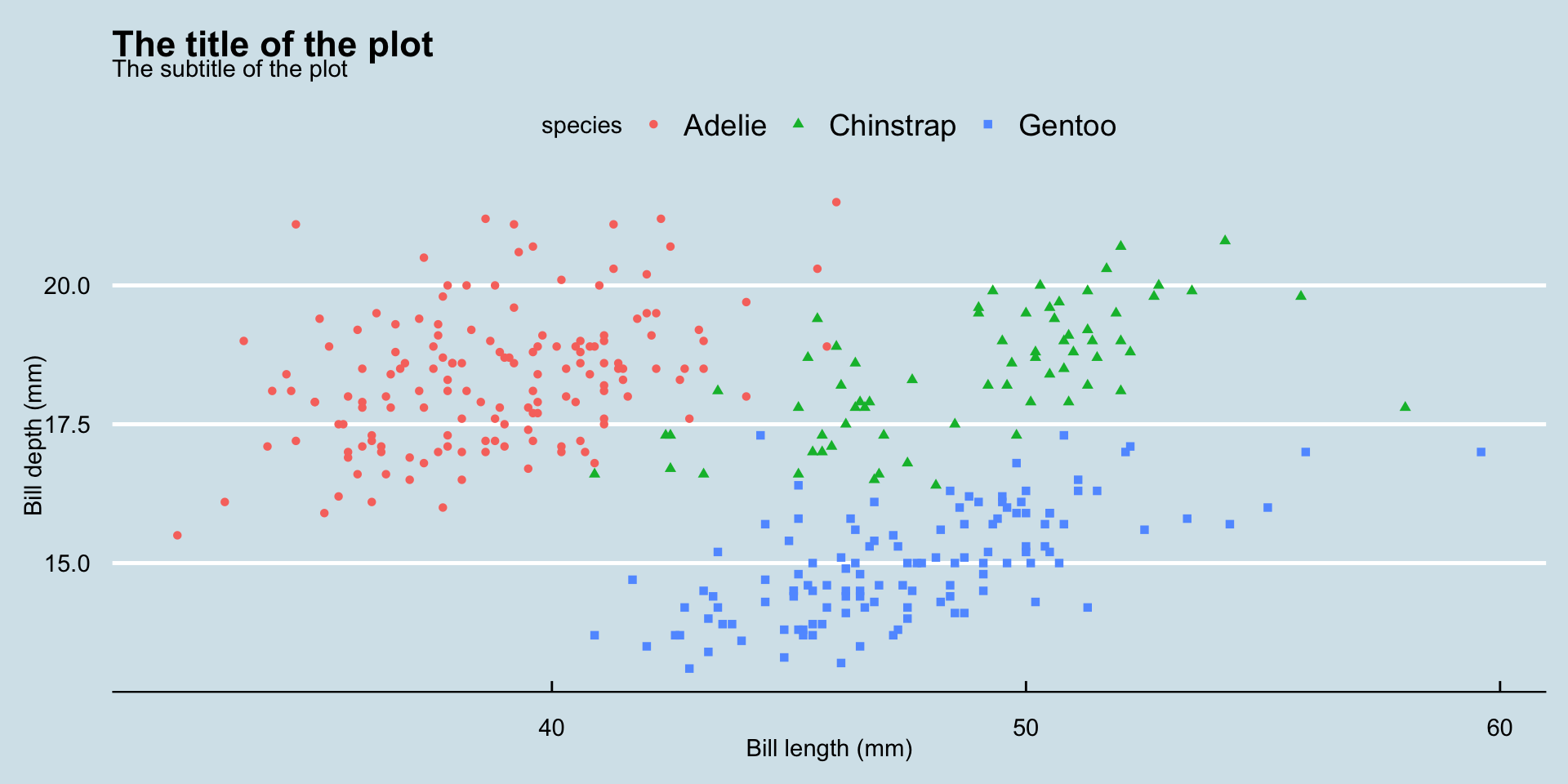
ggplot(data = penguins,
       mapping = aes(x = bill_length_mm, y = bill_depth_mm)) +
  geom_point(aes(color = species, shape = species)) +
  labs(
    title = "The title of the plot",
    subtitle = "The subtitle of the plot",
    x = "Bill length (mm)",
    y = "Bill depth (mm)"
  ) +
  theme_economist()
Figure 17

Theme Solarized

billplot <- ggplot(data = penguins,
       mapping = aes(x = bill_length_mm, y = bill_depth_mm)) +
  geom_point(aes(color = species, shape = species)) +
  labs(
    title = "The title of the plot",
    subtitle = "The subtitle of the plot",
    x = "Bill length (mm)",
    y = "Bill depth (mm)"
  ) 


billplot + theme_solarized_2()
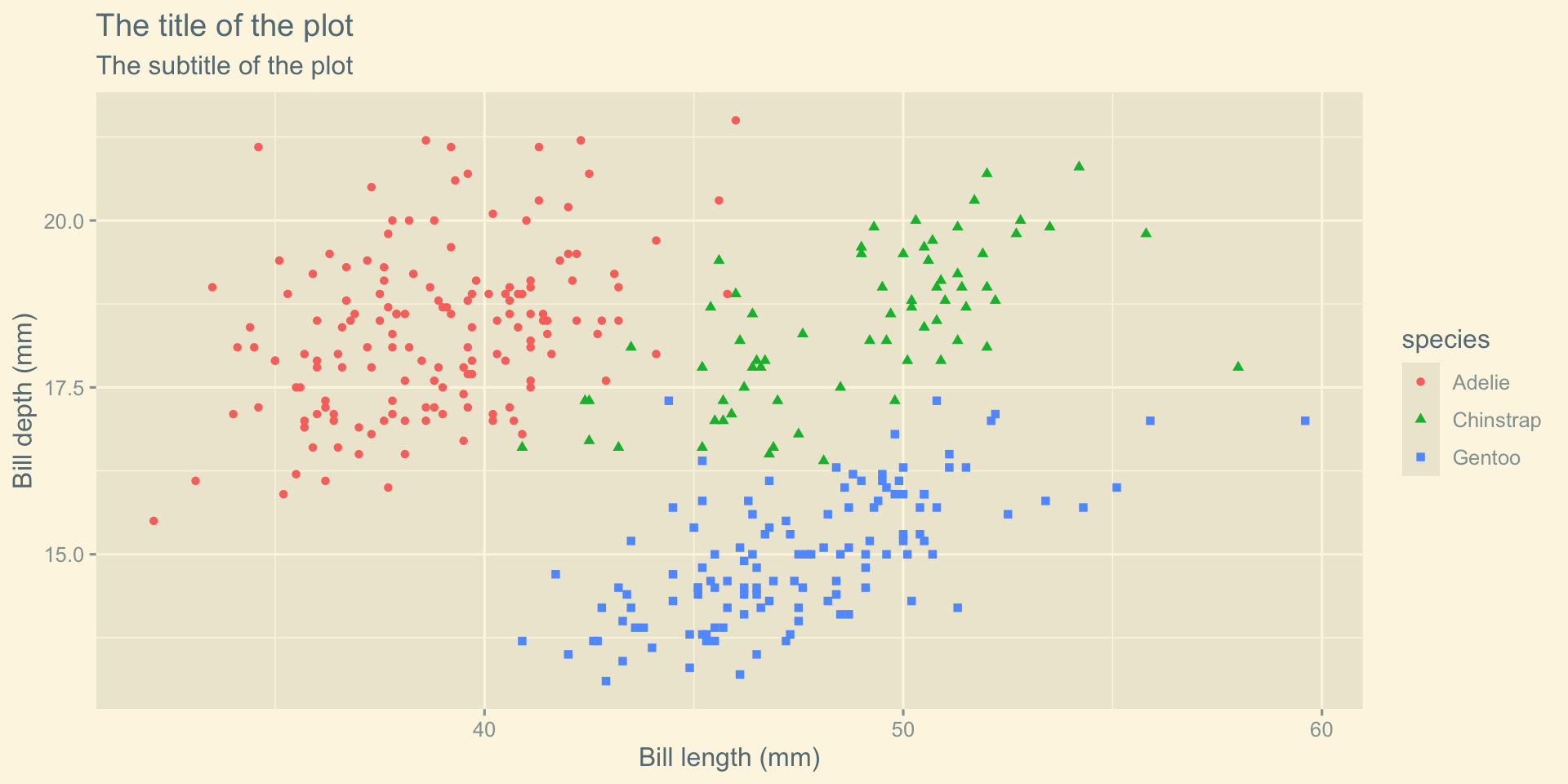
Figure 18

Theme Tufte

billplot + theme_tufte()
Figure 19

Theme Clean

billplot + theme_clean()
Figure 20

🎨 Color Palette

R package ggthemes have function to use color scheme for colorblindness. Know more

billplot + 
      theme_clean() + 
      scale_color_colorblind()
Figure 21

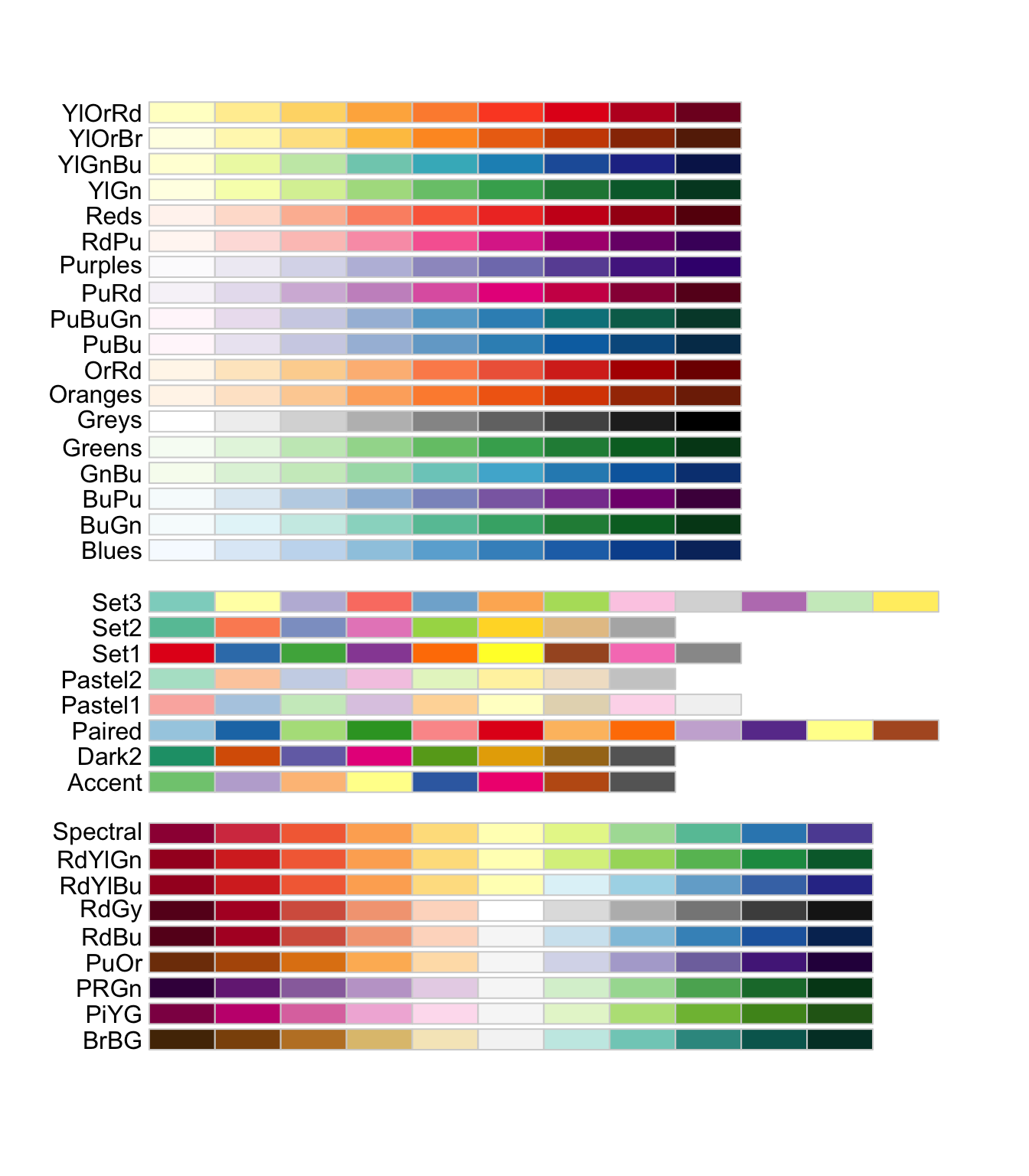
Color Palette

Color Palette RColorBrewer
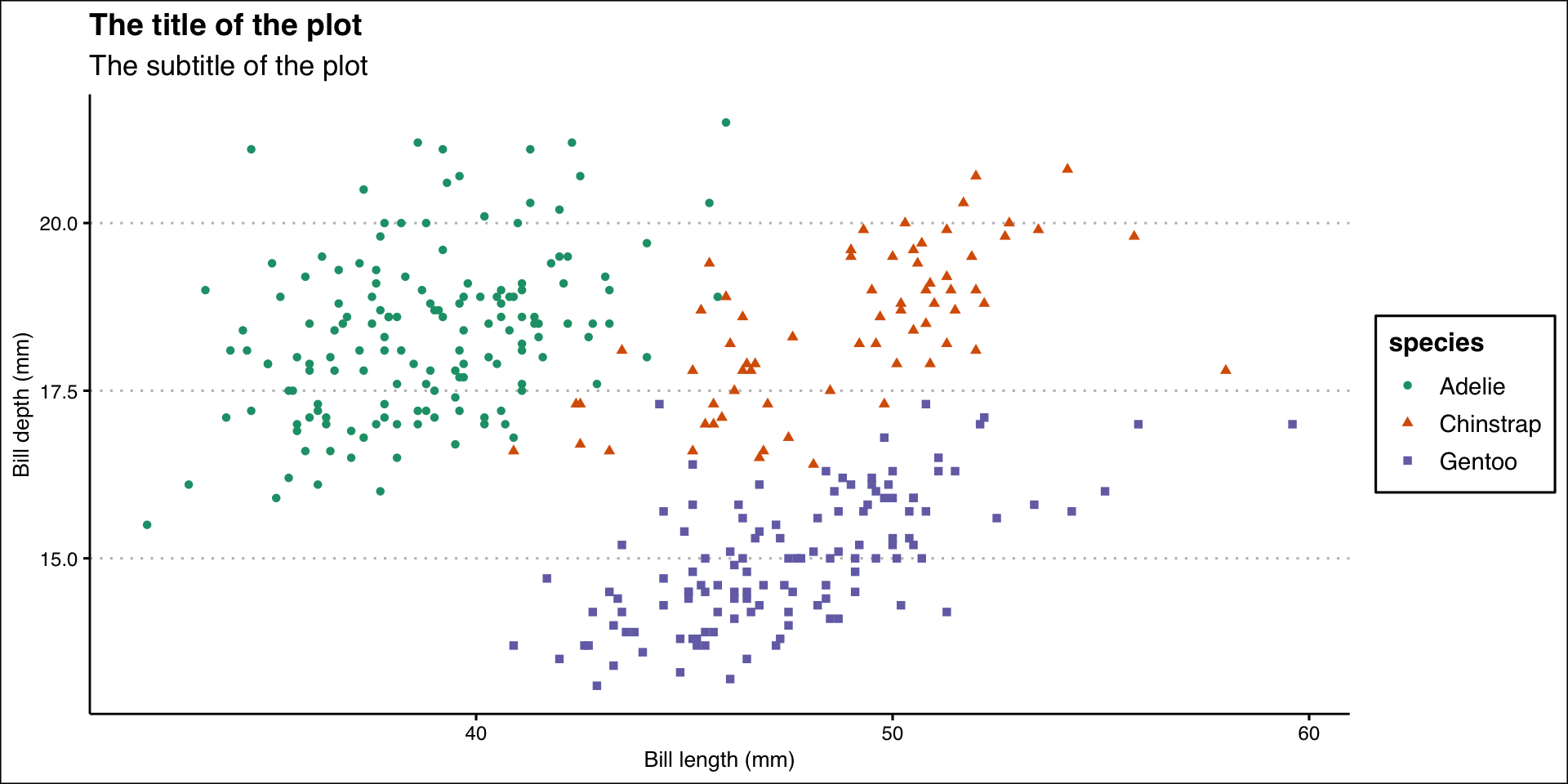
library(RColorBrewer)
billplot +
  theme_clean() +
  scale_color_brewer(palette = "Dark2")
Figure 22

Color Palette Wesanderson

library(wesanderson)

names(wes_palettes)
 [1] "BottleRocket1"     "BottleRocket2"     "Rushmore1"        
 [4] "Rushmore"          "Royal1"            "Royal2"           
 [7] "Zissou1"           "Zissou1Continuous" "Darjeeling1"      
[10] "Darjeeling2"       "Chevalier1"        "FantasticFox1"    
[13] "Moonrise1"         "Moonrise2"         "Moonrise3"        
[16] "Cavalcanti1"       "GrandBudapest1"    "GrandBudapest2"   
[19] "IsleofDogs1"       "IsleofDogs2"       "FrenchDispatch"   
[22] "AsteroidCity1"     "AsteroidCity2"     "AsteroidCity3"    
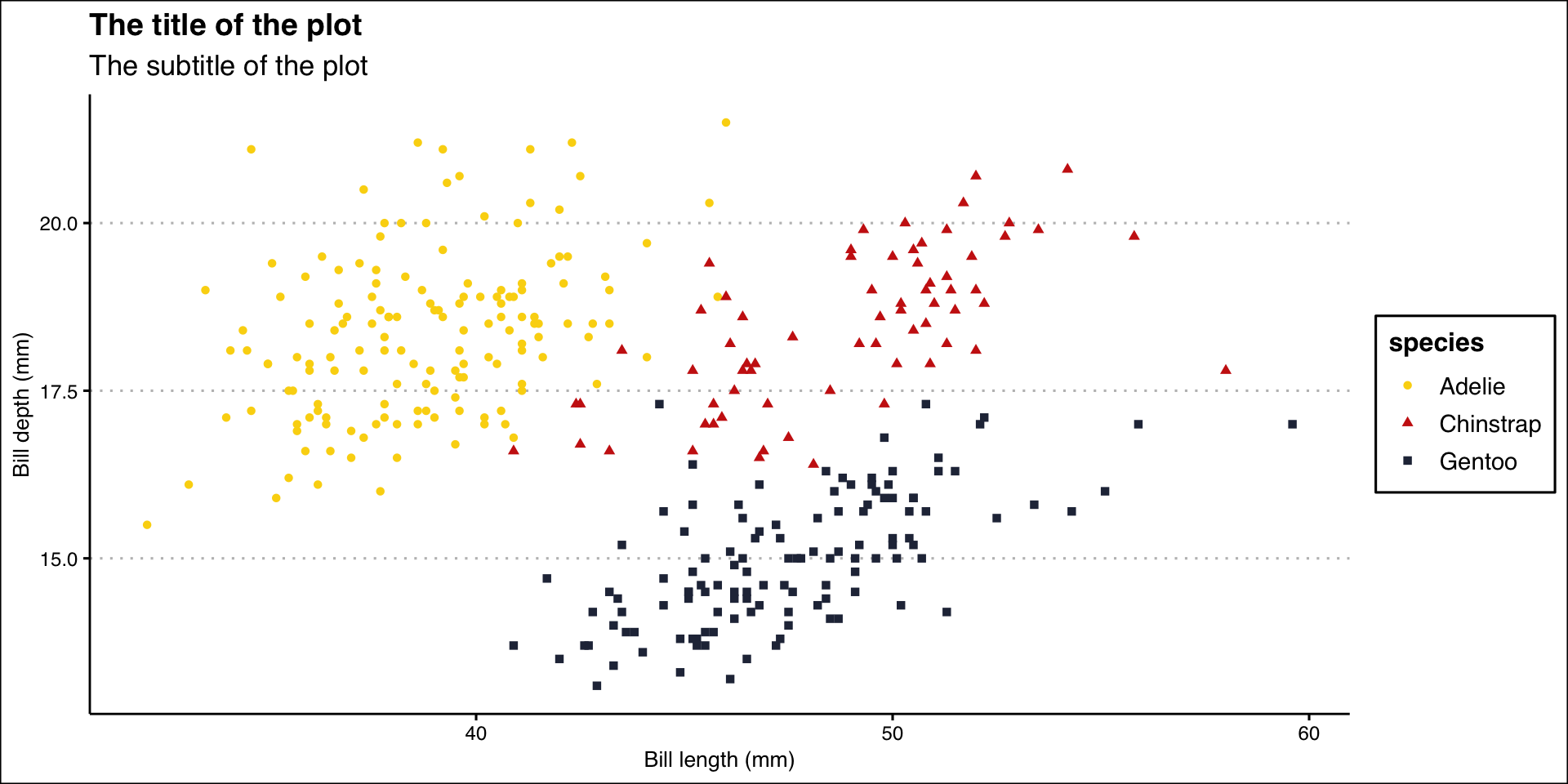
billplot +
  theme_clean() +
  scale_color_manual(values = wes_palette("BottleRocket2", n = 3))
Figure 23

Export Plot

Export/save plot as pdf, jpg or png file.

ggplot(data = penguins,
       mapping = aes(x = bill_length_mm, y = bill_depth_mm)) +
  geom_point(aes(color = species, shape = species)) +
  labs(
    title = "The title of the plot",
    subtitle = "The subtitle of the plot",
    x = "Bill length (mm)",
    y = "Bill depth (mm)"
  ) +
  theme_clean() +
  scale_color_manual(values = wes_palette("BottleRocket2", n = 3))

ggsave("penguins-plot.pdf")
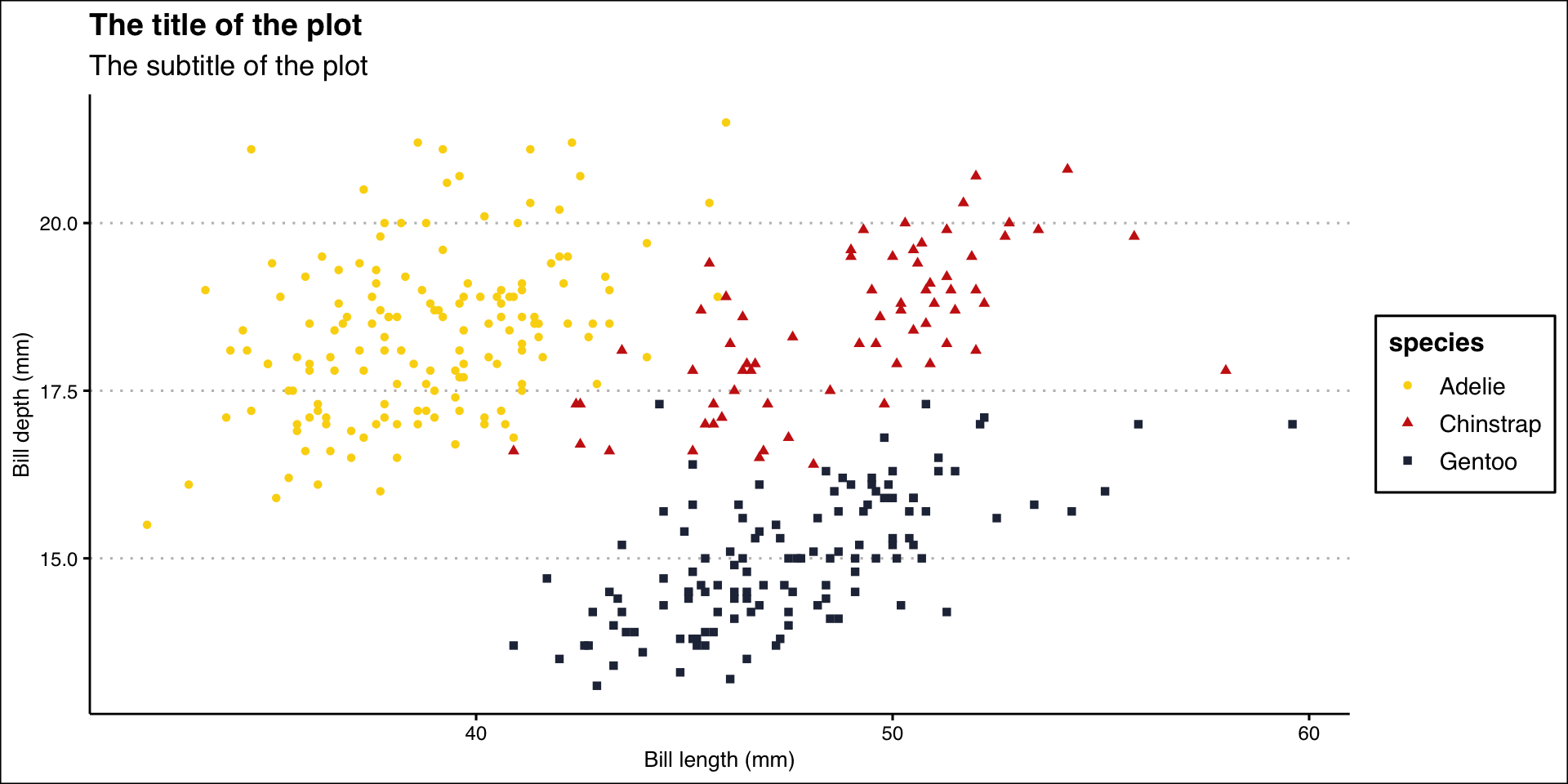

Figure 24

🧑🏽‍💻👨🏽‍💻
Question & Answer

🤯 Your Turn

1. What is ggplot2 used for in R?

  1. Data cleaning
  2. Data visualization
  3. Text mining
  4. Machine learning

🤯 Your Turn

2. In ggplot2, the function aes() is used for:

  1. Loading data
  2. Mapping variables to aesthetics like x, y, color
  3. Saving plots as images
  4. Applying statistical models

🤯 Your Turn

3. Which function is used to create a scatter plot in ggplot2?

  1. geom_bar()
  2. geom_line()
  3. geom_point()
  4. geom_boxplot()

🤯 Your Turn

4. In ggplot2, theme_minimal() is used to:

  1. Filter the dataset
  2. Apply a clean, minimal plot style
  3. Add a legend
  4. Change axis limits

🤯 Your Turn

5. Which package must be loaded to use ggplot2 functions?

  1. dplyr
  2. ggplot2
  3. tidyr
  4. plotly

🤩 Your Turn Answers

  1. Correct answer: B) Data visualization

  2. Correct answer: B) Mapping variables to aesthetics like x, y, color

  3. Correct answer: C) geom_point()

  4. Correct answer: B) Apply a clean, minimal plot style

  5. Correct answer: B) ggplot2

thank You! IDSJ TEAM